Maintenance
FTB-500 279
Installing or Removing the Power Meter and VFL
To remove the power meter for recalibration:
1. Turn off your unit.
2. Disconnect the unit from its external power source and remove the
batteries.
3. Put on a wrist (or an ankle) antistatic strap and ensure that the end of
its wire is grounded properly.
4. Place the unit vertically so that its right panel is facing you, and then
locate the power meter.
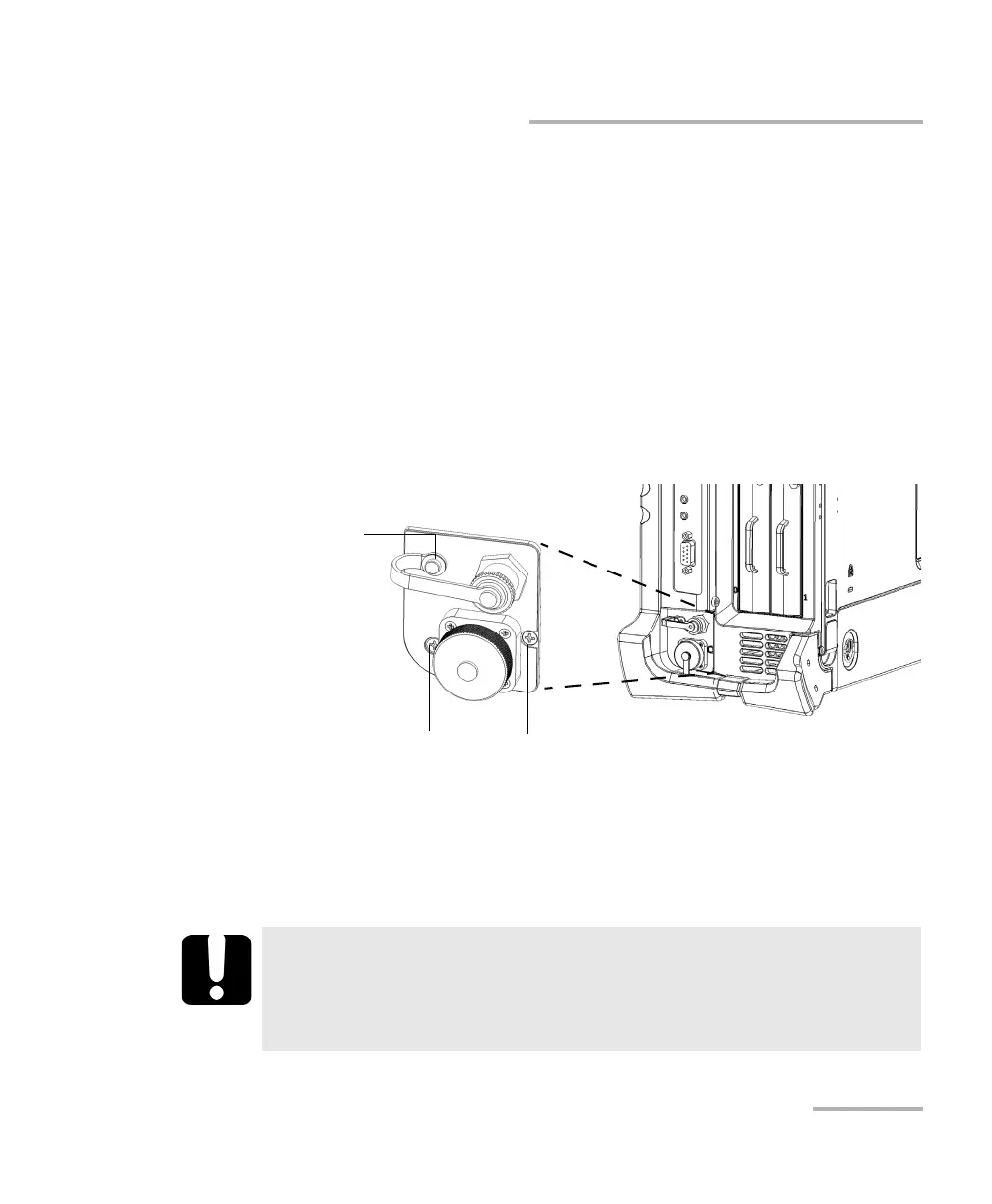
5. Using a screwdriver, remove the three screws of the power meter (one
of the screws passes through the loop of the VFL cap).
Note: If you have a protective cover for the power meter bay, keep the screws
close at hand. You will need them to secure the protective cover in place
later.
IMPORTANT
Do not discard the screws. You will need them to secure the
protective cover, and the power meter in its bay when it is back
from calibration.
Screw passing through the
loop of the VFL cap
Screw Screw



 To Next Page