Room Scheduling System • Microsoft Extchange Setup 67
Panel Setup
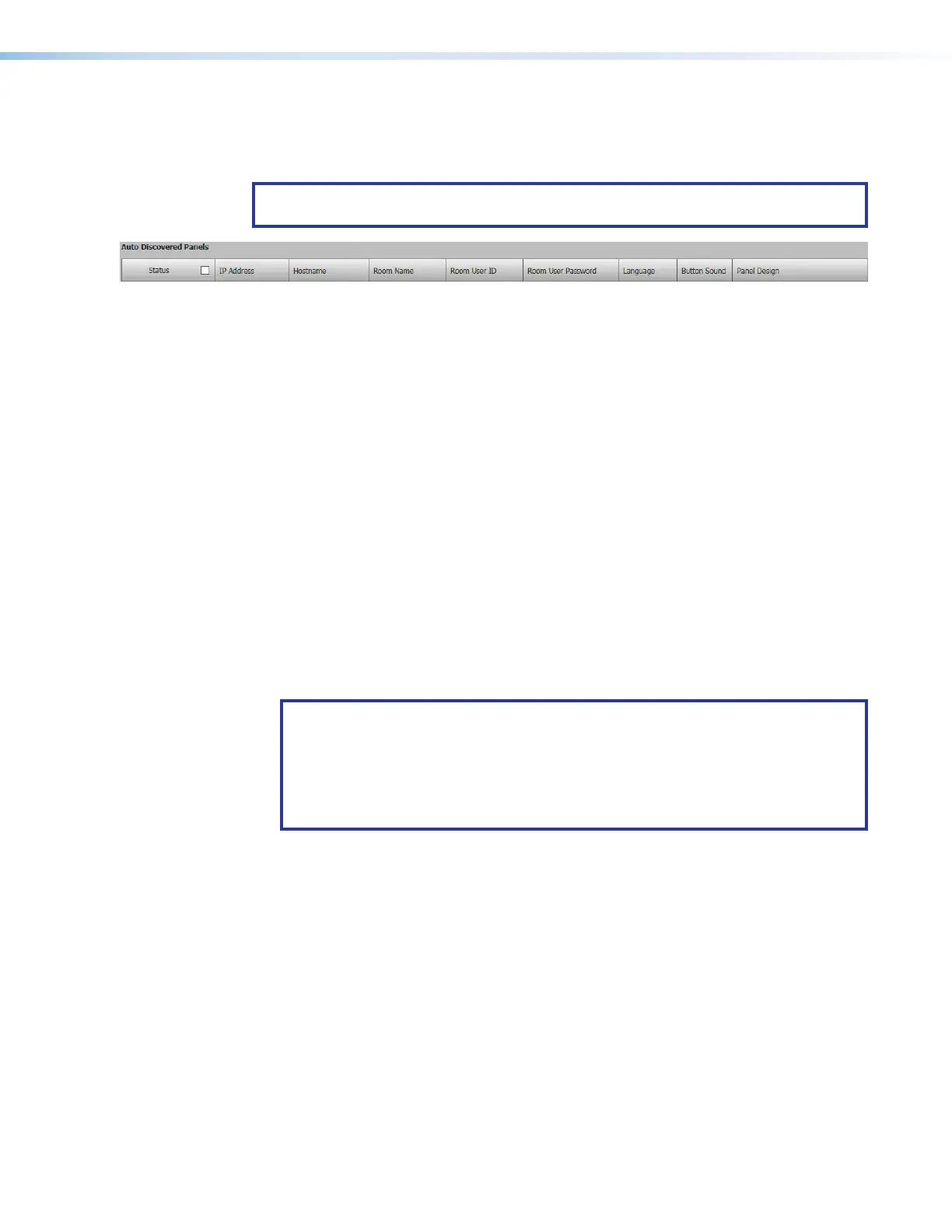
The following column headings are available for touchpanels with Microsoft Exchange
Calendar.
NOTE: If service accounts are enabled, the Room User ID and Room User Password
column headings change to Service Account and Room Resource Account.
Figure 75. Room Agent Column Headings with Microsoft Calendar
• Status — Use this check box to select individual panels for configuration.
• IP Address — This cell contains the IPaddress of the touchlink panel.
• Host Name — The host name is a fully qualified domain name that uniquely identifies
the computer. It is required for the computer to communicate with other devices on the
network.
• Room Name — This is the name that appears on the touchscreen, once it is
configured.
• Room User ID — Enter the ID for an account that has access to the Microsoft server.
This is typically an administrator account.
User ID requires the User Principal Name (UPN, the name of a Windows network user
in an SMTP e-mail address format) for the room resource user ID. The UPN must have
an SMTP e-mail address assigned to it. Abbreviated Exchange User IDs (aliases) will
not work. For further information, see Verify the Exchange User ID is the UPN on
page 68.
• Room User Password — Enter the password for an account that has access to the
Microsoft server. This is typically an administrator account.
NOTES:
• If service accounts are enabled, the Room User ID and Room User Password
column headings change to Service Account and Room Resource Account.
• The Exchange User ID requires the User Principal Name (UPN: the name of a
Windows network user in an e-mail address format) for the room resource user
ID. The UPN must have an SMTP e-mail address assigned to it.
• Language — Select an option from the Language drop-down list (see Supported
Languages
on page 87). By default, the language is English.
• Button Sound — Select an option from the Button Sound drop-down list. The options
are Off and On. Button sound provides audible feedback when buttons are pressed on
the touchpanel. By default, it is on.
• Panel Design— The layout of the panel can be configured using the Panel Design tab.
You can select one of the saved panel design files from this drop-down list.



 To Next Page