Room Scheduling System • Room Agent Installation and Configuration 22
Panel Configuration Tab
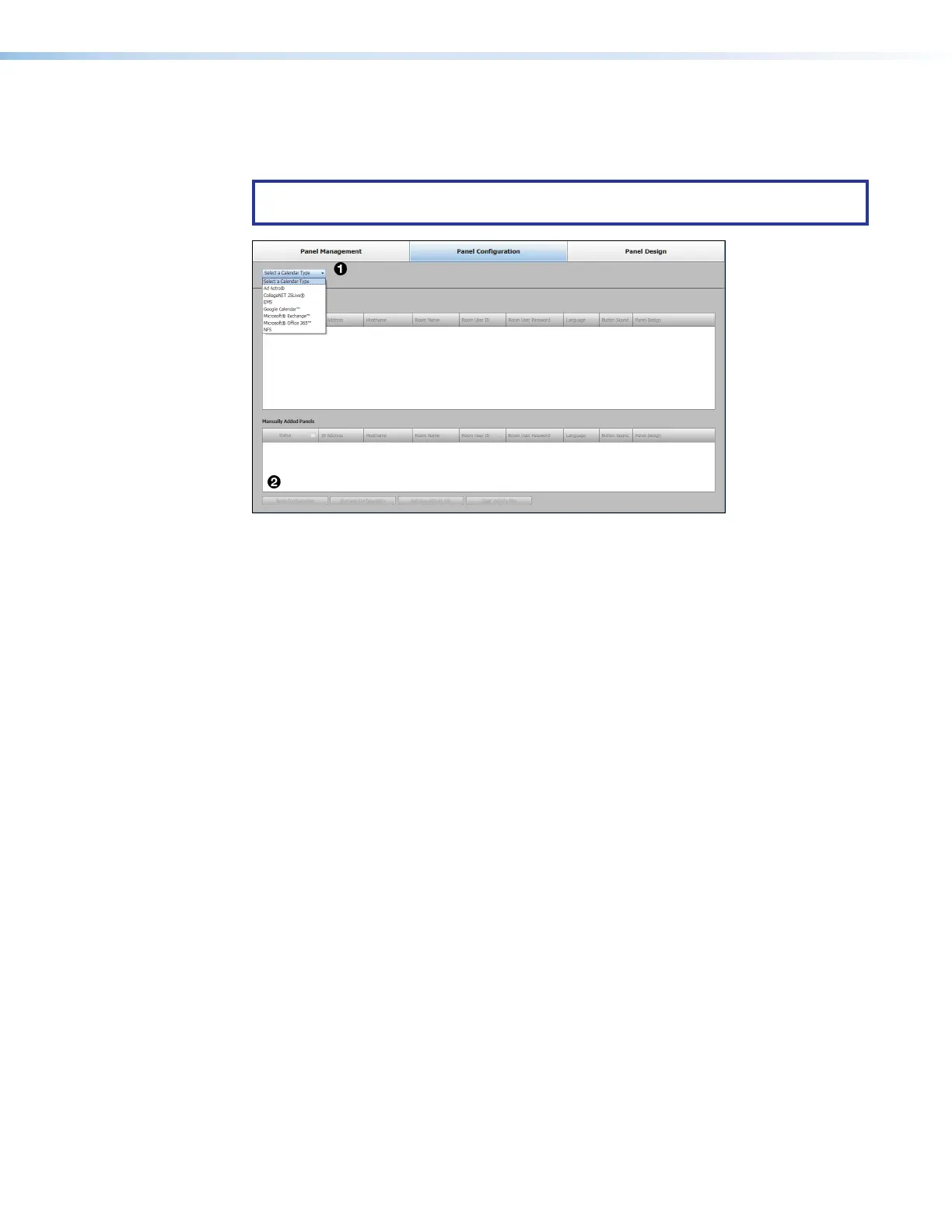
The Panel Configuration window (see figure 17) provides a set of tools for selecting
among the supported calendar servers and managing the settings of the selected server.
NOTE: Until you designate the calendar server for your system, only the Select a
Calendar Type drop-down list (
1
) is available for selection.
Figure 17. Panel Configuration Window, Initial View
Click the Select a Calendar Type drop-down list (
1
) and select among the choices
shown in figure 17. The appearance and available selections of the Panel Configuration
tab vary depending on the selection.
The options that are available depend on the calendar type selected. For more information,
go to the setup section for the appropriate calendar:
• If you selected Ad Astra, see Ad Astra Setup on page 41.
• If you selected CollegeNET 25Live, see CollegeNET 25Live Setup on page 44.
• If you selected EMS, see EMS Setup on page 46.
• If you selected Google Calendar™, see Google Calendar Setup on page 55.
• If you selected Microsoft
®
Exchange™, see Microsoft Exchange Setup on
page 61.
• If you selected Microsoft
®
Office 365™, see Microsoft Office 365 Setup on
page 70.
• If you selected Rendezvous by NFS, see Rendezvous by NFS Setup on page 79.
figure 17



 To Next Page