Room Scheduling System • Room Agent Installation and Configuration 25
Panel Design Tab
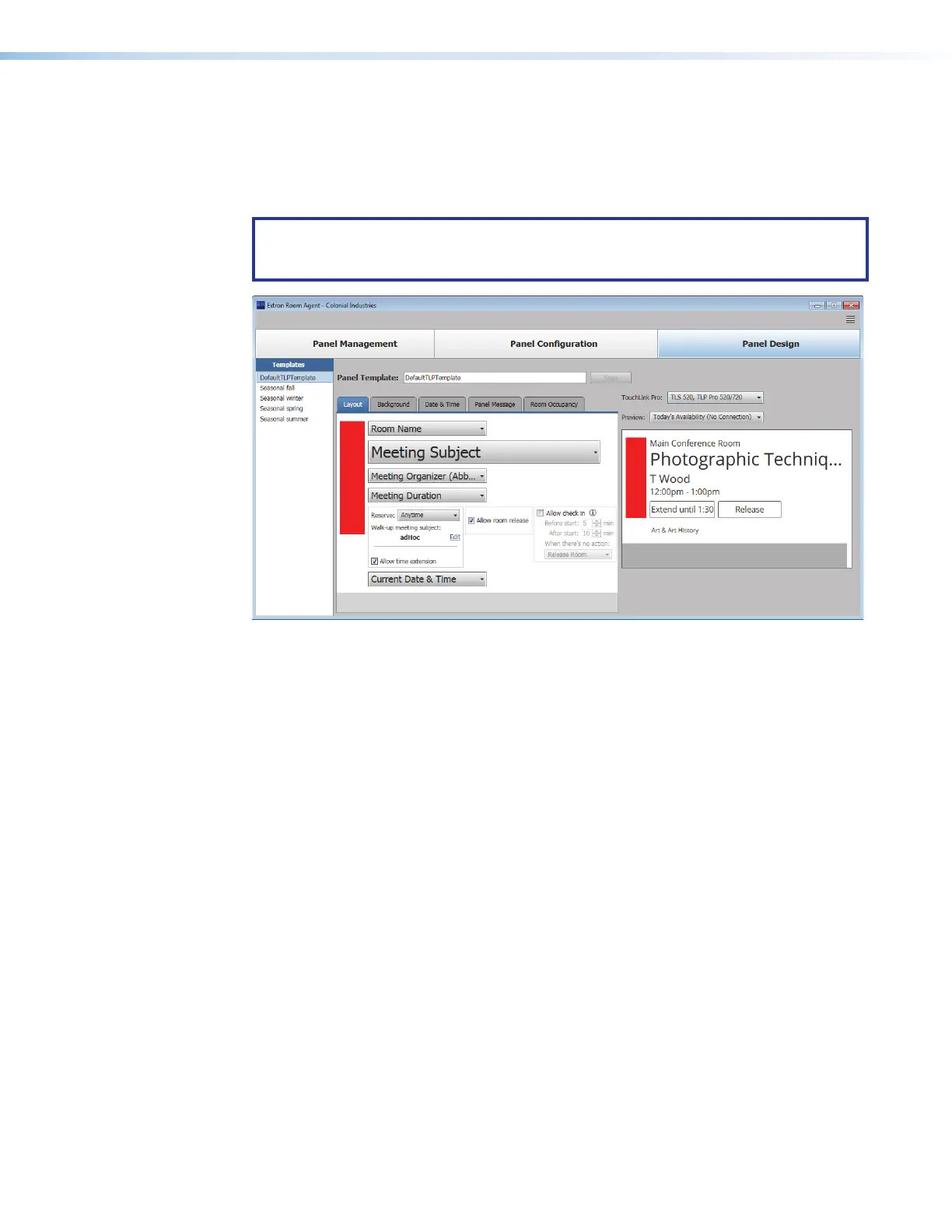
The Panel Design window (see figure 20) provides tools for customizing the appearance
and function of the connected panels. The window consists of the design pane (
1
, see
Design pane, on the next page), the preview pane (
2
, see Preview pane on page 34),
and the Templates pane (
3
, see Templates pane on page 35).
NOTE: The preview pane contains hardcoded, sample, entries. The layout and
appearance of this pane change to reflect changes in the design pane, but, other than
the date and time, the contents, such as “Main Conference Room”, do not change.
3333333333
3333
1111111111
1111 2222222222
2222
Figure 20. Panel Design Window, Layout Tab Selected



 To Next Page