Room Scheduling System • Room Agent Installation and Configuration 19
Panel Management Tab
Connect to the panel
Each panel requires setup as follows:
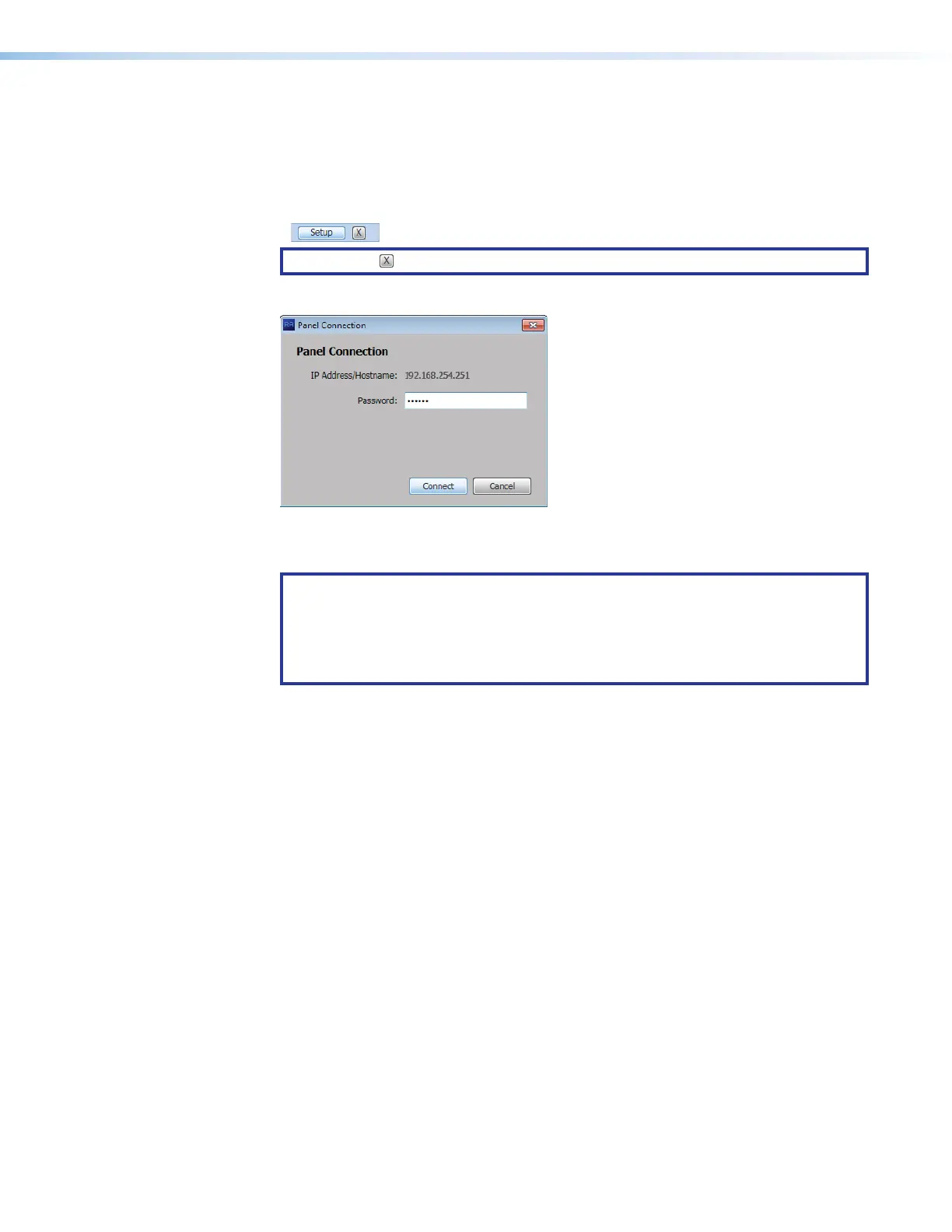
1. Click the Setup button for the panel to be set up.
NOTE: The button deletes a panel from the list.
The Panel Connection dialog box opens (see figure 14).
1111111111
1111
2222222222
2222
Figure 14. Panel Connection Dialog Box
2. If applicable, enter a password in Password block (see figure 14,
1
).
NOTES:
• The factory configured passwords for all accounts on this device have been set
to the device serial number. Passwords are case sensitive.
• If the device is reset to default settings, the password will be the default
password configuration. The default password is extron.
3. Click the Connect button (
2
).
The Room Agent connects to and synchronizes with the panel. Once synced, Room
Agent displays the Device Management window with either the Communication
Settings tab (see figure 15 on the next page) or General Settings tab (see
figure 16 on page 21) selected.



 To Next Page