Room Scheduling System • Microsoft Office 365 Setup 75
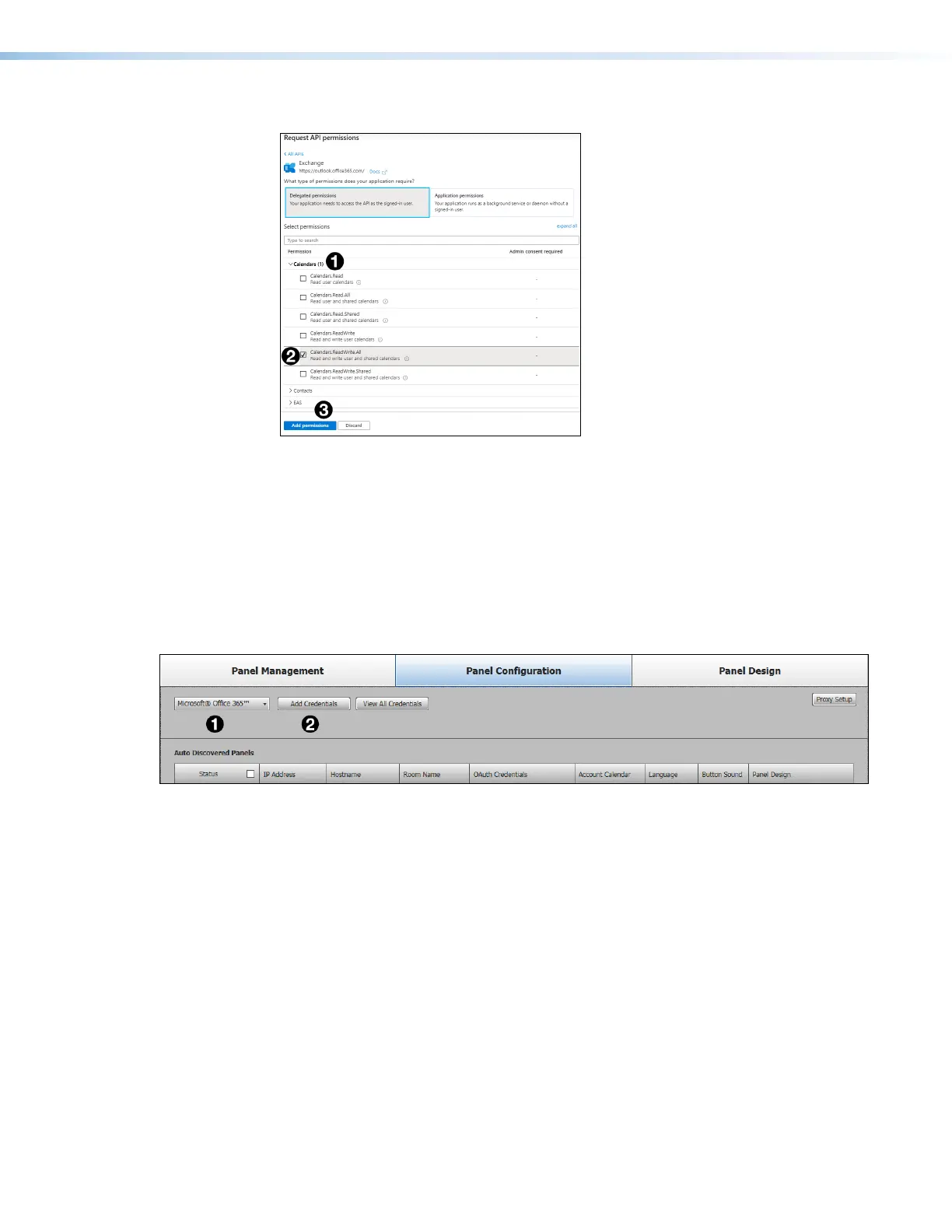
A list of permission categories opens:
Figure 89. Calendar Permissions
15. Click Calendars (see figure 89,
1
).
The menu expands to show several Calendar options.
16. Select the Calendars.ReadWrite.All check box (
2
).
17. Click Add Permissions (
3
).
Assigning Oauth Credentials to Room Agent
1. Open Room Agent and select the Panel Configuration tab.
Figure 90. Panel Configuration Tab — Microsoft Office 365 Selected
2. From the drop-down list of calendars, select Microsoft Office 365 (see
figure 90,
1
).
3. Click Add Credentials (
2
).



 To Next Page