Room Scheduling System • Ad Astra Setup 41
Ad Astra Setup
Calendar Setup
NOTE: To run the Ad Astra calendar type, the touchpanels must have firmware version
1.12.0001-b001 (or later) installed.
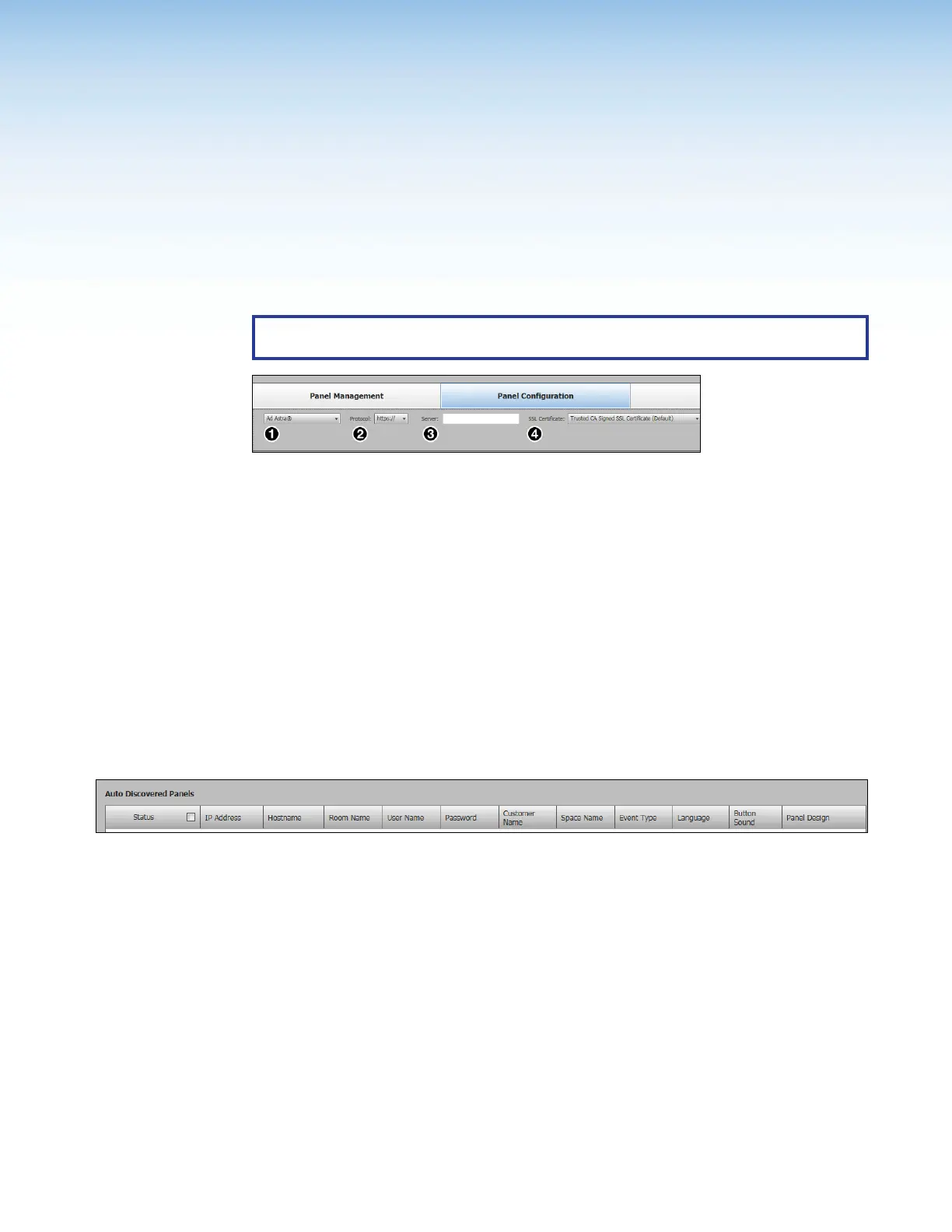
Figure 36. Selecting the Ad Astra Calendar
1. In the Panel Configuration tab, select Ad Astra from the Select a Calendar Type
drop-down list (see figure 36,
1
).
2. Select a Protocol (http:// or https://) (
2
).
If you use https:// the Proxy Server must be setup as “TLS Pass Through”. This is
required for the TLS to validate the calendar server’s SSL certificate (see Setting up a
Proxy Server
on page 82).
3. Enter the address of the Ad Astra Server (
3
).
4. Select the SSLCertificate preference (Trusted CA Signed SSL Certificate
(Default) or No Verification of SSL Certificate) (
4
).
Panel Setup
The following column headings (see figure 37) are available for touchpanels with Ad Astra:
Figure 37. Room Agent Column Headings with Ad Astra
• Status — Use this check box to select individual panels for configuration.
• IP Address — This cell contains the IPaddress of the touchlink panel.
• Hostname — The host name is a fully qualified domain name that uniquely identifies
the computer. It is required for the computer to communicate with other devices on the
network.
• Room Name — This is the name that appears on the touchscreen, once it is
configured.
• User Name — This is the user name that is used to log into the Ad Astra web interface.



 To Next Page