Room Scheduling System • Room Agent Installation and Configuration 12
Install the Software
The Room Agent software, version 1.8 or newer, is available on the Extron website.
Download and install the program as follows:
NOTES:
• Steps 1 through 6 are also used to download a firmware update package.
• This procedure was written using Microsoft
®
Internet Explorer
®
. Depending on the
browser you use, some steps or indications may be different.
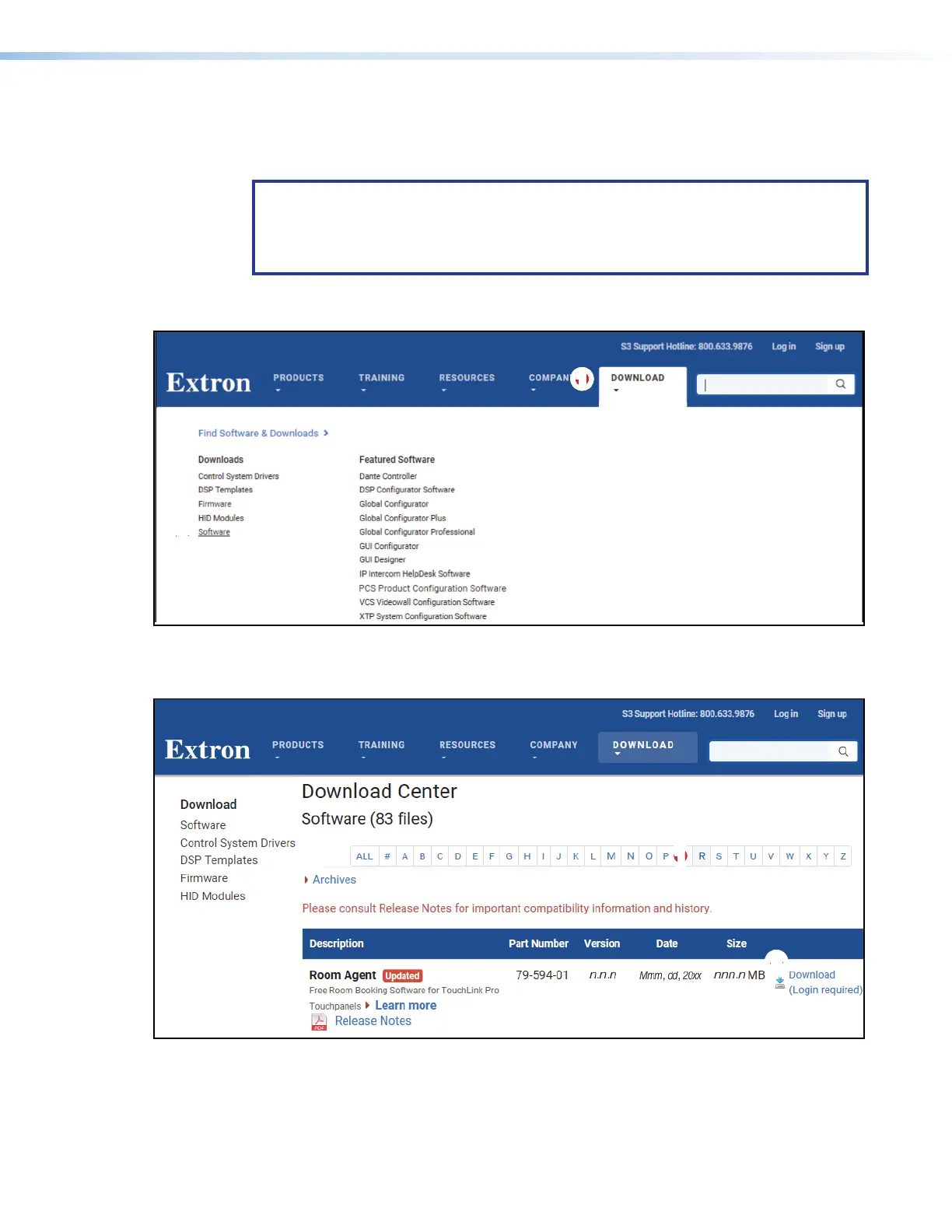
1. Visit the website www.extron.com and momentarily rest the cursor over the Download
tab (see figure 6,
1
). The Find Software & Downloads links appear.
1111111111
2222222222
Figure 6. Downloading a Software Package
2. Click the Software link (
2
). The main download page opens (see figure 7).
2222222222
11
11111111
Figure 7. Downloading from the Main Download Page
3. Click the R filtering letter (see figure 7,
1
) to jump to the nearest page of downloads.
figure 7



 To Next Page