Room Scheduling System • EMS Setup 46
EMS Setup
Prerequisites
NOTE: Extron recommends the Google Chrome browser for all EMS Web operations.
• The EMS Version must be version 44 or higher.
The EMS version can be confirmed by accessing the EMS platform (typically
http://<your_server_name>/EmsPlatform)
• The EMS Platform Services API must be installed.
• The EMS Web Administrator must be able to obtain client application information (see
"Creating a Web Administrator for EMS", below).
• The EMS Desktop installer must have Administrator privileges.
Creating a Web Administrator for EMS
A Web administrator role is required to log into the EMS administrator portal to create client
IDs. Create a Web Administrator as follows:
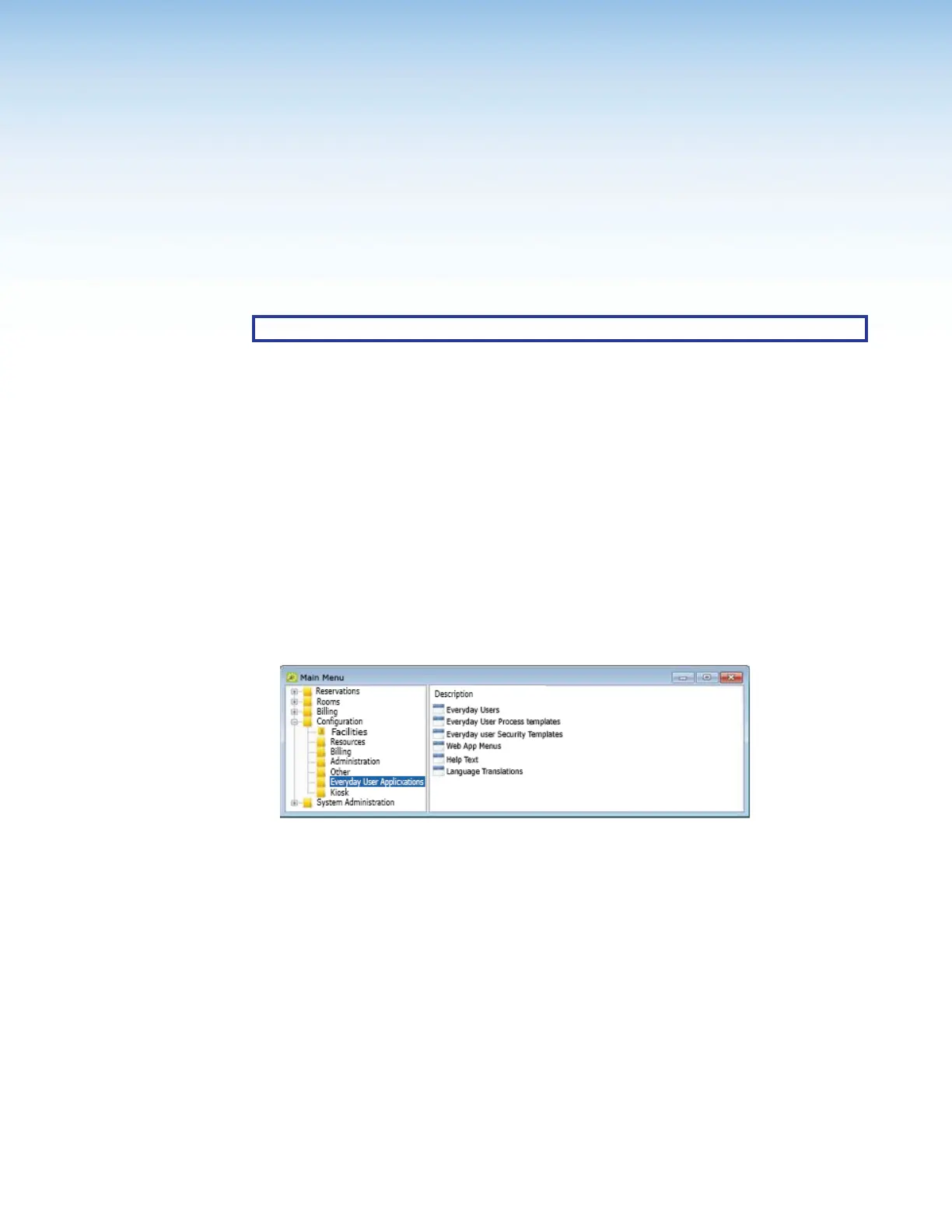
1. Open the EMS Desktop application and log in as an administrator, with the
appropriate permissions. The application opens to the Main Menu (see figure 45).
1111111111
1111
Figure 45. Main Menu
2. Click Configuration > Everyday User Applications> Everyday Security
Templates.



 To Next Page