Room Scheduling System • Microsoft Extchange Setup 68
Verify the Exchange User ID is the UPN
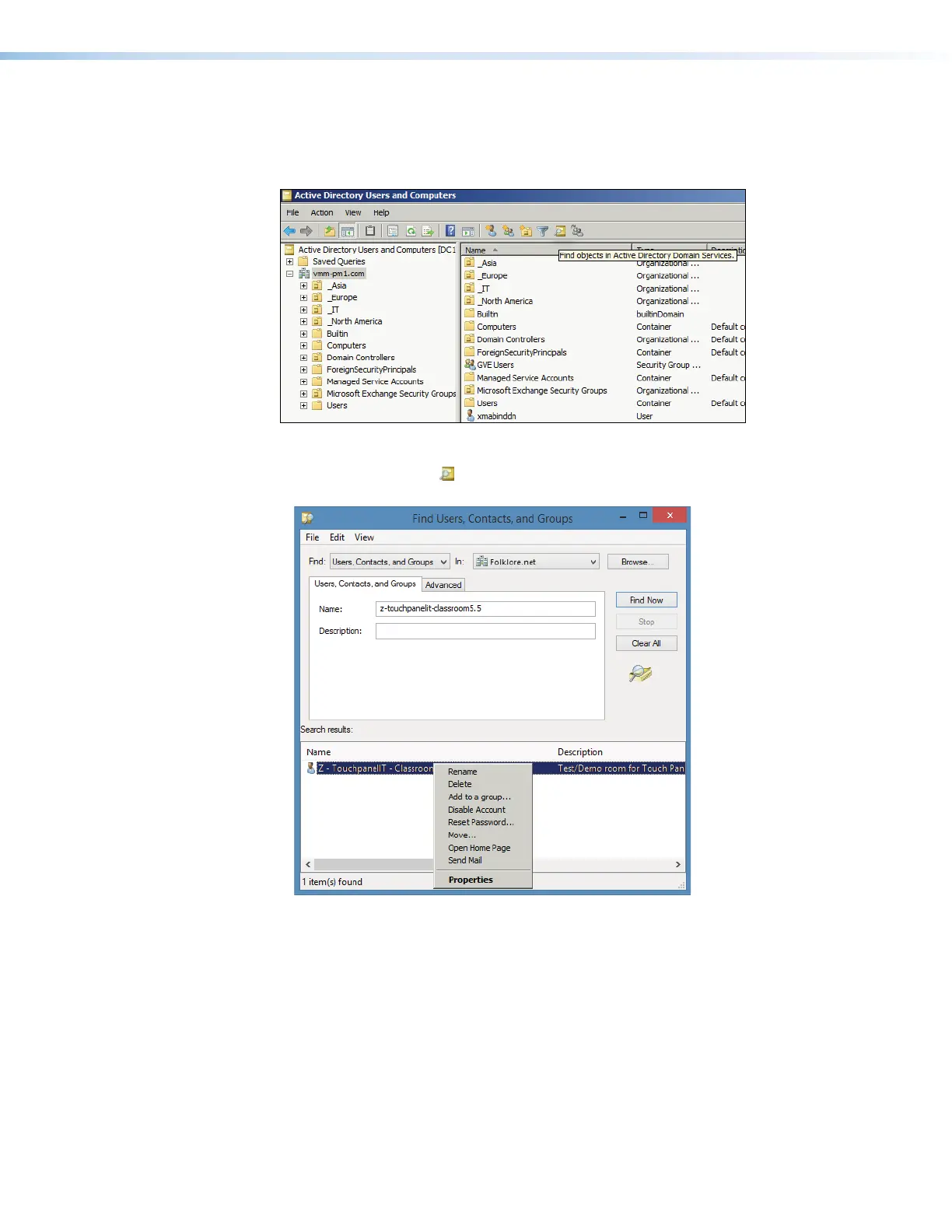
Verify the UPN as follows:
1. Access the Exchange server Active Directory Users and Computers window.
11
1111
1111
Figure 76. Active Directory
2. Click the Find object ( ) icon (see figure 73,
1
). The Find Users, Contacts, and
Groups dialog box opens (see figure 74).
11
1111
1111
22
2222
2222
33
3333
333344
4444
4444
55
5555
5555
Figure 77. Find Users, Contacts, and Groups Dialog Box
3. Enter the name of the room to be verified in the Name field (see figure 77,
1
).
4. Click Find Now (
2
).
The Search results: pane displays the room (
3
).
5. <Right-click> the room in the Search results: pane (
4
) and click
Properties (
5
).



 To Next Page