Room Scheduling System • Microsoft Office 365 Setup 78
Assigning Oauth Credentials to Touchpanels
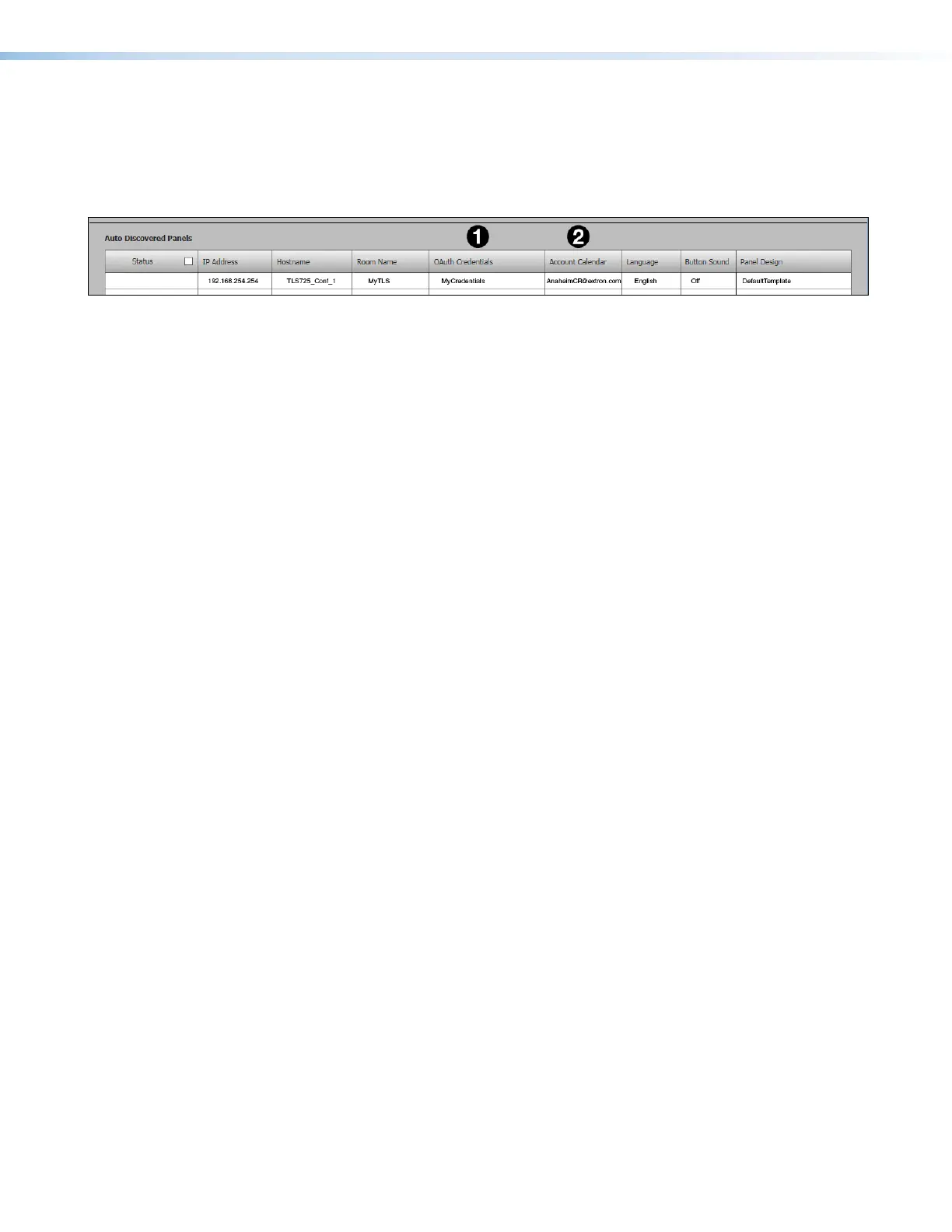
In the Panel Configuration tab, make sure that the OAuth Credentials (see figure 96,
1
)
match the name given when you authenticated the device to Office 365 in step 6 of the
previous section (see page 76). Make sure the Account Calendar (
2
) was the one
selected in step 10 (see page 77).
Figure 96. Assigning Oauth Credentials to Touchpanels
Panel Setup
With Microsoft Office 365, you get the following column headings:
• Status — Use this check box to select individual panels for configuration.
• IP Address — This cell contains the IPaddress of the touchlink panel.
• Hostname — The hostname is a fully qualified domain name that uniquely identifies
the computer. It is required for the computer to communicate with other devices on the
network.
• Room Name — This is the name that appears on the touchscreen, once it is
configured.
• OAuth Credentials — This is the name that was used when the device was
authenticated to Office365 (see Assigning Oauth Credentials to Room Agent).
• Account Calendar — This is the account that provides authorization for Room Agent
to access the calendar (see Assigning Oauth Credentials to Room Agent).
• Language — Select an option from the Language drop-down list (see Supported
Languages
on page 87). By default, the language is English.
• Button Sound — Select an option from the Button Sound drop-down list. The options
are Off and On. Button sound provides audible feedback when buttons are pressed on
the touchpanel. By default, it is on.
• Panel Design— The layout of the panel can be configured using the Panel Design tab.
You can select one of the saved panel design files from this drop-down list.



 To Next Page