Room Scheduling System • Microsoft Office 365 Setup 76
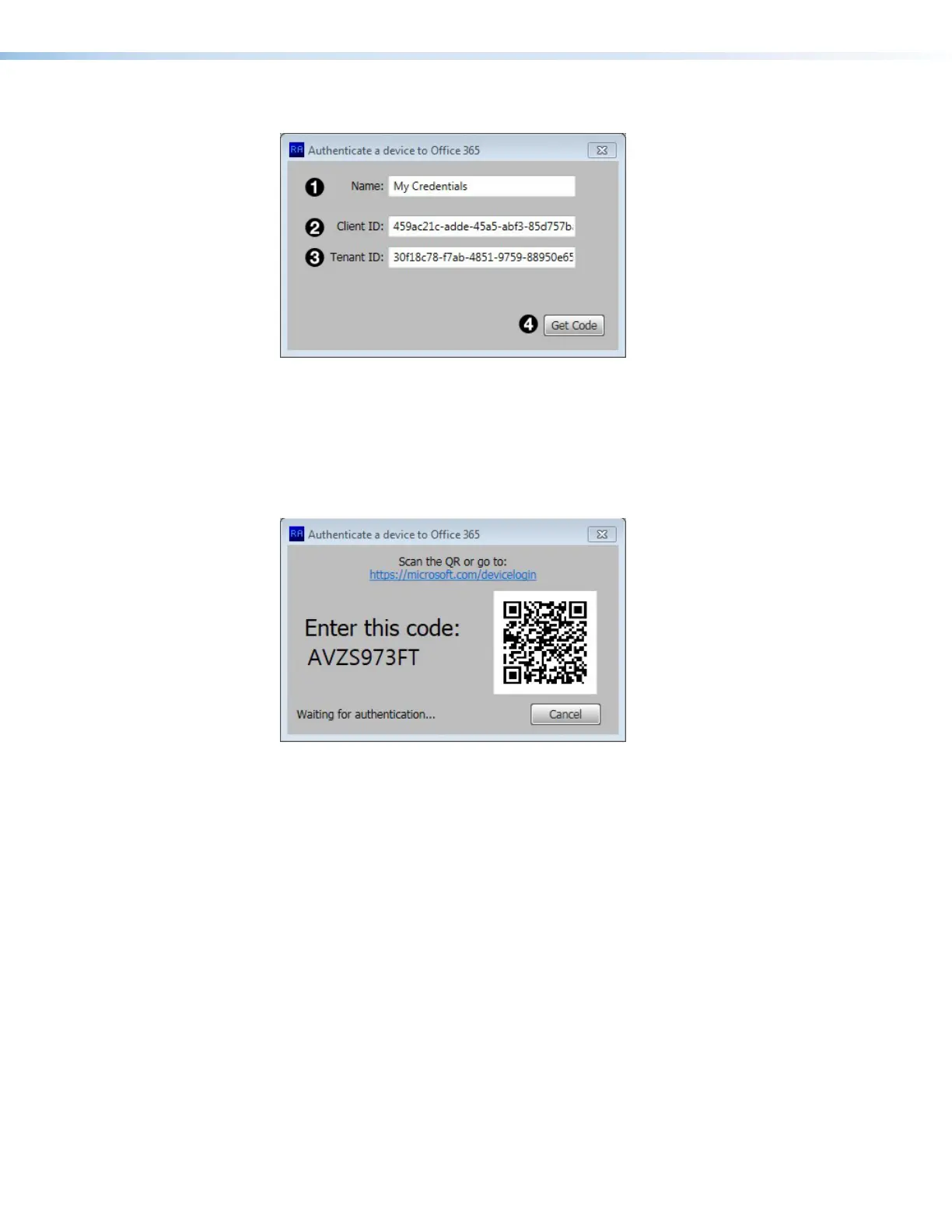
The Authenticate a device to Office 365 dialog box opens:
Figure 91. Authenticate a device to Office 365 Dialog Box
4. Provide a Name for the Credentials (see figure 91,
1
).
5. Enter the Client ID (
2
) and Tenant ID(
3
), which were obtained in step 9 of the
previous section (see page 73).
6. Click Get Code (
4
).
The dialog displays a QR and a code.
Figure 92. QR and Authentication Code
7. Scan the code or enter www.microsoft.com/devicelogin into a browser.
step 6



 To Next Page