Room Scheduling System • Microsoft Office 365 Setup 73
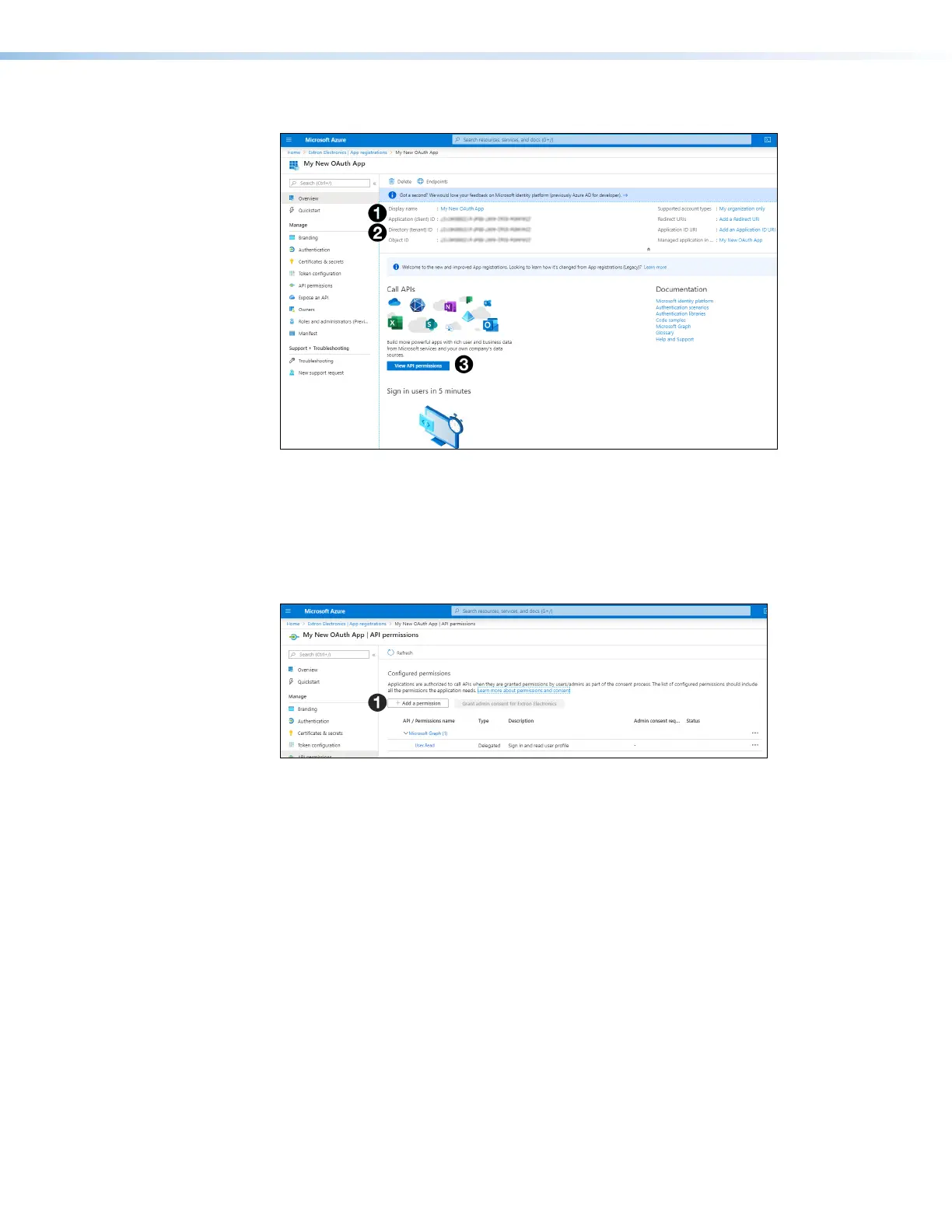
The page for your new app opens:
Figure 84. New App Page
9. Make a note of the Application (client) ID (see figure 84,
1
) and the Directory
(tenant) ID (
2
). You will need these to access the calendar from Room Agent. The
values have been blurred out in figure 84.
10. Click View APIpermissions (
3
).
The APIpermissions page for your app opens:
Figure 85. API permissions Page
11. Click Add a permission (see figure 85,
1
).
step 9



 To Next Page