Room Scheduling System • Microsoft Office 365 Setup 71
OAuth for Microsoft Office 365
NOTE: Microsoft is planning to end single-factor authorization in Oct 2020 and will be
moving to two-factor authorization (OAuth). To obtain Oauth credentials by two-factor
authorization, follow the steps below.
There are three steps to this process:
• Obtaining Oauth Credentials (see page 71)
• Assigning Oauth Credentials to Room Agent (see page 75)
• Assigning Oauth Credentials to Touchpanels (see page 78)
Obtaining Oauth Credentials
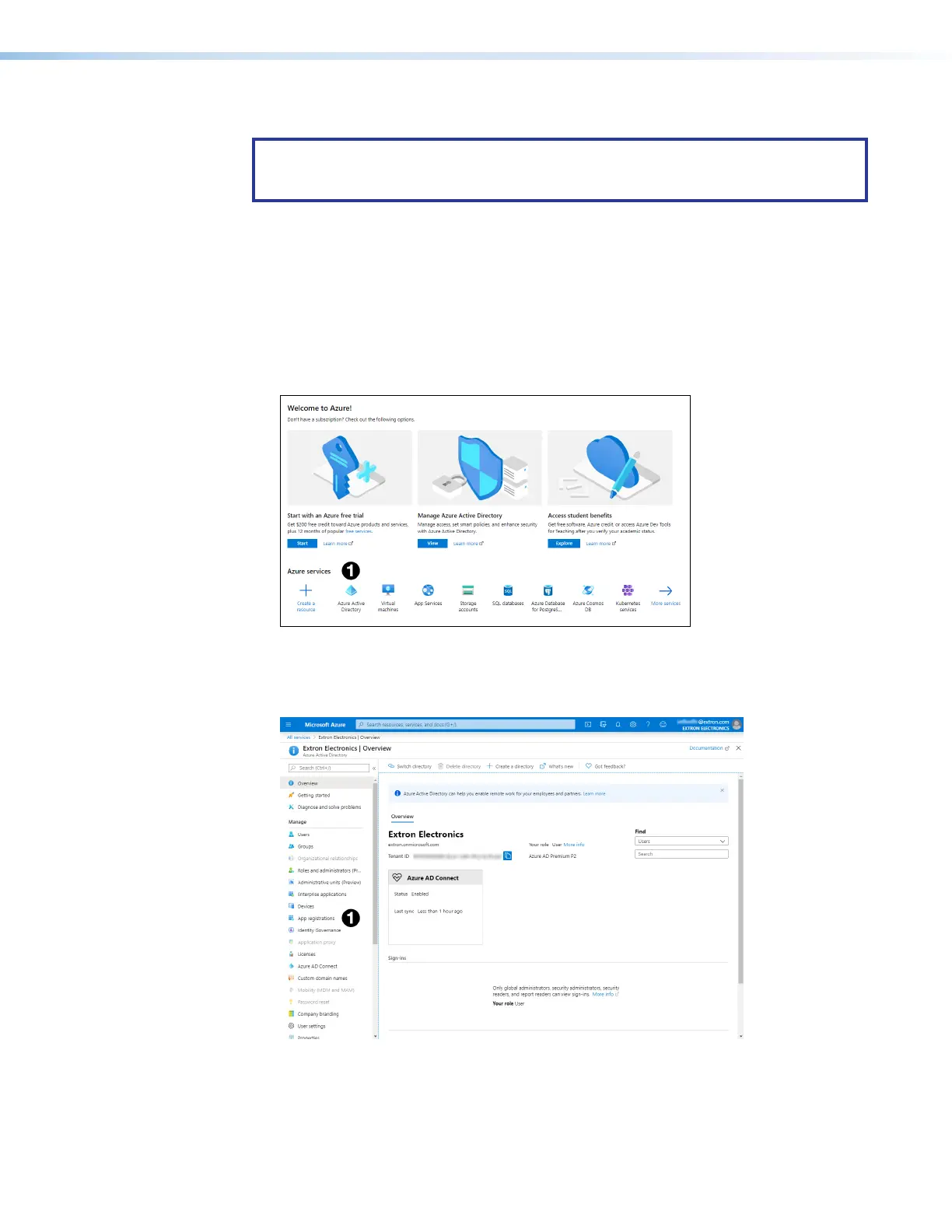
1. Go to https://portal.azure.com/.
Figure 80. Azure Active Directory Home Page
2. Click Azure Active Directory (figure 80,
1
).
The Overview page for your organization opens:
Figure 81. Organization Overview Page
3. Click App registrations (see figure 81,
1
).



 To Next Page