156
2.7.4.3 Connecting to HMI
Configuring IP Address on PLC
If the IP address needs to be configured, follow the steps below.
Use the applications RSLinx Classic Lite and RSLogix 500 to configure the IP address of
the PLC.
First open RSLinx Classic Lite to set up a connection between the computer and PLC.
An Ethernet cable needs to be connected to the PLC and the computer must be online.
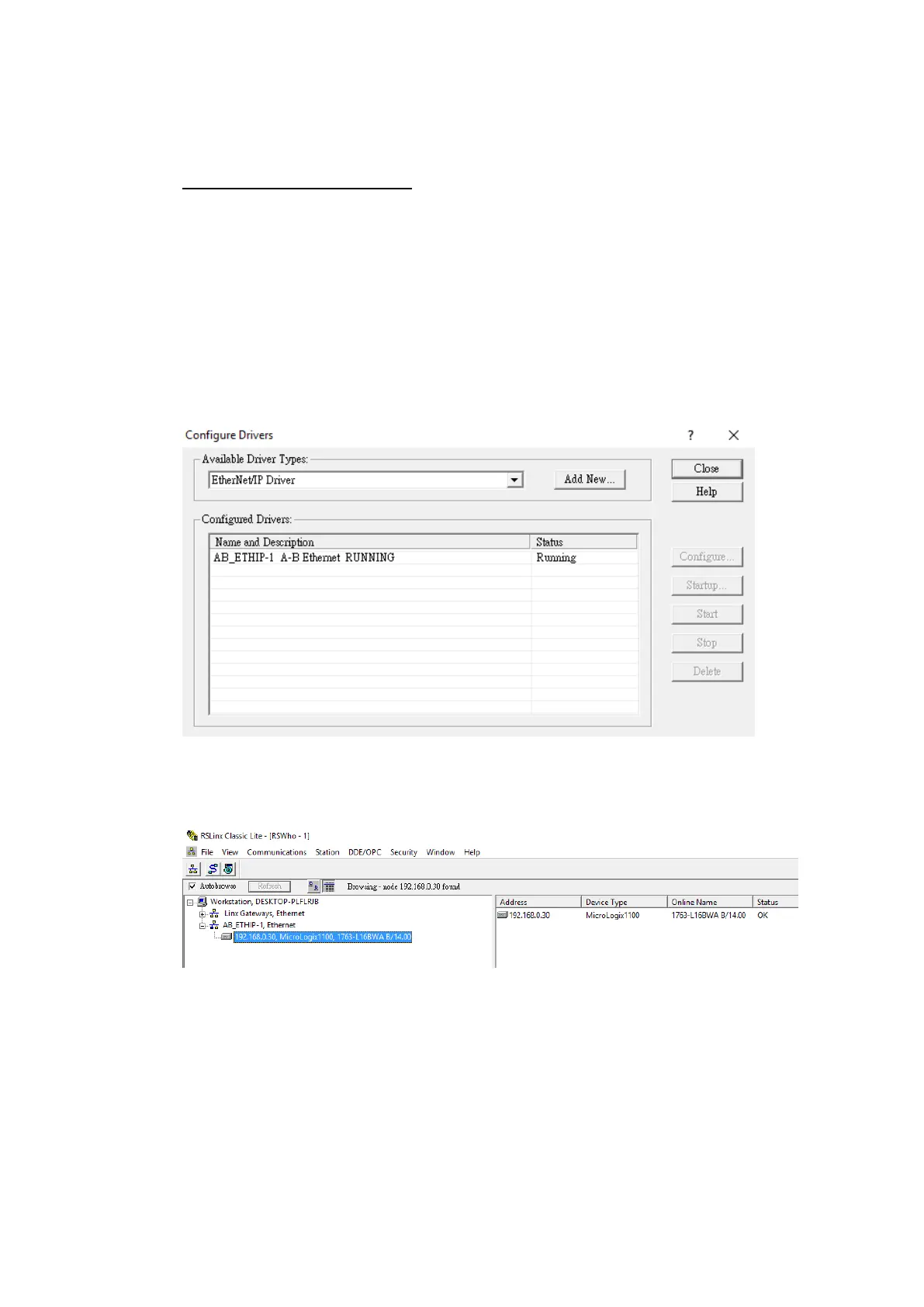
In the Communications menu tab, select Configure Drivers. Select EtherNet/IP Driver
and press ‘Add New’. Select “Your Network Interface Card” and press OK. Start the
Driver and close out of the dialog window.
Under the new Ethernet driver, the PLC connected to the local network should be
visible. If the status of the device is OK, open up RSLogix 500.
In RSLogix 500, under the Comms menu option, select Who Active go Online. In the
dialog window that appears, select the PLC device connected through RSLinx.



 To Next Page