86
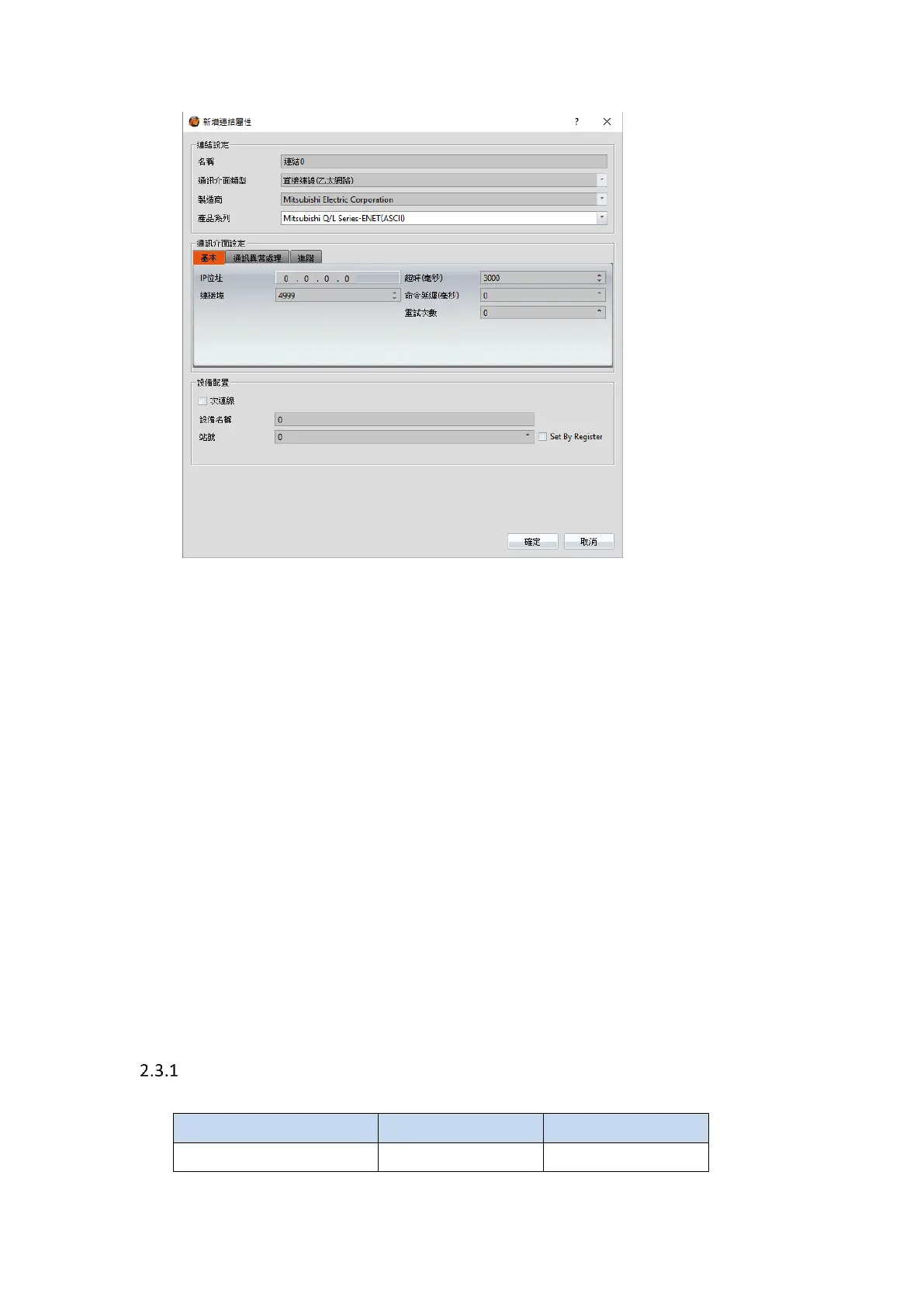
Within the Link configuration window in FvDesigner:
Under Interface Type select Ethernet
Under Manufacturer select Mitsubishi Electric Corporation
Under Product Series select one of the Mitsubishi Q/L Series-ENET(BINARY 或 ASCII).
The last part of the series name (BINARY or ASCII) should be consistent with the
Connection Data Code set in the Ethernet Port for the PLC.
Enter the IP Address that was written into the PLC.
Verify the parameters match the window above.
2.3 Omron
Omron SYSMAC CP Series
2.3.1.1 Communication Setting



 To Next Page