18
2.1.3.3 Connecting to HMI
Configuring IP Address on PLC
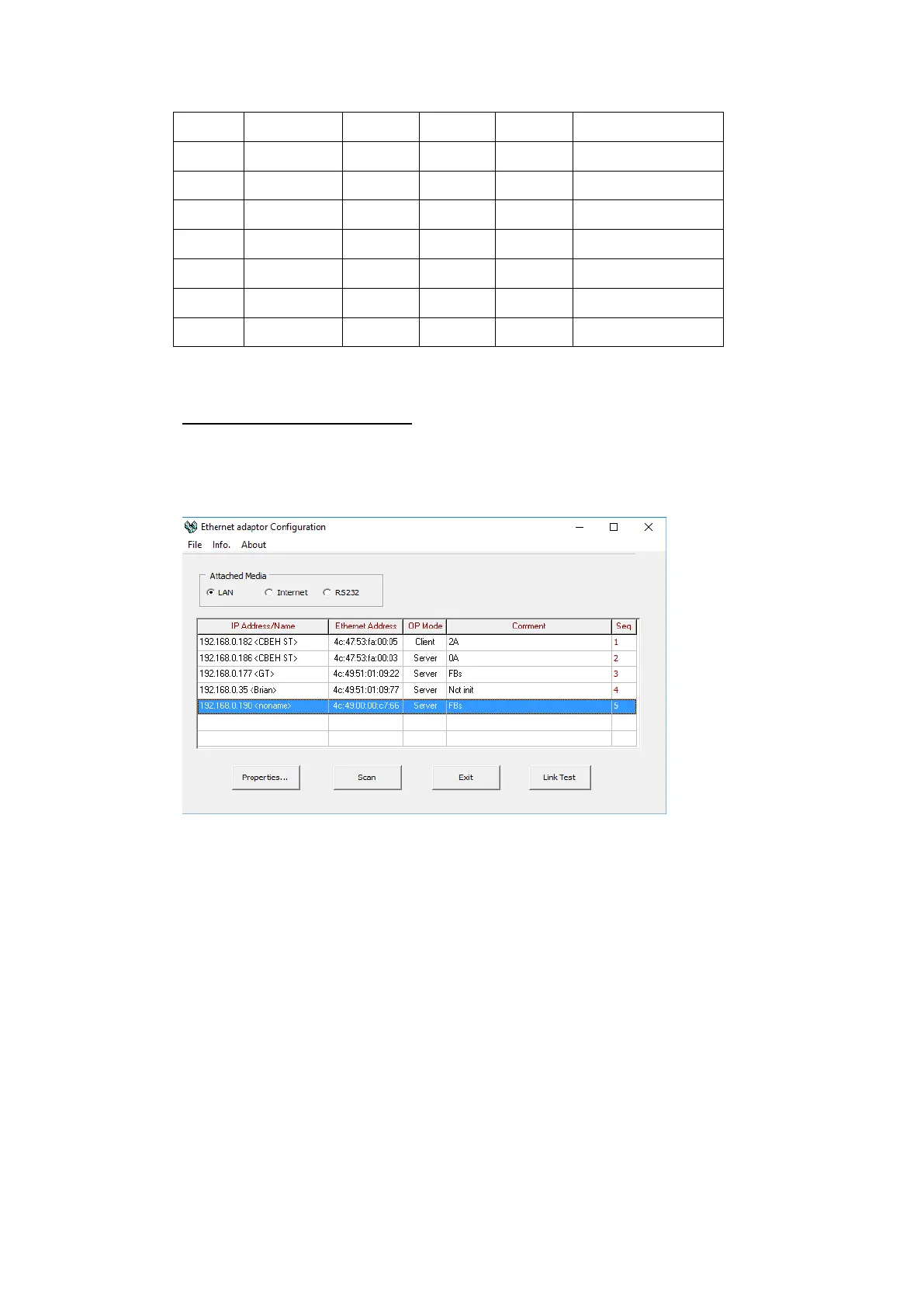
Use the application FATEK Ethernet Module Configuration Tool to configure the IP
address of the PLC. Connect an Ethernet cable to the PLC. Under Attached Media,
select LAN and press scan.
Select the PLC to connect to and right click or press Properties to change the IP.
Note: The default IP address for the PLC has 1 for its third octet. If the IP address of the
computer has a different number at that position, the PLC will not show up in the scan.
Configure network settings on the computer to be able to see the PLC in the local
network.
In the dialog window, the IP address and other parameters of the PLC can be
configured. In the Service Ports tab, the port number of the PLC can be changed.



 To Next Page