198
2.12.1.3 Connecting to HMI
Configuring IP address on PLC
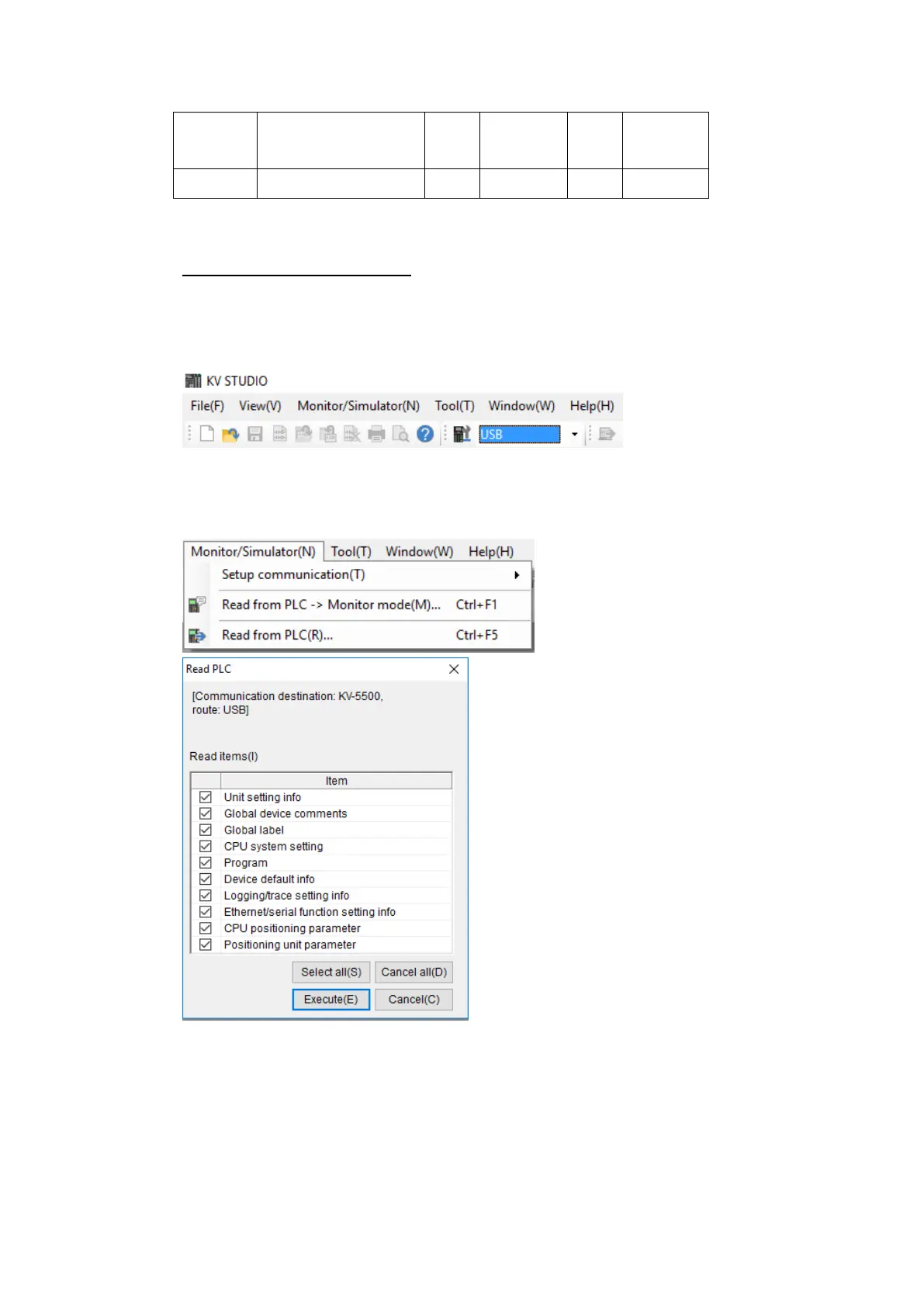
Use the application KV Studio to configure the IP address of the PLC.
Select the connection between the PLC and the computer. A USB connection was used
in this case.
Under the Monitor/Simulator menu option, select Read from PLC and execute the
operation.
In the Workspace, right click the PLC model name and select Unit Editor.



 To Next Page