60
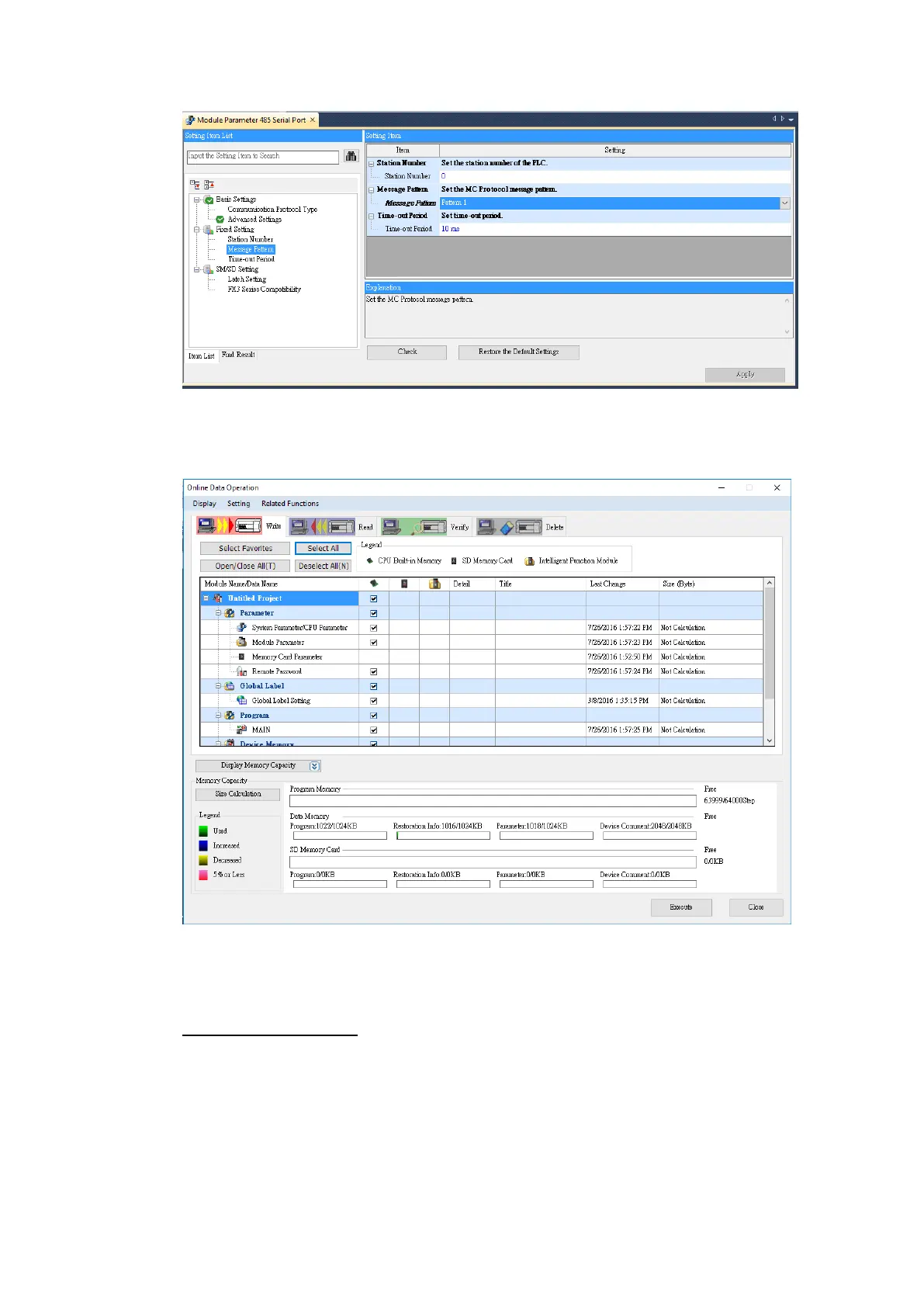
Under the Online menu option, select Write to PLC to save the settings to the PLC.
Click Select All and press Execute in the Online Data Operation window.
Note: For more detailed information please refer to the PLC manual.
Connecting PLC to HMI
Within the Link configuration window in FvDesigner:
Under Interface Type select Serial
Under Manufacturer select Mitsubishi Electric Corporation
Under Product Series select Mitsubishi FX5U-SERIAL.
Verify the parameters match the window above.



 To Next Page