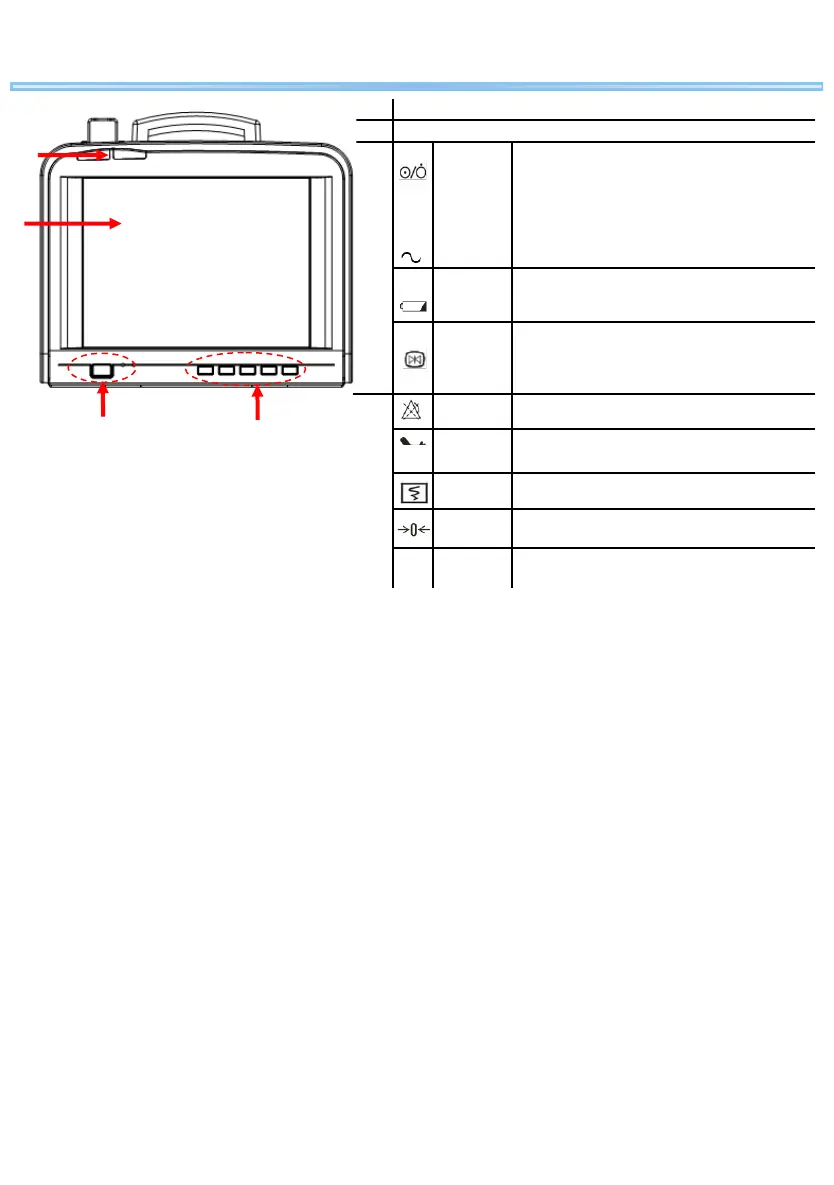
Product Introduction
①
lamps
②
③
Power on: press to turn on the monitor when AC power
supply is connected.
Power off: press and hold for 2 seconds to turn off the
monitor.
There is an indicator inside the power ON/OFF switch. It
turns on when the monitor is on and turns off when the
monitor is off.
On: when the monitor is connected with AC power supply
Off: when the monitor is disconnected with AC power
supply
On: when the battery is being charged.
Off: when no battery is installed or no AC power supply is
connected
Flash: when the monitor operates on battery power.
④
Press to freeze or unfreeze the waveforms on the screen.
Press to reset the alarm system.
Press to start or stop the NIBP measurement.
Press to start printing or stop printing
Press to perform TOCO zeroing.
①
④
③
②
Front View


 To Next Page