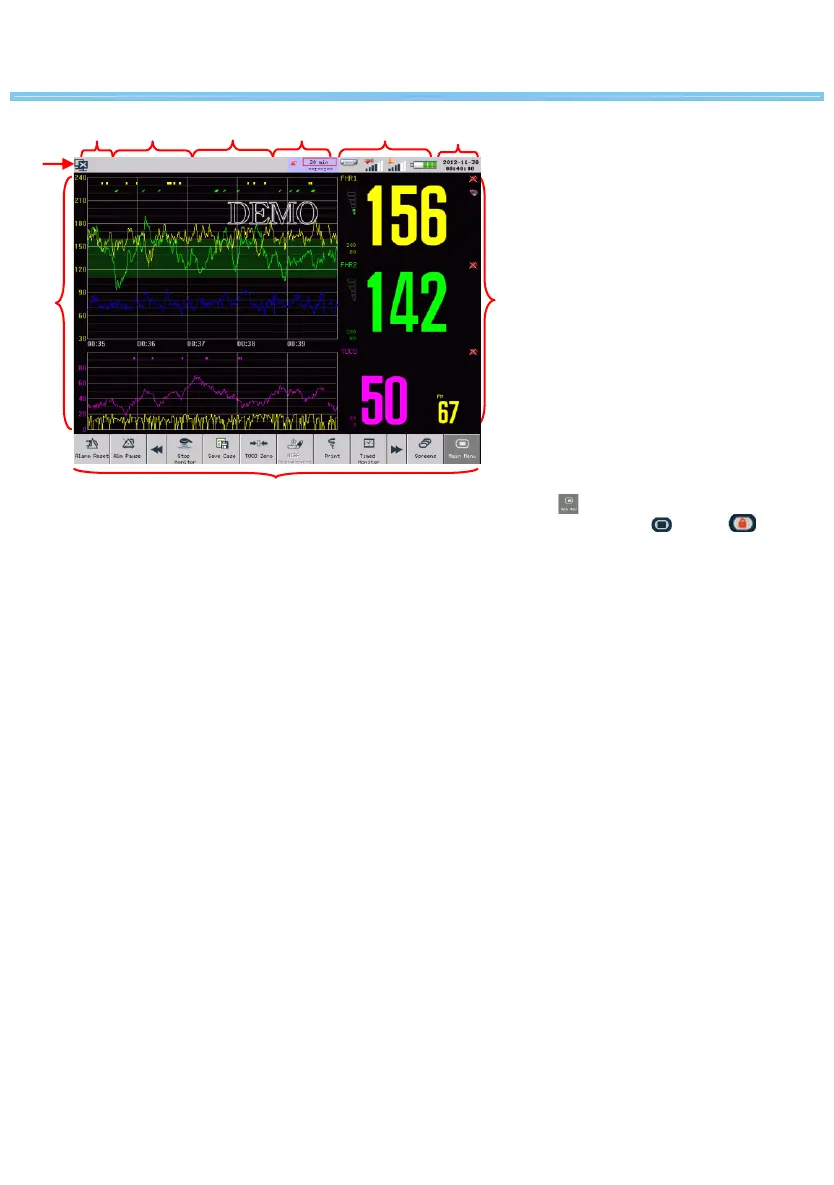
On-screen Display
1
2 3
4
5 6
7
9
10
8
Main screen
1. Network Connection Icon, Click the network
connection icon to directly access [NETWORK
SET] menu.
2. Patient information area, Click here to directly
access [PATIENT INFO] menu.
3. Technical alarm message area
4. Physiological alarm message area, Click here to
directly access [ALARM RECALL] window.
5. Timed monitoring information area, Click here
to directly access [TIMER] menu.
6. Icons area, Printer icon, FHR volume icon,
Alarm volume icon, Battery icon.
7. System time
8. Waveform area
9. Parameter area
10. On-screen keys
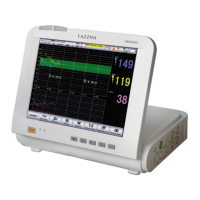
The monitor is equipped with a 12.1 inch TFT touch
screen. All operations on the monitor can be
performed by keys and touch screen.
Press on-screen key and hold for more than
three seconds until the turns to .


 To Next Page