A0U571B - KelNet Lock - User Guide 3. USING THE LOCK
13
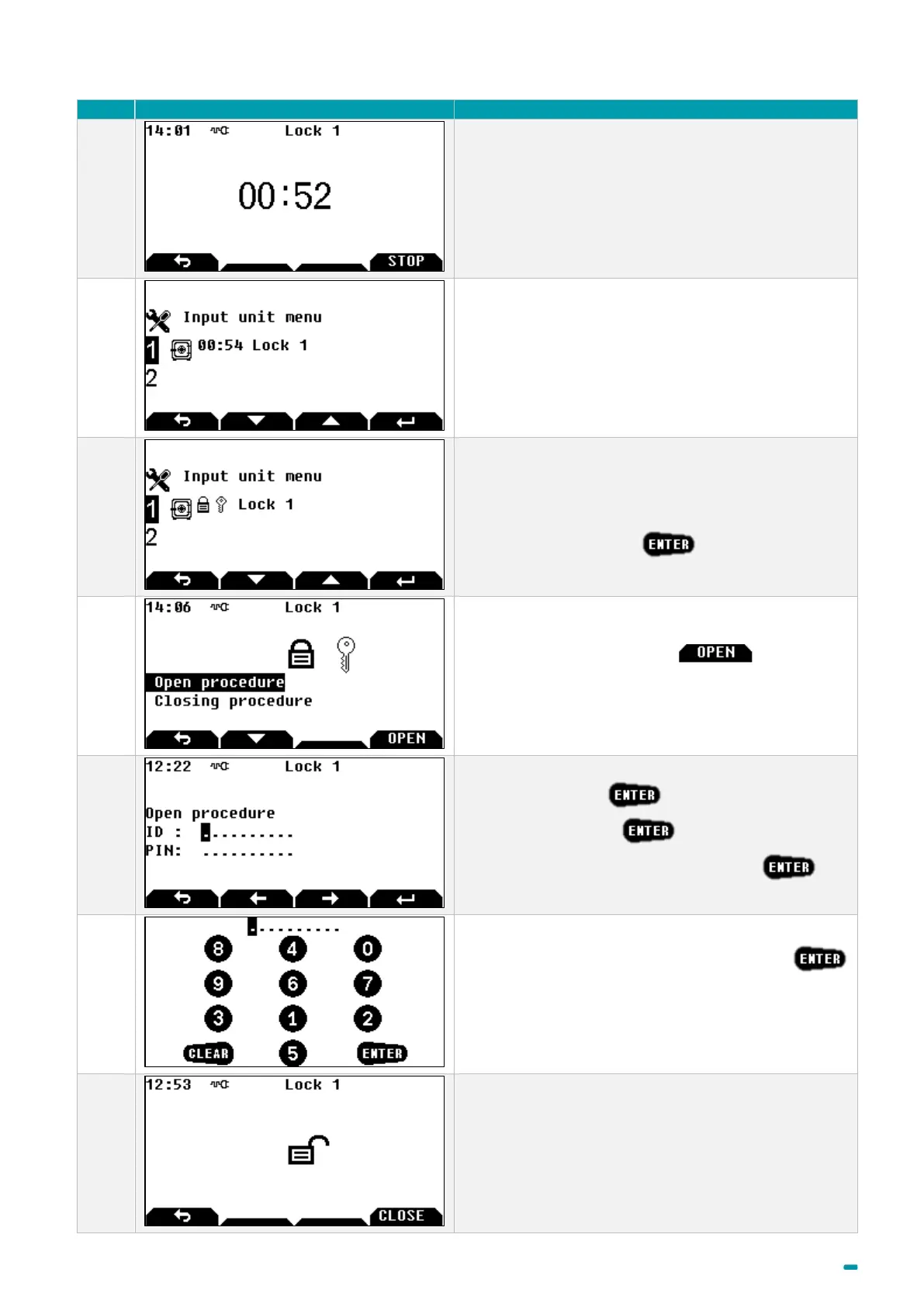
Wait until the end of delay if delays are programmed
and used in a schedule, otherwise go to step 10.
If the main screen is displayed, the states of all locks
are available.
This main screen means that a second identification is
necessary.
Select the lock and press
Select Open procedure or the button to
continue the opening procedure, or Closing procedure
to abort opening.
Enter your user ID + .
Enter your PIN code + .
The second user shall enter their user ID + .
Enter your PIN code with the virtual keyboard +
In this example, key 1 corresponds to figure 8, key 2
corresponds to figure 4, etc.
The position of virtual figures changes for each display.
The lock is unlocked.



 To Next Page