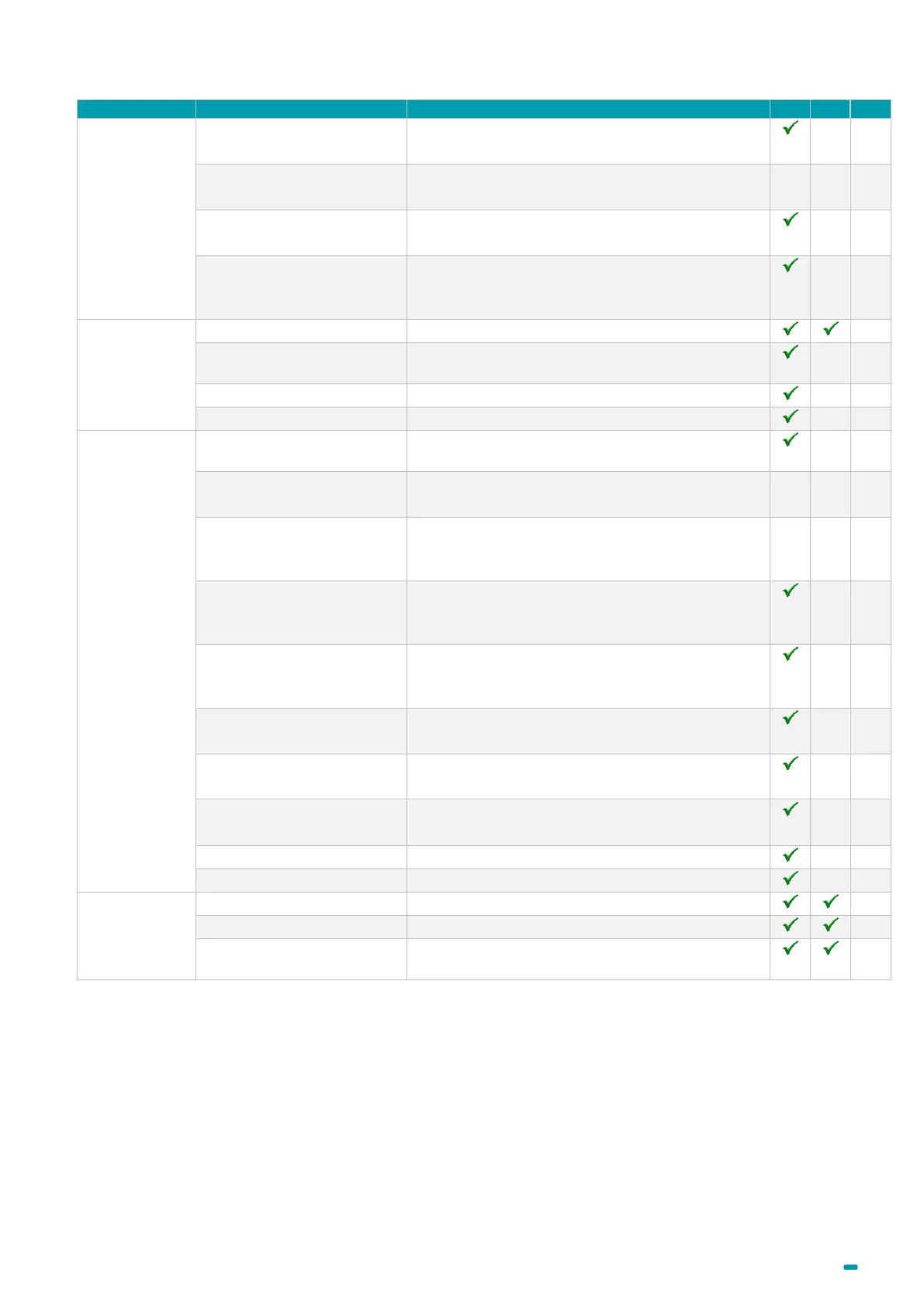
A0U571B - KelNet Lock - User Guide 5. SECURE UNIT CONFIGURATION
27
Closing hour 1
Enables defining a closing hour.
00:00 = no closing hour
Closing hour 2
Enables defining a second closing hour.
00:00 = no closing hour
IN 1 to IN 8, IL, PB
Enables choosing a function associated to the
selected input.
OUT 1 to OUT 3, IL, Red,
Green
Enables choosing a function associated to the
selected output.
To enable or to disable time modification for
summer and winter.
To enable or to disable the parallel mode.
To choose an interlocking rule.
To set secure unit in download mode to send its
configuration with the Configuration Tool.
Secure the IU-SU link
To start the securing of the link Input Unit with
Secure Unit.
Securing by CT
authorization
To authorize the Configuration Tool to secure all
devices.
Write configuration (CT ->
SU)
Enables downloading a configuration file made
with the Configuration Tool to the lock.
Read configuration (SU ->
CT)
Enables saving the configuration of the lock in the
USB key to read it with the Configuration Tool.
Write schedules (CT -> SU)
Enables downloading schedules made with the
Configuration Tool to the lock.
Read schedules (SU -> CT)
Enables saving schedules of the lock in the USB
key to read it with the Configuration Tool.
To choose the OTC mode wanted:
None, OTC standard, OTC via IP.
To configure the key of the OTC mode.
To select the identification type to menu access.
To display past events of the secure unit.
To save past events in USB key.
audit
To display the software update audit.
(1)
Only for users with identification mode “PIN Code + Fingerprint”.



 To Next Page