170 MS-9050 Series Manual — P/N 52413:F 10/22/2010
Operating Instructions Read Status
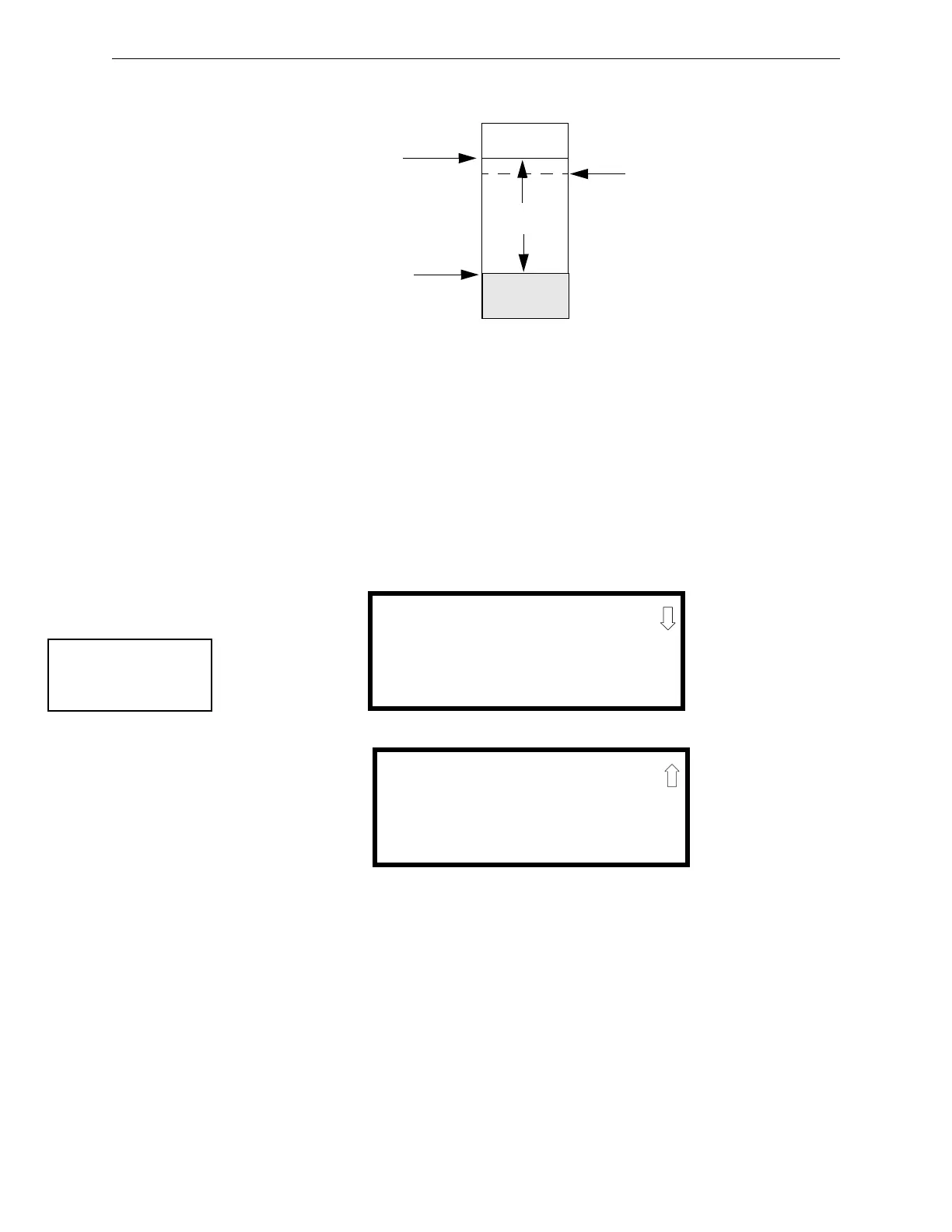
Figure 4.1 illustrates a graphic representation of the maintenance levels:
Pressing 2 while viewing Print Screen #2 allows the user to print the DACT summary which will
detail all of the onboard DACT settings. Refer to “Onboard DACT” on page 120 for additional
information on the display.
Pressing 3 while viewing Print Screen #2 exits the user from the print menu.
4.22.15 Time-Date
The operator can view the daylight savings time and the month and week when daylight savings
time will begin and end. Pressing 3 while viewing Read Status Screen #5 will display the following
screens:
Figure 4.1 Diagram of Maintenance Levels
DIRTY
Acceptable
Range
Maintenance
Urgent
Maintenance
Alert
Low Chamber
Reading
LOW
VALUE
READ STATUS
1=SERVICE TERMINAL
2=PRINT
3=TIME-DATE
Read Status Screen #5
DAYLIGHT SAVINGS
ENABLED YES
START MONTH MAR
START WEEK WEEK 2
DAYLIGHT SAVINGS
END MONTH NOV
END WEEK WEEK 1














 To Next Page