MS-9050 Series Manual — P/N 52413:F 10/22/2010 41
ANN-BUS Devices Installation
3. To close the cover, make certain the key switch is in the ON (Unlocked) position. Swing the
cover closed, snapping it shut
4. Turn the key switch to the OFF (Locked) position by turning clockwise and remove the key
Mounting
The ANN-80 can be surface or semi-flush mounted to a single, double or 4” square electrical box.
Select and remove the appropriate knockout(s), pull the necessary wires through the knockouts and
mount the annunciator in or on the wall depending on the type of installation desired.
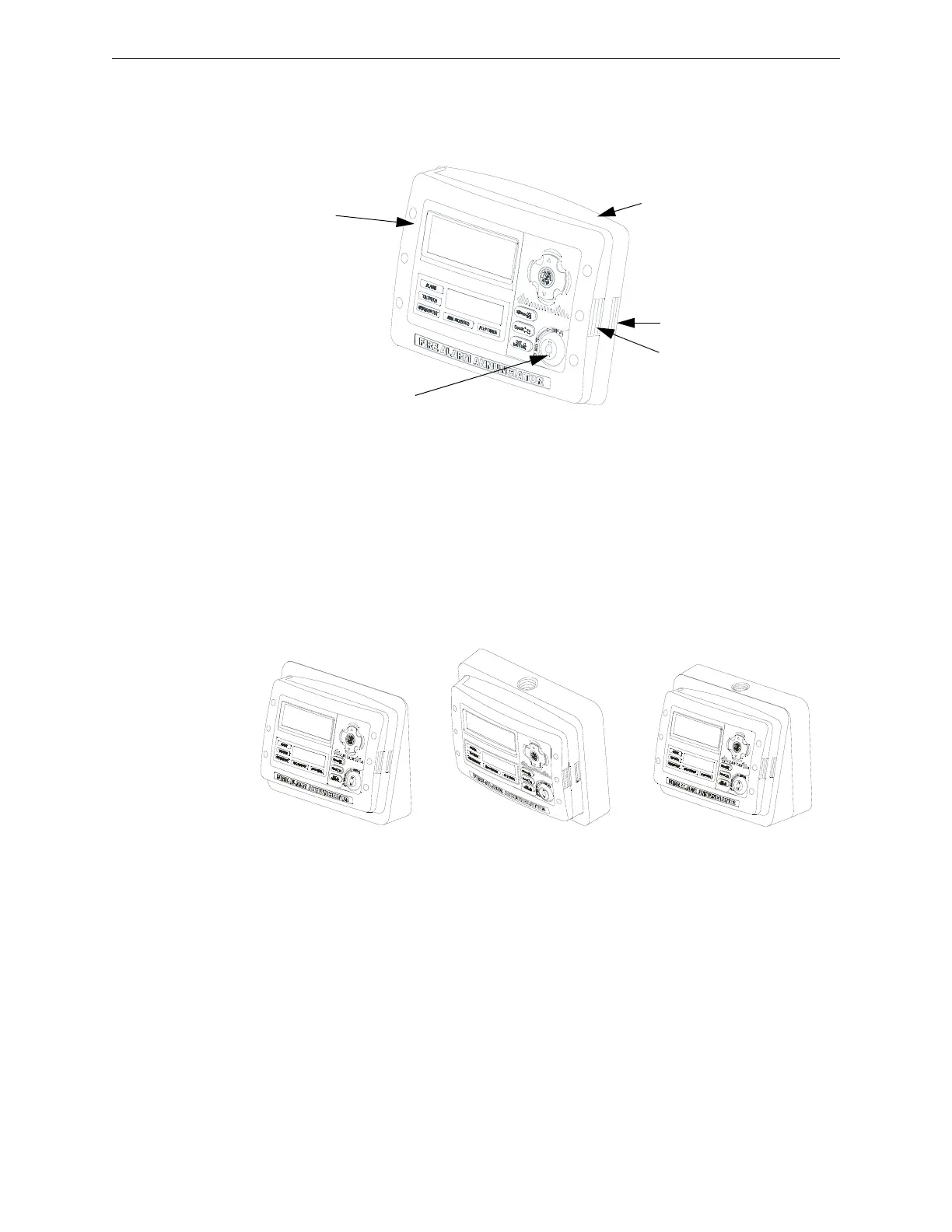
The ANN-SB80KIT(-R/-W) is an available mounting kit for the ANN-80 annunciator. The kit
comes with a surface backbox and surface wedge for angled viewing. The two pieces can be used
separately or can be stacked together.
The ANN-80 cover must be attached to the annunciator backplate before mounting the annunciator
to the electrical box/wall. The cover cannot be reattached or removed after the annunciator has been
mounted.
Wiring ANN-80 to FACP
The following steps can be used as a guide to wire the annunciator. Make certain all power has
been removed from the FACP prior to annunciator installation.
Key switch shown in
OFF/Locked position
Press in latch
and
Pull annunciator
cover open
Annunciator cover
with LCD display
Annunciator backplate
ann-80_iso.wmf
aann80kitmount.wmf
Annunciator mounted on
surface wedge from the
ANN-SB80KIT
Annunciator mounted on stacked
surface wedge and backbox from
the ANN-SB80KIT
Annunciator mounted on
surface backbox from the
ANN-SB80KIT














 To Next Page