5.3-4 Section 5: Using the Model 9100: Procedure Mode
Final Width = 215mm
TODAYS DATE TIME
5.3.3.4 Select and Insert the Procedure Card which contains
the Procedure for the Subject UUT Model
a. No Procedure Card in Slot, and no Procedures Downloaded
Up to now, there has been no need to use the Procedure memory card. After this point,
the 9100 needs to extract information from the card, so the card required for the UUT must
be inserted into the 'Procedure' slot, and pushed firmly home. But first:
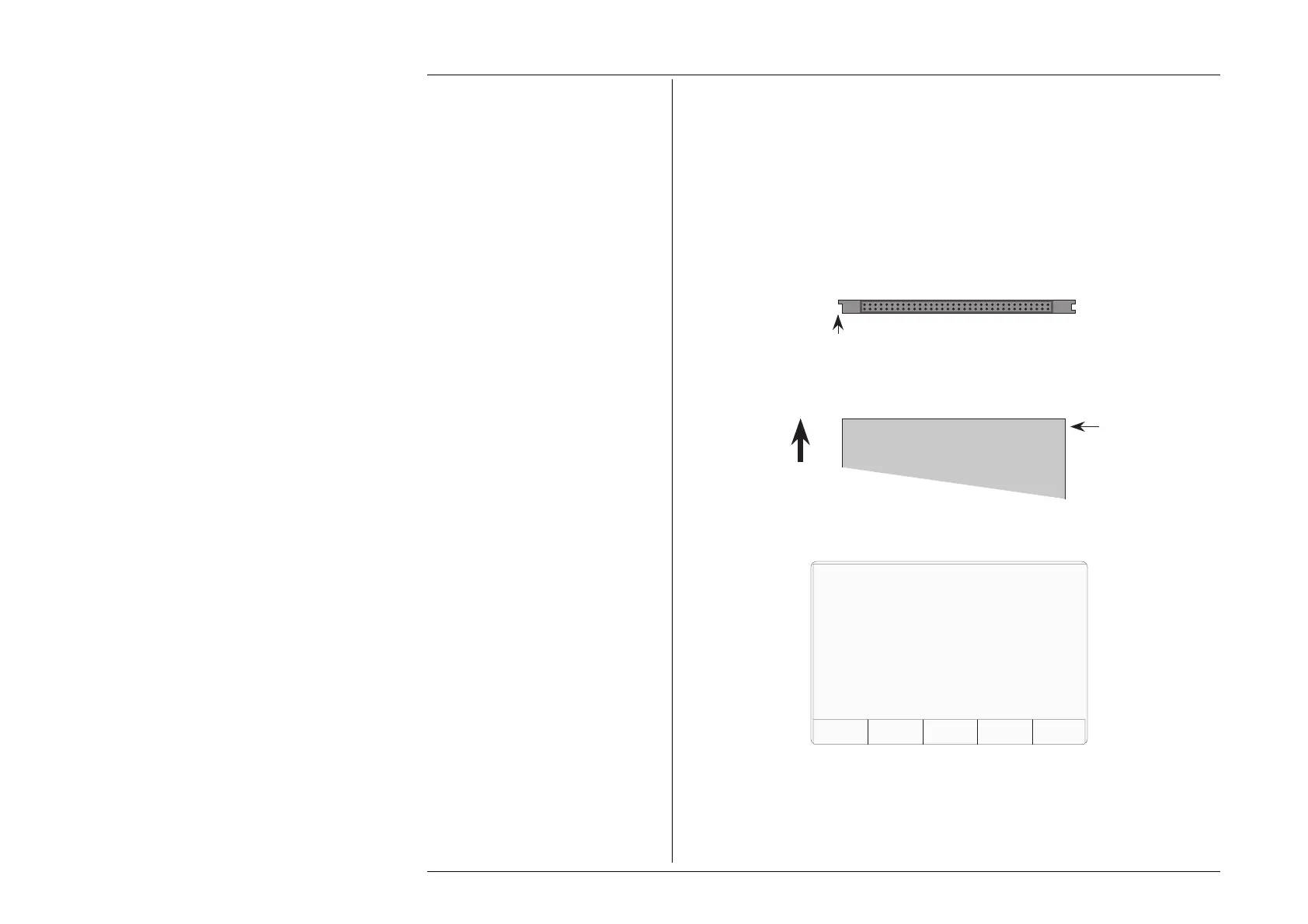
Examine the Memory Card
The 68-way socket pins can be seen on the end of the card to be inserted:
Keep this side on top
Insert this end into 9100 slot
Missing key
Insert the Card
When inserting, the missing key must be located underneath the card on the right front:
Missing key
underneath
Top
Socket pins this end
Insert
If no Procedure Card has yet been inserted into the slot, and no procedure is at present
resident in the RAM, (see 5.3.3.6), then the following message will appear on the screen:
There are no previously loaded models.
Insert a procedure card and then press
NEW CARD to continue.
NEW
CARD
ABORT
In this case, insert the card required for the UUT into the 'Procedure' slot, push gently
home, and press the 'NEW CARD' screen key for the sequence to continue.
The 9100 will transfer to the 'Select MANUFACTURER' menu screen if more than one
manufacturer is listed in the procedure card, or to 'Select MODEL' screen if only one
manufacturer is listed.
ABORT returns to the 'Select USER
NAME ...' screen.
Refer to paras 5.3.3 13, Fig 5.3.1.



 To Next Page