Section 3: Model 9100 Controls: Working with Front Panel Controls — Tutorials 3-39
Final Width = 215mm
+
+
4
.
.
Note that the resolution is now reduced to two decimal places, the lowest available in
DCV function, but capable of displaying the highest voltage available from the 9100.
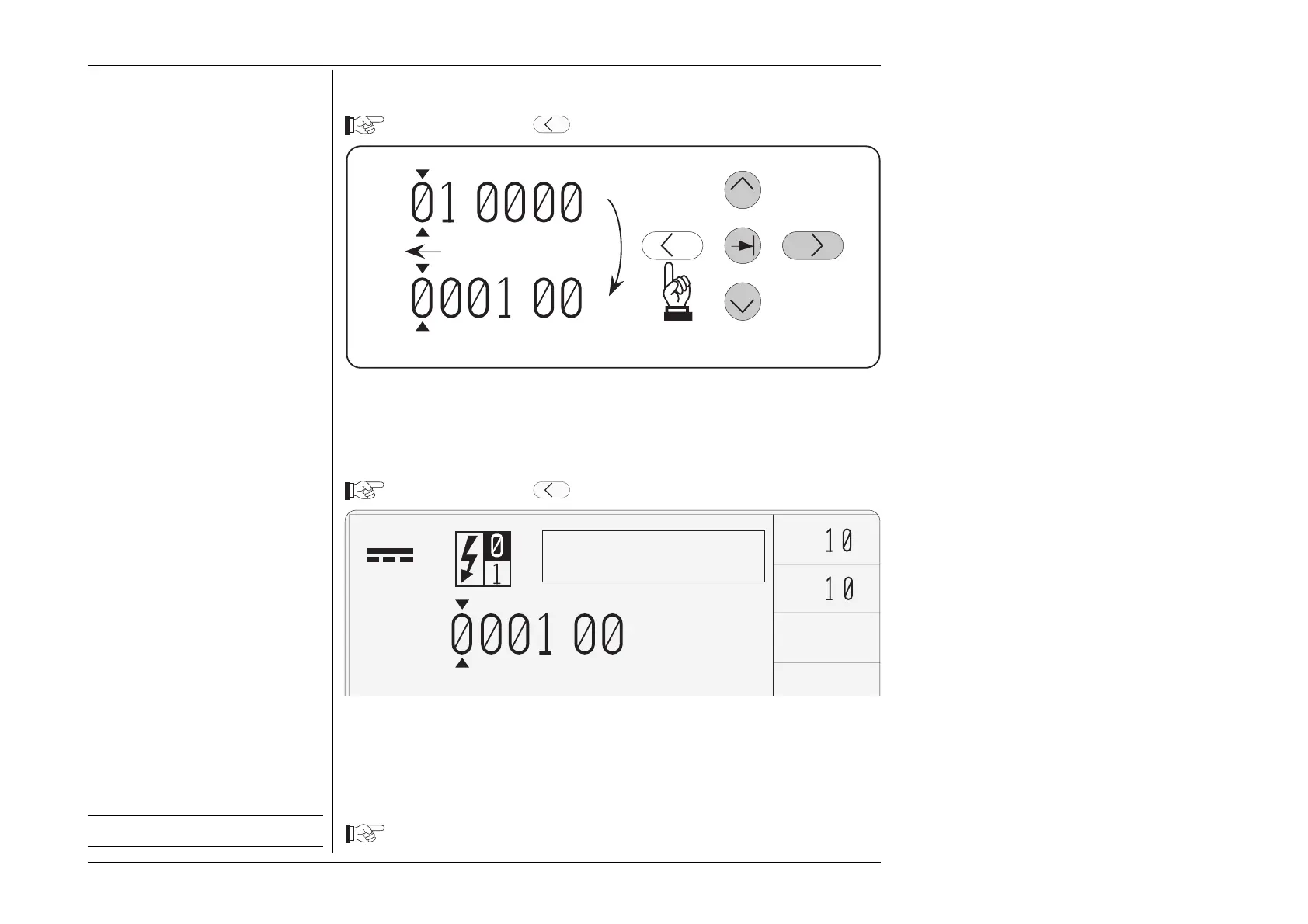
3.4.4.14 Resolution Change and Truncation of Display
Press and release the
Key another four times.
Setup for next tutorial stage.
±
x
÷
V
V
Top of range
+
.
3.4.4.15 End-stop Recognition
Press and release the
Key once again.
Once the value has reached the lowest resolution, it cannot be decreased further. Users
are reminded of this by an error message in the top right corner of the screen, accompanied
by an audible 'beep'. The cursor can be moved right as described in paras 3.4.4.10, finally
increasing resolution until the opposite endstop is recognized, when another error
message ('Reached lower boundary') will be presented.
Leave the value as shown above: +ØØØ1.ØØ V



 To Next Page