10
5.5.1 Menu structure
i. Reset values
i. Reset trip data
ii. Factory Reset
ii. Localization
i. Language
ii. Time
iii. Date
iv. Units
v. Time Format
iii. My FLYER
i. Assistance
ii. Vibration feedback
iii. Backlight
iv. Wheel circumference
v. AutoPowerO
vi. Service
vii. Auto-Mode
iv. Calibration
i. Altitude
ii. enviolo
v. Connectivity
i. Navigation
ii. i. Pulse monitor
vi. About
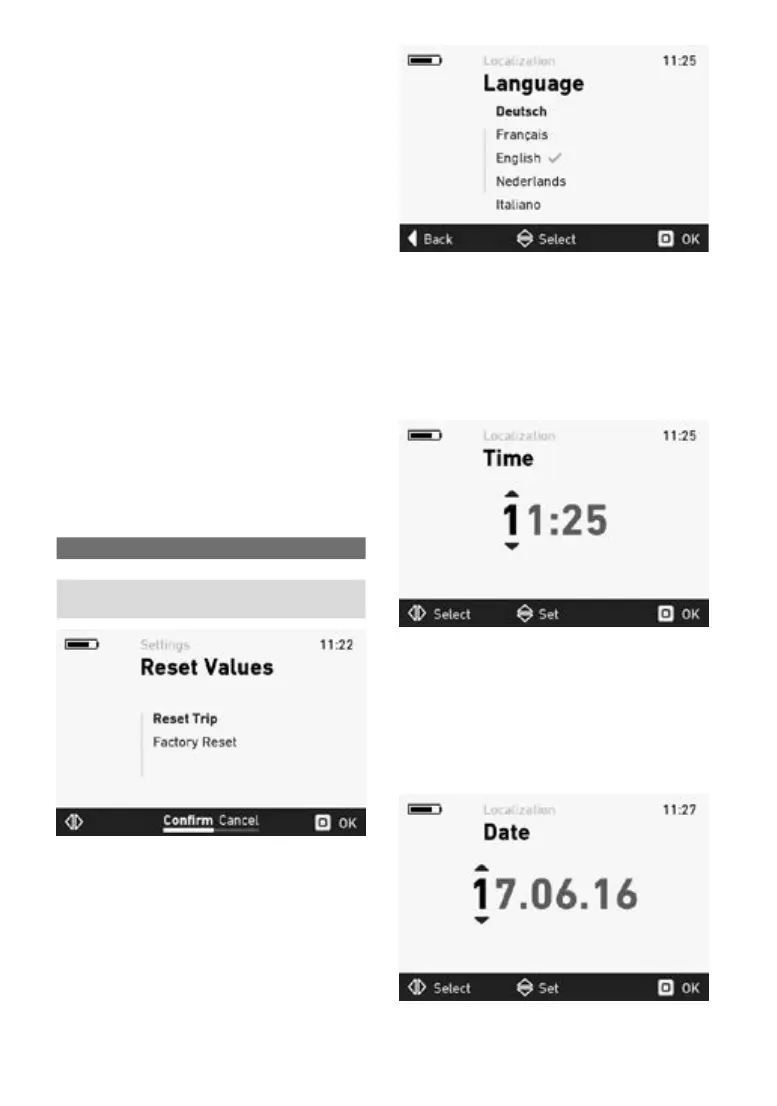
5.5.2 Reset values – menu
In this menu, the trip data and the system can be
reset to the factory settings.
Selection Description
Reset trip data Resets the trip data
Restorefactory
settings
Returns the system to
its default state
Press the joystick to reset the data after conr-
mation.
5.5.3 Language menu
You can choose from the following languages in
the language menu:
• German
• French
• English
• Dutch
• Italian
The check mark indicates which language is cur-
rently applied. Press the joystick to apply the new
settingsafterconrmation(see5.3).
5.5.4 Time menu
You can set the current time in the time menu.
Move the joystick up and down to change the
numbers. Move the joystick left and right to switch
between numbers.
Press the joystick to apply the new settings after
conrmation(see5.3).
5.5.5 Date menu
You can set the current date in the date menu.
Move the joystick up and down to change the
numbers. Move the joystick left and right to switch
between numbers.
Press the joystick to apply the new settings after
conrmation(see5.3).



 To Next Page