12
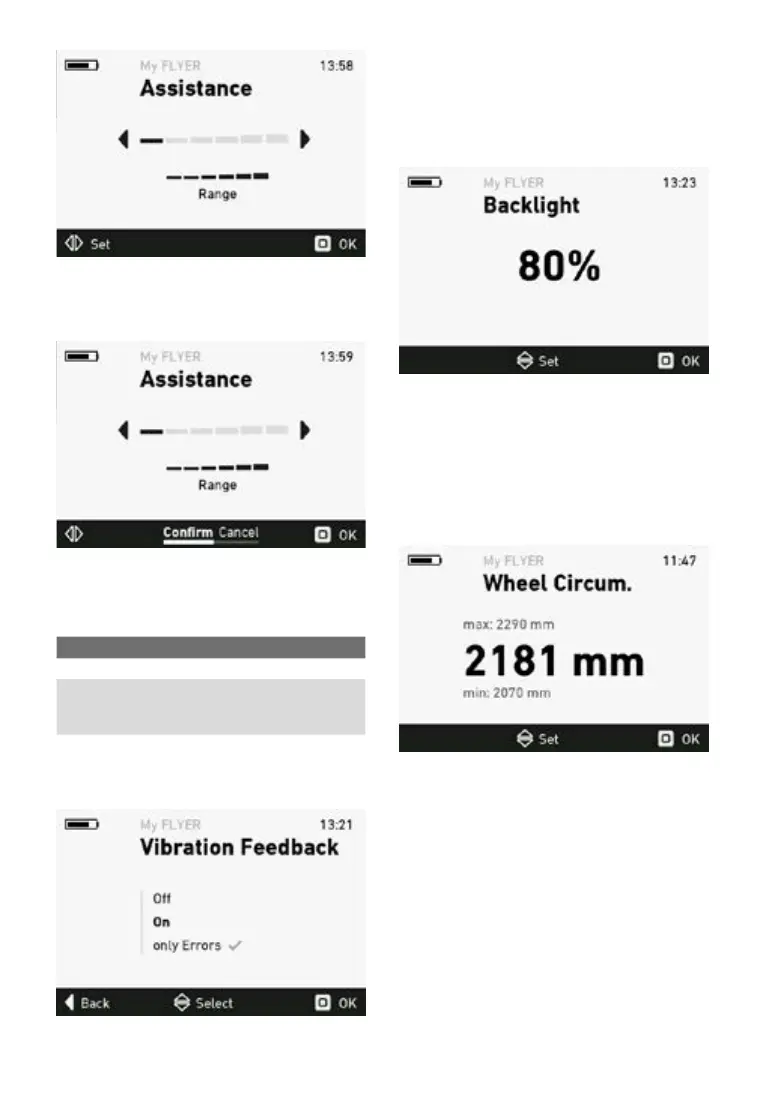
Press the “OK” button to save the setting. Select
thesub-menu“Conrm”andpressthe“OK”but-
ton again to activate the setting.
5.5.9 Feedback menu
Inthefeedbackmenu,youcancongure thevi-
bration feedback of the remote. The following set-
tings can be selected:
Selection Description
O No vibration feedback
On Every button press and every
active error message gener-
ates vibration feedback
Errorsonly Vibration feedback is only
generated by active error
messages
The check mark indicates which fee back setting
is currently applied. Press the joystick to apply the
newsettingsafterconrmation(see5.3).
5.5.10 Backlight menu
In the backlight menu, you can adjust the display
backlighting in the range from 10 to 100%.
Press the joystick to apply the new settings after
conrmation.
5.5.11 Wheelcircumferencemenu
In the wheel circumference menu, the wheel cir-
cumference used to calculate the speed can be
adjusted. You can adjust the wheel circumference
of your FLYER e-bike by ±5%.



 To Next Page