30
Press the “Mode” button to save the setting.
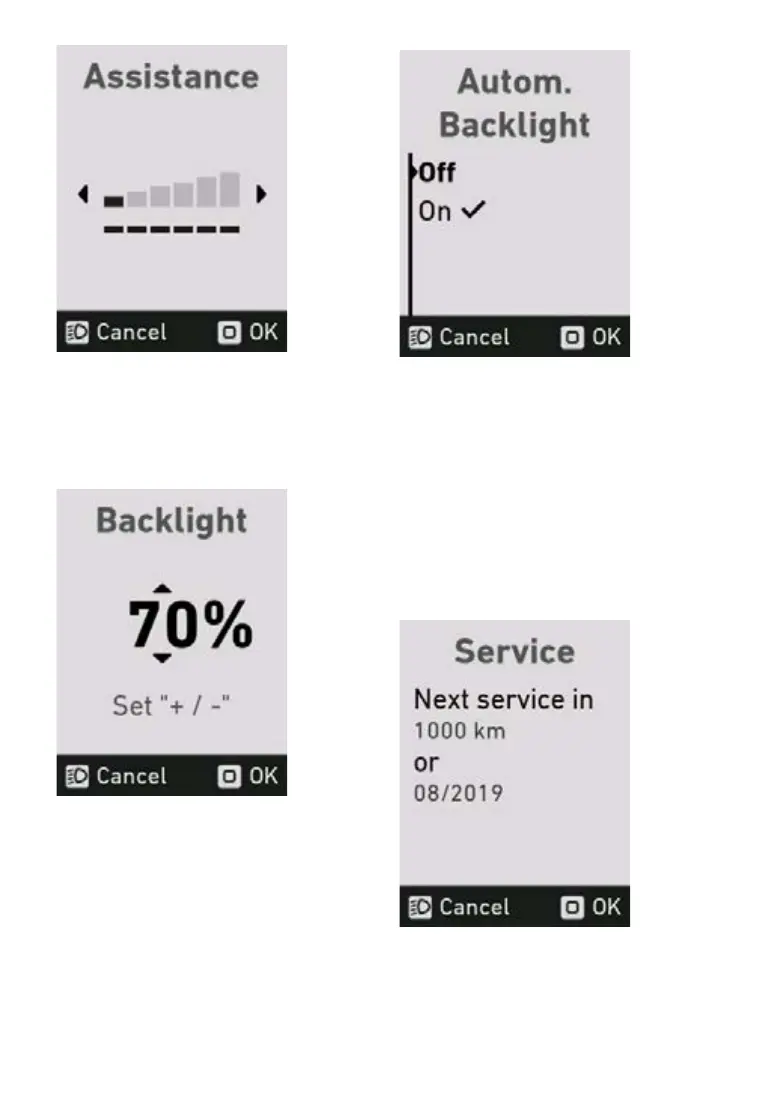
5.18 Light menu
In the light menu, you can adjust the display back-
lighting in the range from 10 to 100%.
Press the “Mode” button to save the selected
backlighting and leave the lights menu. Press
“Cancel” to leave the menu without saving the
light settings.
5.19 Automatic light menu
In the automatic light menu, you can switch the
automaticbacklightingonoro.
The check mark indicates which option is current-
lyapplied.Pressthe“Mode”buttontoconrmthe
selected setting.
5.20 Service Menu
The service menu shows you when your FLYER
specialistdealernextrecommendsthatyourbike
be serviced. If the interval between services as
recommended by your specialist retailer has been
exceeded,amessageindicatingthataserviceis
due appears when the system starts up.
If the interval between services as recommended
byyourspecialistretailer hasbeenexceeded,a
message indicating that a service is due appears
when the system starts up.



 To Next Page