25
EN
5.6 Error codes
The parts of the e-bike system are monitored at
all times during use and charging. If an error is de-
tected, an error code will be displayed on the con-
sole. To switch the console back to the standard
display, press the joystick button to acknowledge
the error. If the error cannot be acknowledged,
troubleshoot it according to the table below or
contact your FLYER specialist retailer. Depending
on the error code, the assistance is automatically
stopped as necessary. You can continue to use
the bicycle normally without the drive even if the
assistance function is no longer being provided
by the motor. If an error is displayed, troubleshoot
it according to the measures described in the ta-
ble below and/or contact your FLYER specialist
retailer.
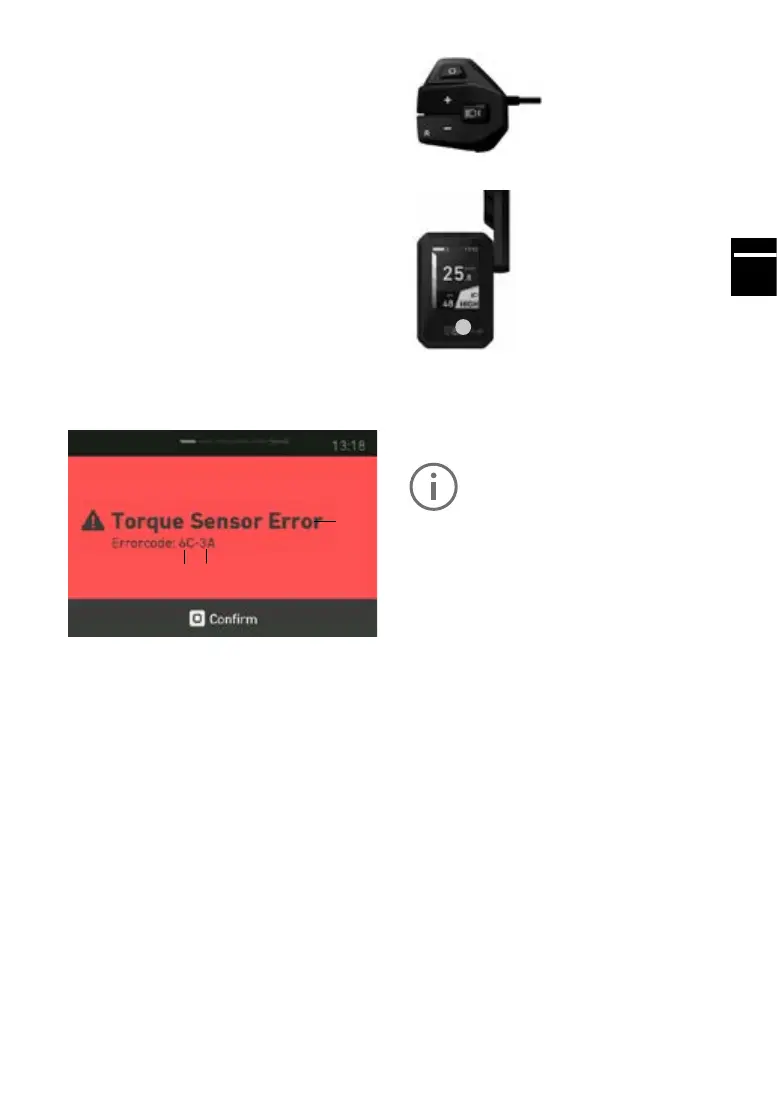
5.6.1 Identifyingerrors
Anerrorcanbeclearlyidentiedonthebasisof
thecategoryandcodedisplayed.Textindicating
the error category is also always displayed.
1
2
3
1Errortext,2Category,3Code
5.7 Operation with FLYER D0 dis-
playandFLYERRC0remotecontrol
Your FLYER with Panasonic drive is operated via
the FLYER RC0 remote control.
FLYER RC0 remote control operating console
FLYERDisplayD0
1
1.On/Obutton
Toactivatethesystem,presstheon/obuttonon
the display for at least one second. The “Drive”
menu will then be shown on the display.
The system can only be activated if a
sucientlychargedbatteryisused.
Toactivatethesystem,presstheon/obuttonon
the display for at least one second. The “Drive”
menu will then be shown on the display.
Thesystemcanonlybeactivatedifasuciently
charged battery is used.
Toturnotheelectricalsystem,presstheon/o
button for at least one second.
The FLYER D0 display is operated using the
FLYER RC0 remote control operating console,
so that your hands can remain on the handlebars
while you ride.
Press the “Mode” button to switch between the
individual main menus on the display.
The following four main menus are available:
Drive: Main view with key information such as
speed, remaining range etc. The sys-
tem always starts up in this view.
Trip: Information about the current journey
Speed: Information on the rider’s average and
maximumspeed
Data: Information on the pedal frequency and
total kilometres



 To Next Page