7
EN
Your FLYER has an automatic protection
against overheating. In the event of
overheating, this protection will switch
othemotorfunctionuntilthemotorhas
reached a non-critical temperature. The
remaining functions are continued, e.g.
you can still drive with the lights on.
When the bike is not in use, the system
will automatically turn o together with
the light function after 10 minutes. This
durationcanalsobecongured,as ex-
plained in section 5.5.9. Therefore, al-
ways be sure to turn on the display be-
fore each ride.
5. FLYER with
Panasonic drive
and FIT
5.1 Operation with FLYER D1
displayandFLYERRC1andRC2
remote controls
Your FLYER with Panasonic drive is operated via
the FLYER RC1 or RC2 remote control and the
FLYER D1 display.
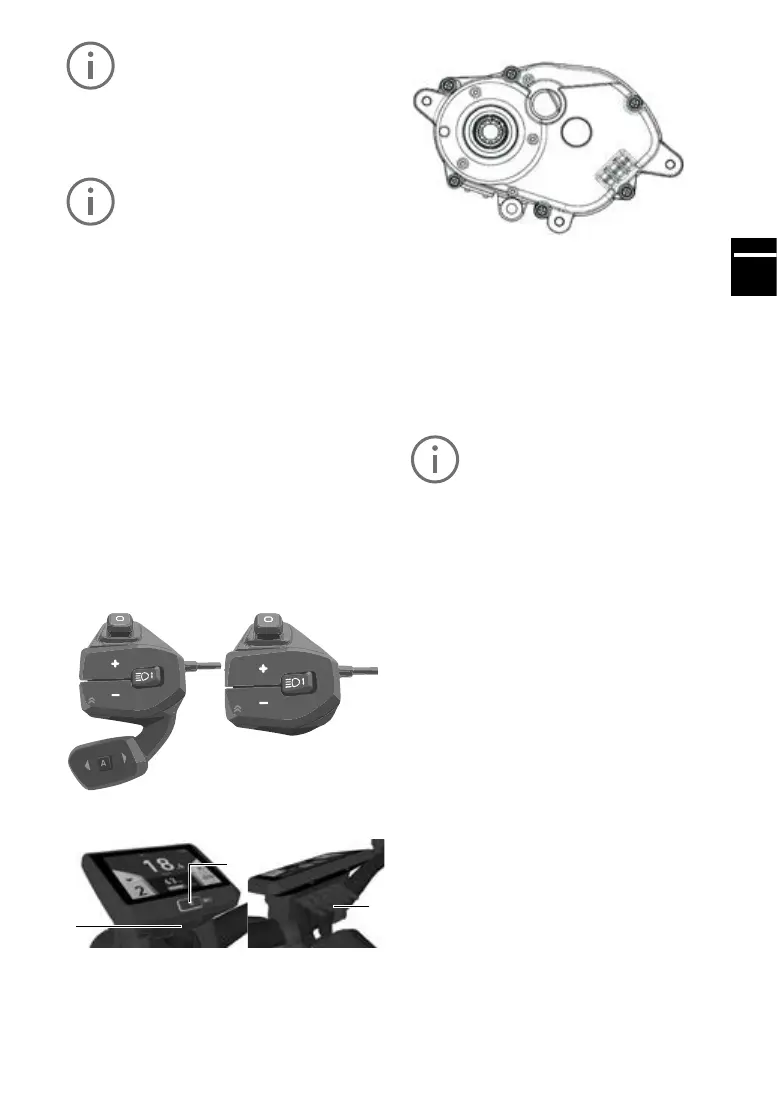
FLYER RC1 and RC2 remote control operating
console
FLYERD1display
1
2
3
1. On/obutton(pressforatleast1secondto
switch on)
2. USB port
3. Display connector
RC1
RC2
Drive unit
The drive unit is an e-bike motor. The drive unit is
operated via the FLYER remote control (see
above).
5.2 Operation
Toactivatethesystem,presstheon/obuttonon
the display for at least one second.
The “Drive” menu will then be shown on the dis-
play.
The system can only be activated if a
sucientlychargedbatteryisused.
Toturnotheelectricalsystem,presstheon/o
button for at least one second.
If the system does not detect any rider activity
fortenminutes,itturnsoautomaticallytosave
energy (this idle time can be congured as ex-
plained in section 5.5.9).
The FLYER D1 display is operated using the
joystick on the FLYER remote control operating
console, so that your hands can remain on the
handlebars while you ride.
Move the joystick left or right to switch between
the individual main menus on the display.
The following main menus are available:
Drive: Main view with key information such
as speed, remaining range etc. The
system always starts up in this view.
Info: Information about the current journey
Fitness: Information about the rider’s athletic
performance
Data: Topographic data and
ambient temperature
Navi: Navigation with a smartphone



 To Next Page