14
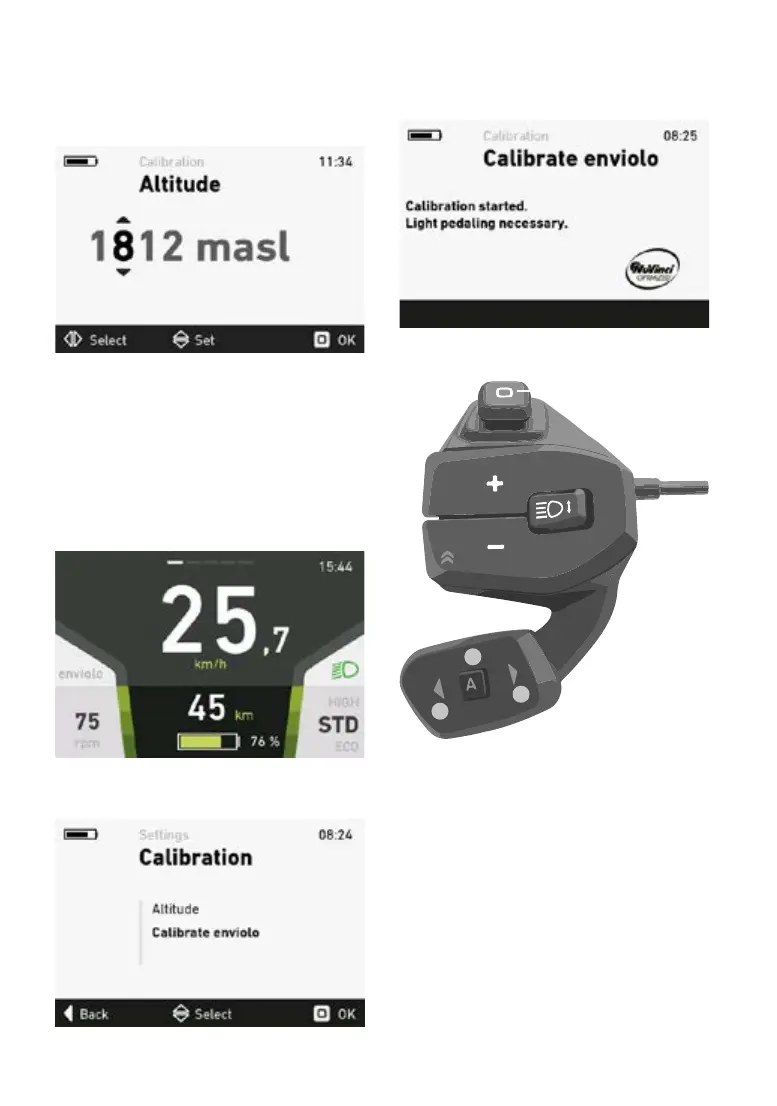
5.5.16 Elevation calibration menu
You can correct the actual elevation in the eleva-
tion calibration menu. Move the joystick up and
down to change the numbers. Move the joystick
left and right to switch between numbers.
Press the joystick to apply the new settings after
conrmation.
5.5.17 enviolo TR automatiQ integrated
If your FLYER e-bike has an “enviolo TR automa-
tiQ integrated” gear hub, the hub may need to be
recalibrated.This is the case if you suspect that
you are not getting the full transmission range.
In the settings menu, select the “Calibrate envio-
lo” submenu by clicking the OK button.
Now press the OK button again to start the ca-
libration.
The system can only calibrate successfully if you
pedal lightly or with no force throughout the pro-
cess.Aconrmationmessagewillappearonthe
display if the calibration has been successful.
enviolo TR automatiQ integrated
2.
3.
1.
The enviolo gear system is controlled with the
remote RC1. Button 2 can be used to switch bet-
ween manual and cadence mode.
In the manual mode, 8 gears can be selected on
e-bikes with pedal assist up to 25 km/h and 12
gears on e-bikes with pedal assist up to 45 km/h.
Use button 3 to go up a gear and button 1 to go
down a gear. Pressing and holding the button
enables you to change through several gears at
once.
In cadence mode, the same buttons can be used
to adjust the cadence. It is increased or decrea-
sed by 5 revolutions per minute.



 To Next Page