MANTIS User's Guide | Chapter 11: MANTIS Radio-Frequency Identification (RFID)
Scanning RFID chips manually
You can scan your RFID chip(s) in two different ways: either by scanning all chips at once
or scanning an individual chip.
To scan all chips:
● Click the Scan All RFID Chip Inputs button in the Input Control Panel for
instant scanning.
OR
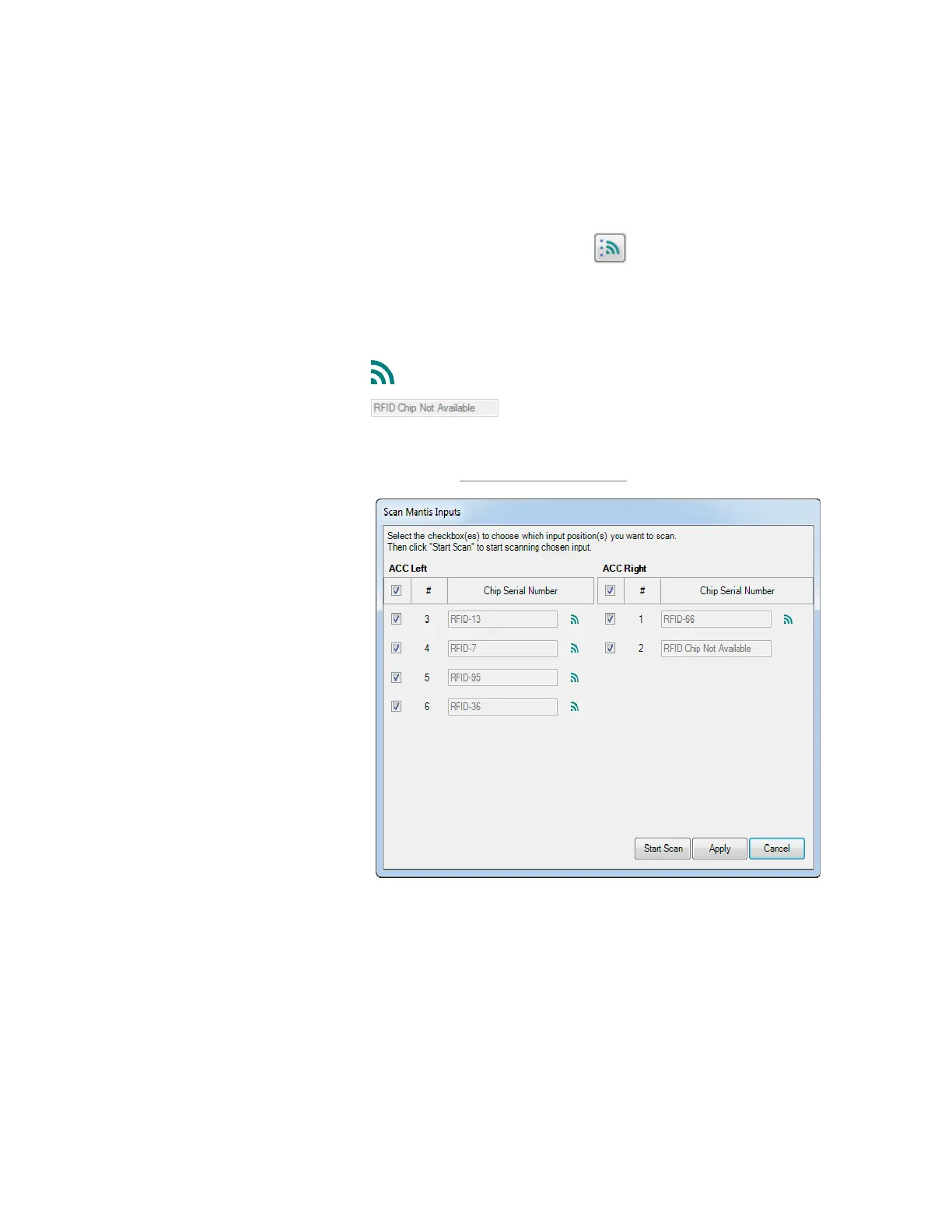
1. Go to the Tools menu, select Scan Inputs for RFID chips.
2. Click Start Scan in the Scan MANTIS Inputs window.
● This icon indicates that the RFID chip is available.
● MANTIS will tell you if an RFID chip is not available
during the scanning process. To overcome this, please check whether you
are using an RFID chip or not. If not, replace the chip with the desired RFID
chip and try again. If you are already using an RFID chip but it is undetected,
please contact support@formulatrix.com.
3. Select Apply to apply the scanning result to the MANTIS inputs and then click Yes
when the confirmation message appears.
OR
Select Cancel if you want to cancel applying the scanning result to the MANTIS
inputs.
RFID Scanning



 To Next Page