MANTIS User's Guide | Chapter 9: Dispensing With the MANTIS
A Reagent Configuration enables you to save, load, and modify the hardware setup for each
of your reagents. This configuration contains all of the reagent settings and information that
you might need for any future dispense process.
To create and use a reagent configuration:
1. In the Input Control Panel, type a reagent name in the Reagent Name box.
OR
You can drag and drop the reagent to each reagent input from the dispense list.
See Designing a Dispense on page 47.
2. Choose one of the options below:
● Click the Input button Input button next to each reagent input.
● Click the Configure All Input Settings button .
● Go to the Tools menu, point to the Reagent Configuration, and then select
Setting.
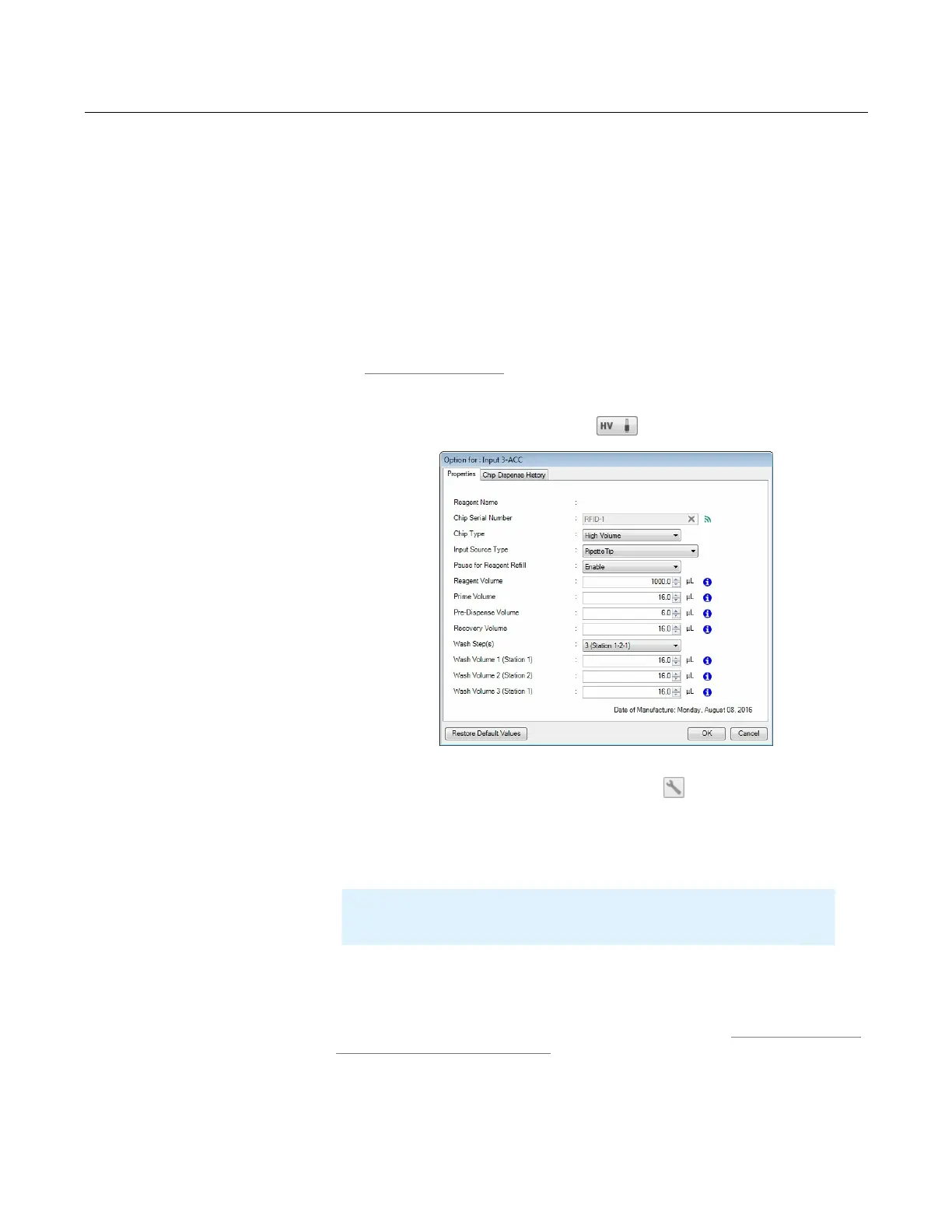
3. Select the Input Source Type, either Tube or Pipette Tip.
4. Select the Chip Type accordingly: Low Volume, High Volume, High Volume PFE,
Low Volume PFE, or High Volume Continuous Flow chip.
5. Type the Prime Volume (optional), Pre-Dispense Volume, Recovery Volume, and
the wash volume if you enable the Wash Step(s) option. See Default Volume and
Tubing Length Recommendation on page 28.
6. When you have finished, click OK.
Creating and Using Reagent Configurations
Input Setting Window
Note
: If you are using the All Input Settings window, please locate your
input number carefully before proceeding to the next step.



 To Next Page