If you have externally generated experiment designs saved as .CSV files, (either volume or
concentration data) you can easily load them into MANTIS software using the Import
Dispense Data feature. Currently there are two supporte layouts: Well Name Based and
Reagent Name Based. MANTIS will convert your .CSV file into a dispense list and allow you
to edit each of the experiment parameters, if necessary. When you have finished editing
the parameters, you can save your work as a protocol to be used for future dispenses.
Protocols generated from .CSV files even allow reloading of updated data after saving.
In this section, you will learn how to import your .CSV file for dispense using the MANTIS.
The two options for the .CSV file format are:
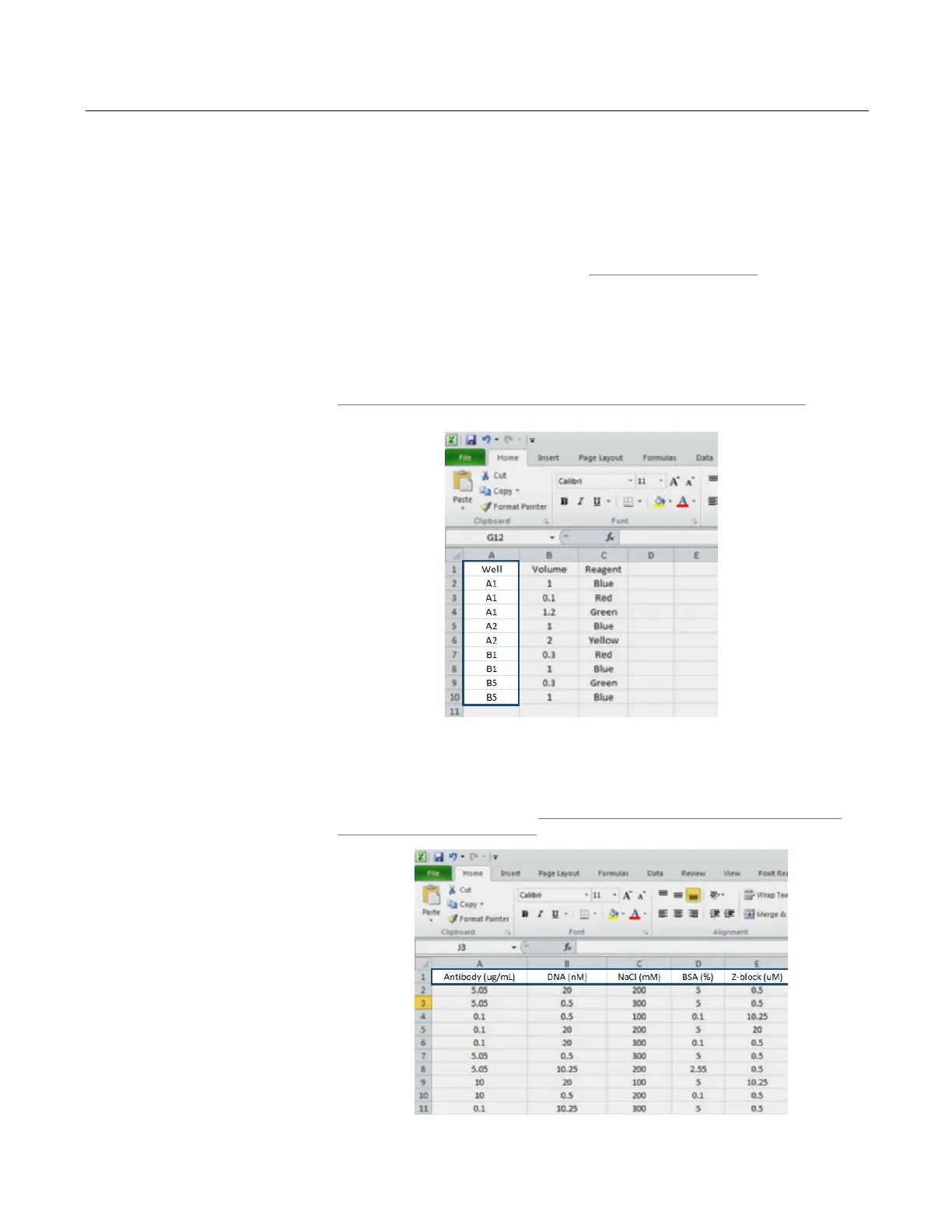
1. Well Name Based format defines the dispense information with data arranged in
rows, with one row per well/reagent combination. This allows omitting
well/reagent combinations with 0 for target volume. Click to learn more about
Importing the experiment design data from a Well Name Based .CSV file on page
60.
2. Reagent Name Based format defines what reagents are to be dispensed and in
what amounts without referencing specific well names. A Reagent Name Based
file arranges its data in columns, with one reagent per column and one row per
well. Click to learn more about Importing the experiment design data from the
Reagent Name Based .CSV file on page 63.
MANTIS User's Guide | Chapter 9: Dispensing With the MANTIS
Importing Dispense Data
Well Name Based Example shown in Microsoft Excel
Reagent Name Based Example shown in Microsoft



 To Next Page