MANTIS User's Guide | Chapter 10: Large Capacity Chip Changer (LC3)
Prerequisites
● You have the LC3 option, along with the carousel and a locating plate.
● You are familiar with the component names of the LC3 hardware (see LC3 Components
on page 88).
To set up the LC3 for a dispense:
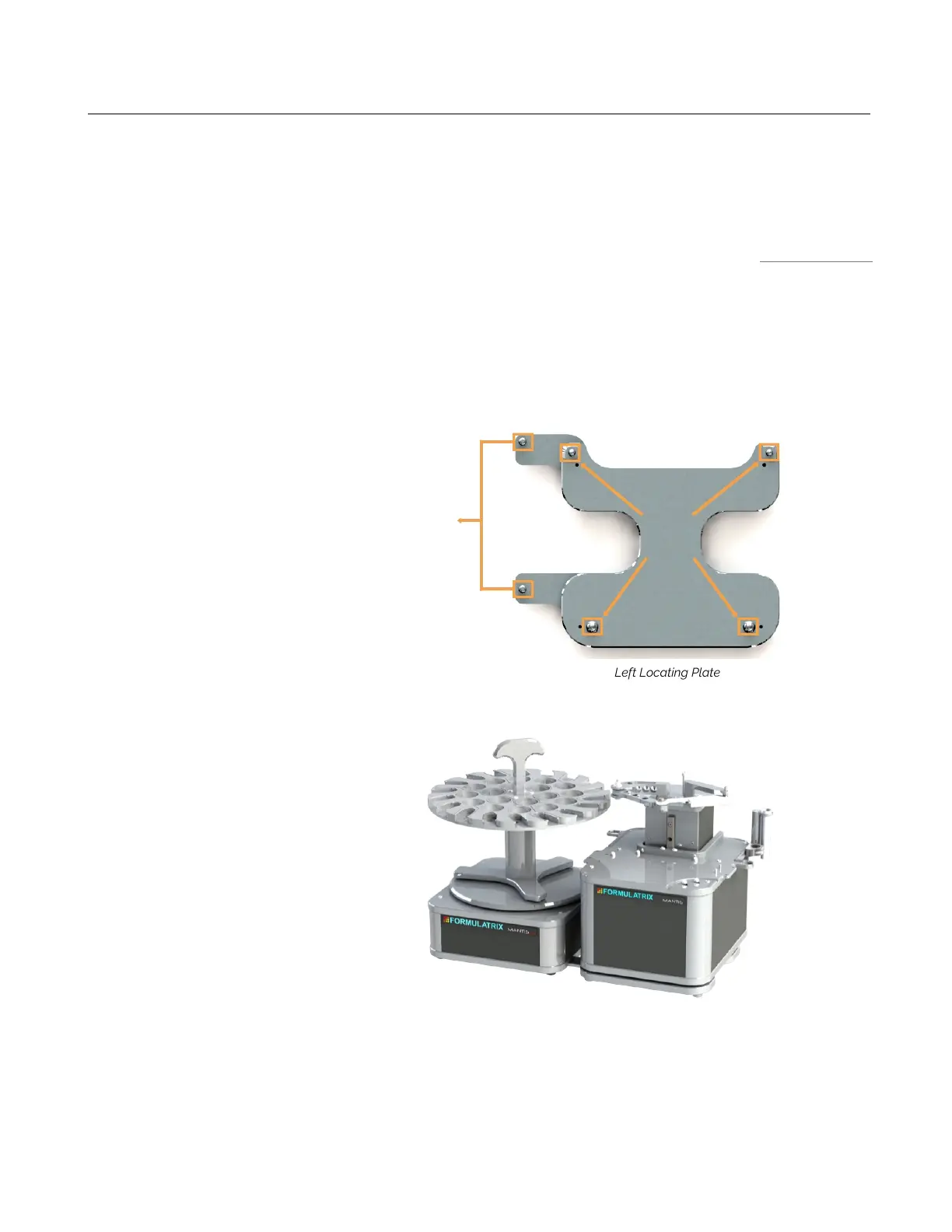
1. Locate the MANTIS on the center of locating plate by lining up the pin slots under the
MANTIS base to the locating plate’s pins.
2. Locate the LC3 to the pins on the locating plate by lining up the pin slots under the LC3
base to the locating plate’s pins.
3. Position the carousel on top of the LC3.
4. Put the MANTIS chips into the chip stations.
5. Attach the reagent tubes in the tube holders or pipette tips to the inputs at each chip.
Setting Up the LC3 for a Dispense
An Example of the Hardware Setup Using Left Locating
Left Locating Plate
Pins for LC3 Hardware
Pins for
MANTIS
Hardware
The Center of the
Locating Plate



 To Next Page