MANTIS Configuration
Chapter 12
There are some basic settings you need to configure if you want to be able to dispense
ROCK MAKER plate designs with MANTIS.
Prerequisites
● You are running MANTIS 2.3 or newer.
● You are running ROCK MAKER 2.0 or newer.
Step 1: Set up ROCK MAKER – MANTIS Integration
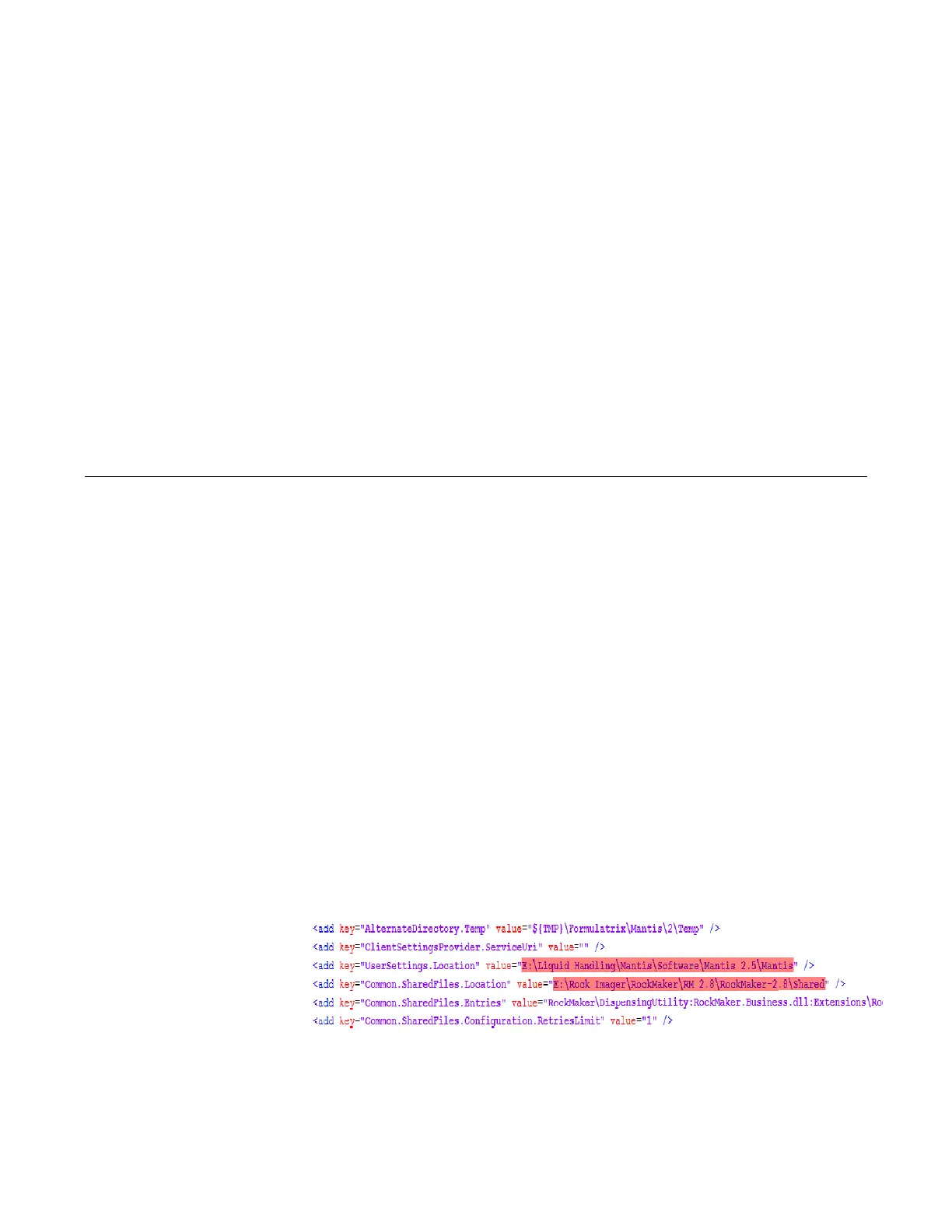
1. Open Mantis.exe.config in the MANTIS directory, where the MANTIS software is
installed.
2. Specify the user setting location in this key <add key= “UserSettings.Location”
value to create the Extension folder and check that the settings in this key <add
key=”Common.SharedFiles.Entries” value is same with the Shared folder location
of Rock Maker.
3. When you’re done, point to the File menu and click Save to save your changes.
Configuring MANTIS-ROCK MAKER



 To Next Page