Step 2: Test MANTIS – ROCK MAKER Integration
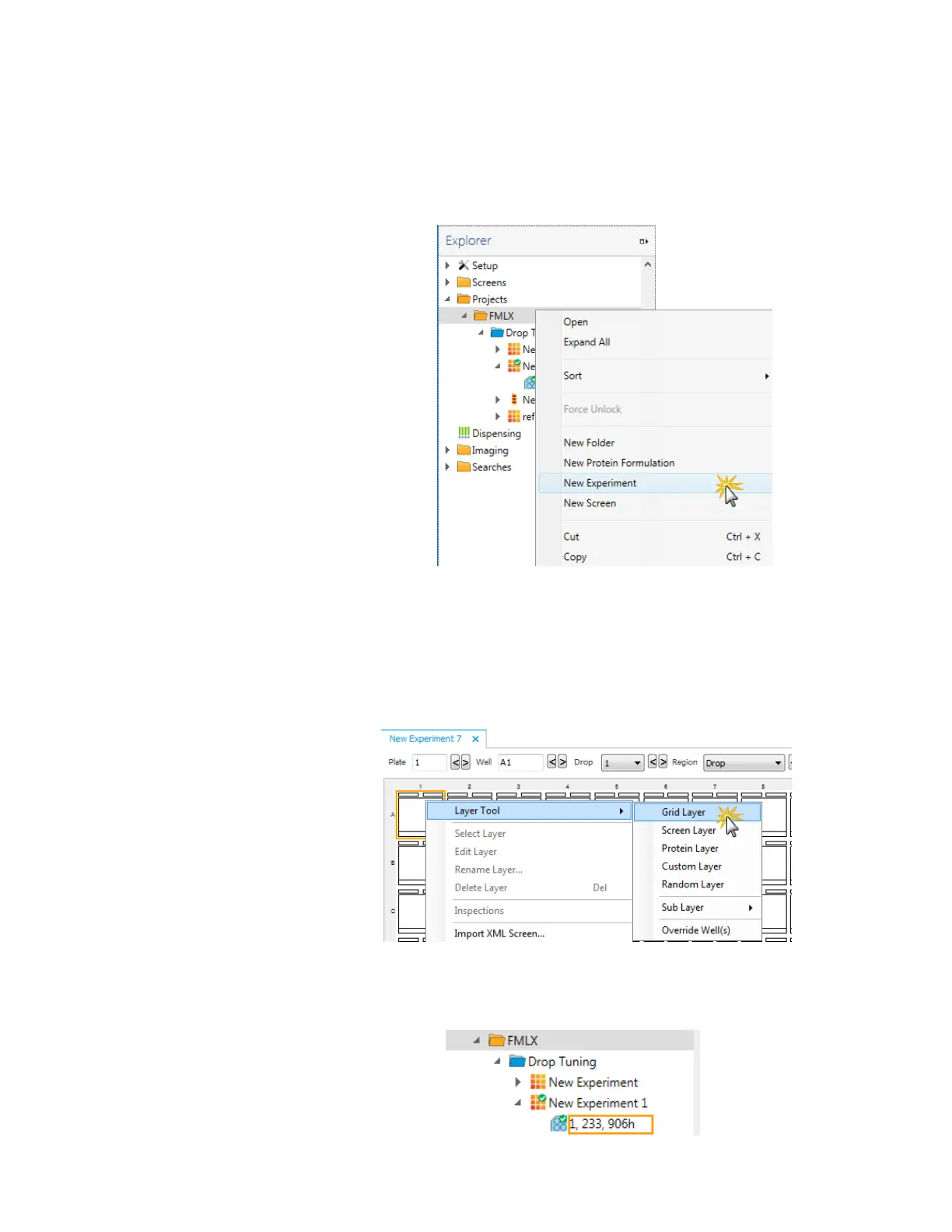
1. Open the ROCK MAKER software and create a new experiment:
a. From the tree, right-click a project or a folder within a project and select New
Experiment.
b. Rename the experiment by typing over the default name on the Explorer. Try
to be as descriptive as possible.
c. Fill in the fields on the Experiment tab such as Plate type.
d. Go to the Canvas tab and make a new grid layer consisting of ingredients and
protein.
e. Save your changes by selecting Save from the File menu. The experiment
barcode displays in the Explorer tree.
New Experiment in ROCK MAKER
ROCK MAKER Canvas
ROCK MAKER Explorer
MANTIS User's Guide | Chapter 12: MANTIS Configuration



 To Next Page