MANTIS User's Guide | Chapter 6: Initial Setup
There are two ways to add reagents to the MANTIS memory: via the Reagent List or
during Dispense List creation.
● The Reagent List is a list of reagents stored in the MANTIS software's memory to
be used at any time, in any dispense list.
● A Dispense List is a list of reagents to be used in a particular plate dispense.
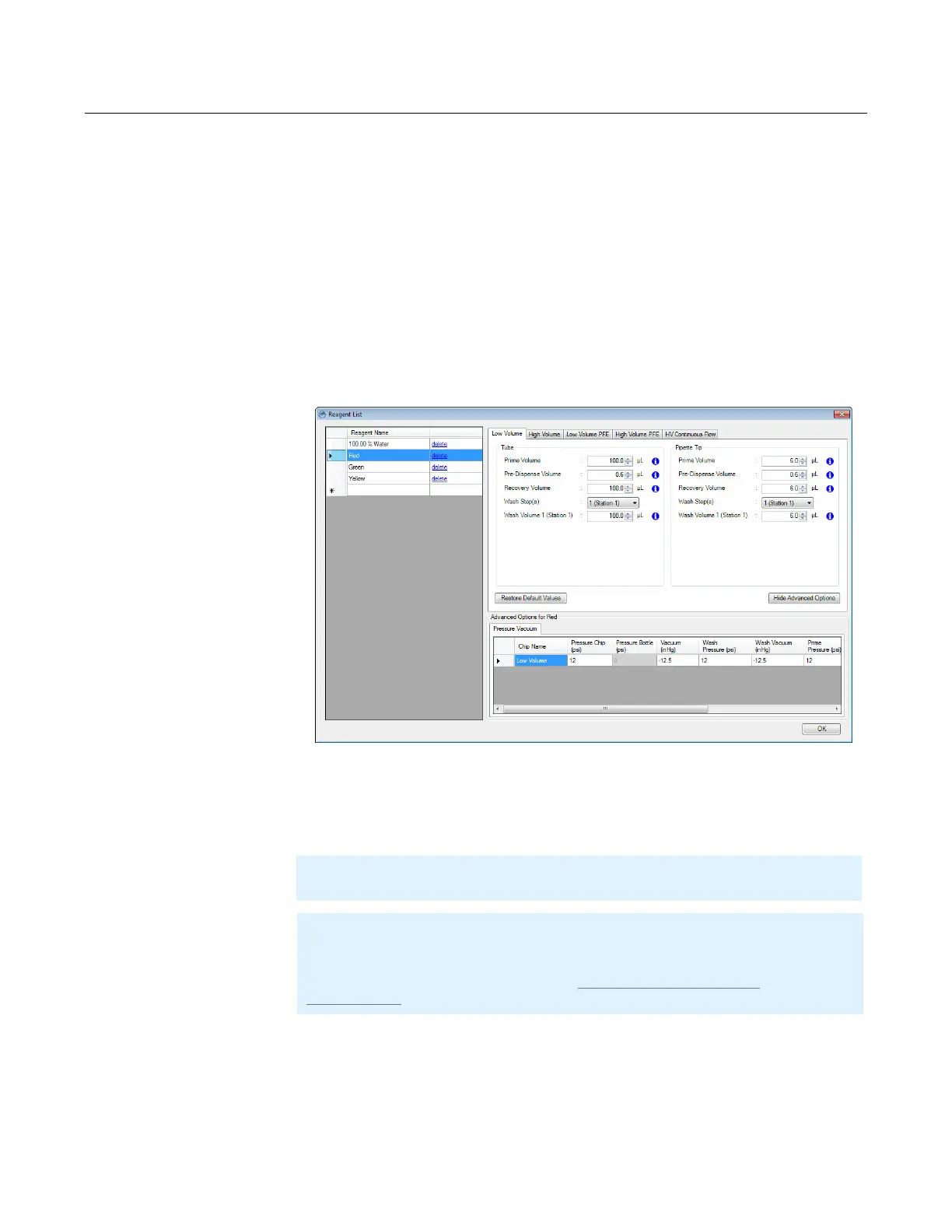
To add stock reagents to the reagent list:
1. Go to the Tools menu, and click Reagent List.
2. Type the reagent's name in the blank row.
3. Continue adding reagents to new rows.
4. When you’re done, click OK.
Adding Stock Reagents to the Reagent List
Note: You cannot rename the reagent after you save it to the Reagent List.
Note: MANTIS will always use the latest saved settings of each reagent in the
Reagent List for different dispenses, unless you are modifying it as needed. The
reagent settings in Reagent List will be updated if you modify or load the Reagent
Configurations. For more information, see Creating and Using Reagent
Configurations on page 55.
Reagent List Dialog Box



 To Next Page