Troubleshooting and
FAQs
Chapter 15
Troubleshooting
While the MANTIS is designed to be a reliable device, as with all hardware, problems
may occur with use or over time. If you don't see your problem below, email
support@formulatrix.com for assistance. Our technicians monitor this email address 24
hours a day, Monday through Friday.
The MANTIS is dispensing incorrect volumes or not dispensing at all, regardless the
chips or the input source types being used.
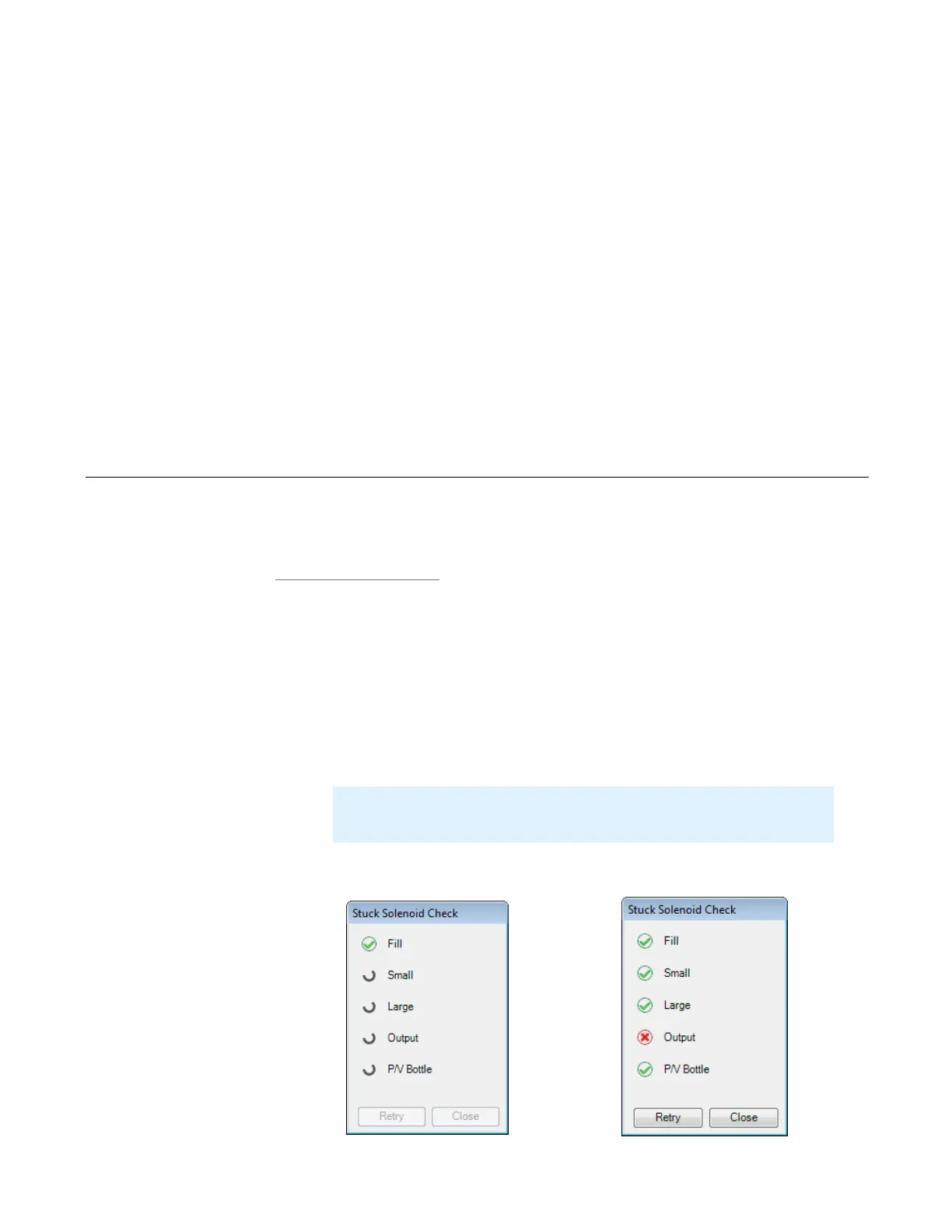
One possible cause for inaccurate dispense volumes is a stuck solenoid. If you
experience this, you should check the solenoids by running the Stuck Solenoid Check
wizard.
To check the solenoids:
1. Go to the Tools menu and select Stuck Solenoid Check.
2. At this point, MANTIS will perform the Stuck Solenoid Check. After the test is
finished, the results will be displayed in the Stuck Solenoid Check window.
Important: Make sure that there is no chip attached to the MANTIS before
performing the test.
Checking for Stuck Solenoid
The Red Cross Icon Indicates the Solenoid may be Stuck



 To Next Page