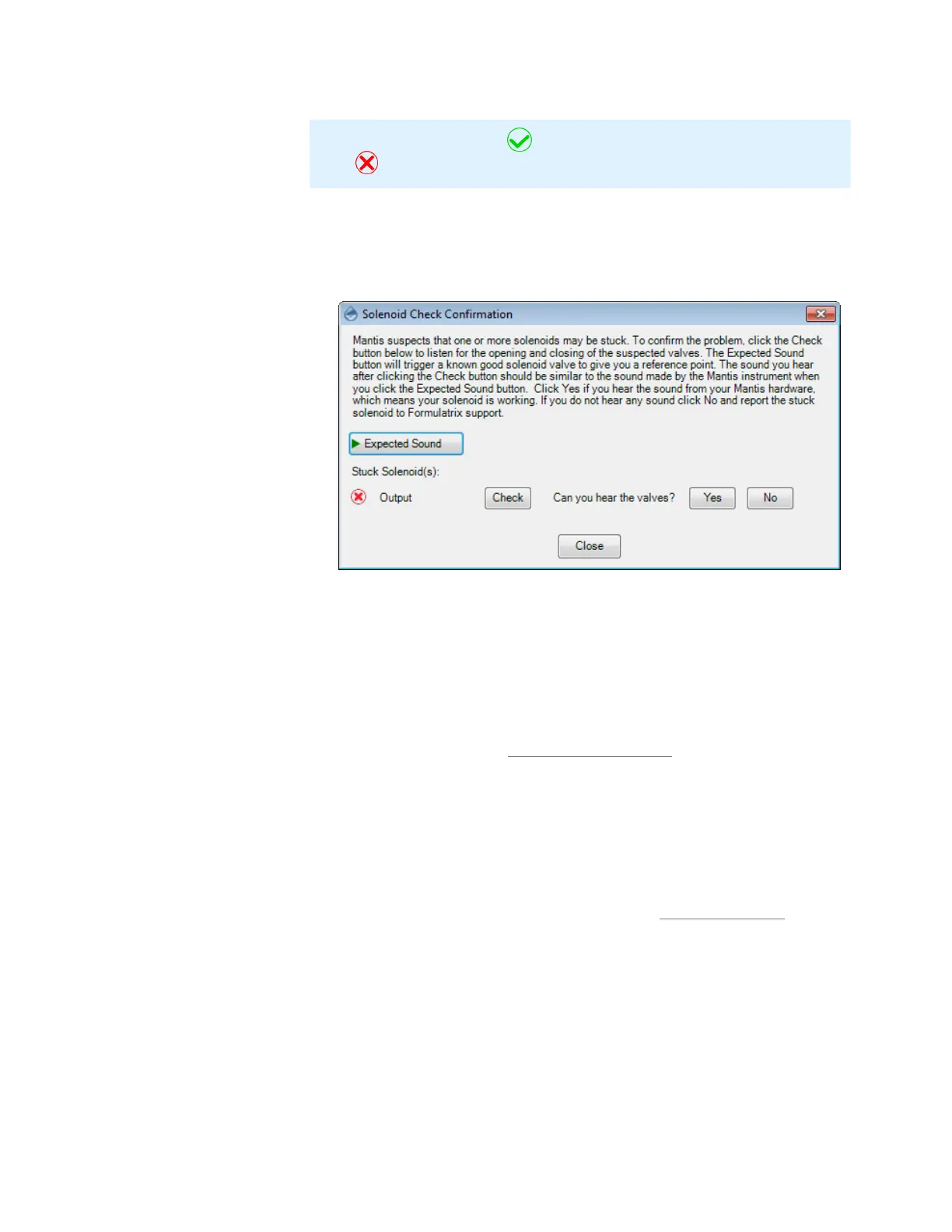
3. If MANTIS suspects one or more solenoids of being stuck, the Solenoid Check
Confirmation window will appear. The Solenoid Check Confirmation process
allows you to confirm whether or not a solenoid is truly stuck. Click Expected
Sound to listen to what a solenoid valve should sound like when it opens and
closes.
4. Click Check to listen to the sound of the solenoid suspected of being stuck.
5. Compare the expected sound with the good solenoid sound from your
hardware.
a. Click Yes if the sound from the tested solenoid is similar to the sound
you hear when you click Expected Sound. This means that the
solenoid works properly.
b. Click No if you do not hear any sound from the hardware. If you do
not hear anything, the solenoid is not working properly. Report this
issue by emailing support@formulatrix.com and a support
representative will have your MANTIS repaired as quickly as possible.
6. Close the wizard.
MANTIS is dispensing incorrect volumes when using PFE/HV chips, or MANTIS is
not dispensing accurately from a pipette tip.
Incorrect dispense volumes may occur if the chip type in use is different from the chip
type selected in the MANTIS software. Check that the chip type selected in the
software is correct; if not, select the correct chip type. See Input Control Panel on page
35 for modifying and selecting your chip types correctly.
MANTIS cannot aspirate reagents from a tube, or MANTIS can aspirate but the
dispense volume is not accurate.
Check the tube connection and make sure it is firmly attached to the chip/tube input.
If you see either if these issues after the first dispense or after the chip returns in
between reagents, then make sure you are priming the chip before each dispense.
Failure to prime a chip will prevent accurate dispenses. Please also note that it takes
approximately 150-200 µL to prime the chip for the first dispense.
Note: The green check icon indicates that there is not stuck. The red cross
icon indicates that the solenoid is suspected to be stuck.
Solenoid Check Warning
MANTIS User's Guide | Chapter 15: Troubleshooting and FAQs



 To Next Page