Prerequisites
● You have created a dispense list.
Delay Between Reagents
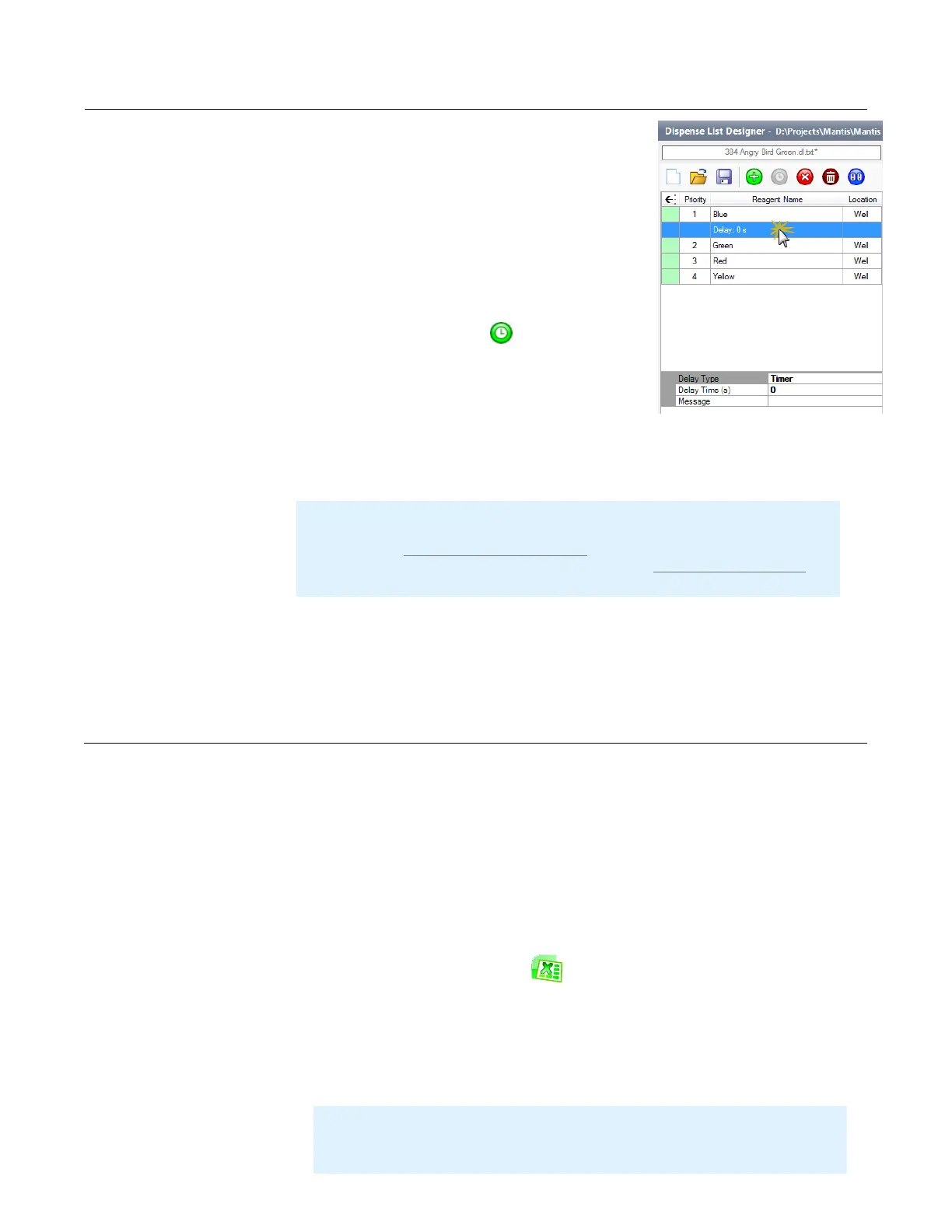
To add a dispense delay to a dispense list:
1. Click a dispense list item to select it.
2. Click the Add Delay button .
3. Click the Delay row to configure the delay settings.
4. Go to the bottom of the dispense list designer and
choose a Delay Type (UserInput or Timer).
5. Optional: If you selected Timer, type the number of seconds in the Delay Time
(s) field. You can also leave a message in the Message box to be displayed
when the dispense delay is running.
Delay Between Wells
To add a dispense delay between wells:
● Type the desired number of seconds for the delay in the Delay Between Wells
(s) option in the bottom part of the dispense list designer.
You can use Microsoft Excel or OpenOffice to view and edit your experiment data if
you prefer that method over a visually-oriented designer.
Prerequisites
● You have loaded a dispense list to the Dispense List Designer.
To edit a dispense list with Excel or OpenOffice:
1. Click the Excel editor button on the right area of the Dispense List
Designer. A lock button will appear on the dispense list, and the Excel or
OpenOffice editor will display the dispense list items and their volumes.
2. Edit the volumes manually. If you are trying to create a new dispense
design based on an existing spreadsheet, you can now copy and paste
the dispense volume data from the existing spreadsheet to the MANTIS-
formatted spreadsheet. Your volumes must be in microliters (μL).
Adding a Dispense Delay
Using Excel to Edit a Dispense Design
MANTIS User's Guide | Chapter 9: Dispensing With the MANTIS
Note: By default, the MANTIS will automatically turn off the pump for any
dispense delay lasting for longer than five minutes. To disable this feature,
please set the Disable Pump for long delay value in the Advanced Options to
False. If you want to modify the default time, contact FORMULATRIX support
for help.
Adding a Dispense Delay
Note: If you attempt to edit a dispense design in Excel, any reagents left with
zero volume will be removed from your dispense list when you save your
changes and return to the MANTIS software.



 To Next Page