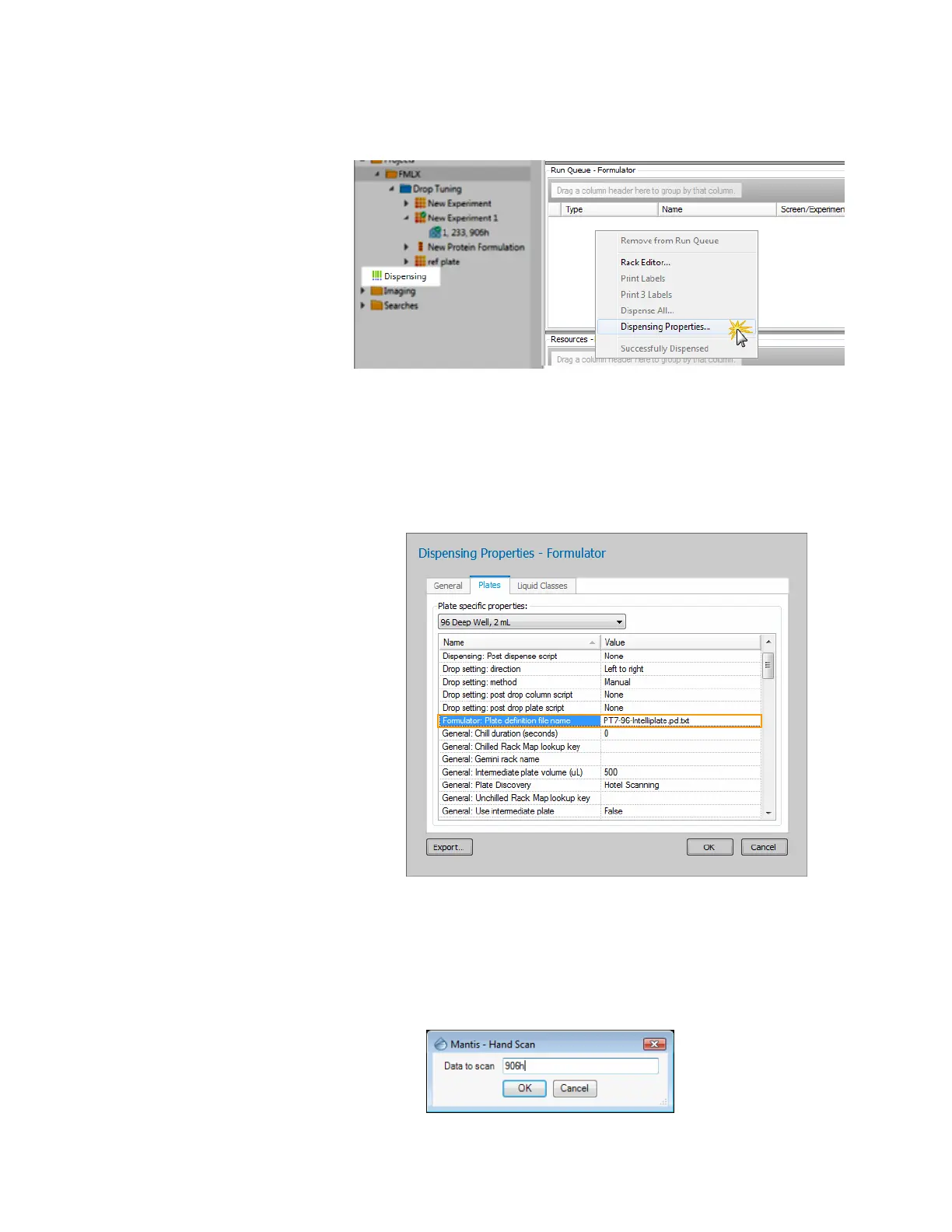
f. Point to Dispensing folder, right-click Run Queue and select Dispense
Properties.
g. Select the Plates tab and change the plate-specific properties based on the
plate type used in your experiment.
h. Next, go to the FORMULATOR: Plate definition file name column. You need
to get the exact name of the plate definition file name from the MANTIS
directory, so open the MANTIS directory and go to
MANTIS\Data\User\Plates.
i. Click OK to confirm.
2. In the MANTIS software, point to the Tools menu and click Hand Scan (Ctrl+H).
3. Type your experiment barcode number in the Data to scan box (you only need to
type the last four digits). If MANTIS successfully reads and validates the barcode,
your dispense list, design and settings will display.
MANTIS User's Guide | Chapter 12: MANTIS Configuration
Dispensing Folder in ROCK MAKER
Dispensing Properties
Hand Scan



 To Next Page