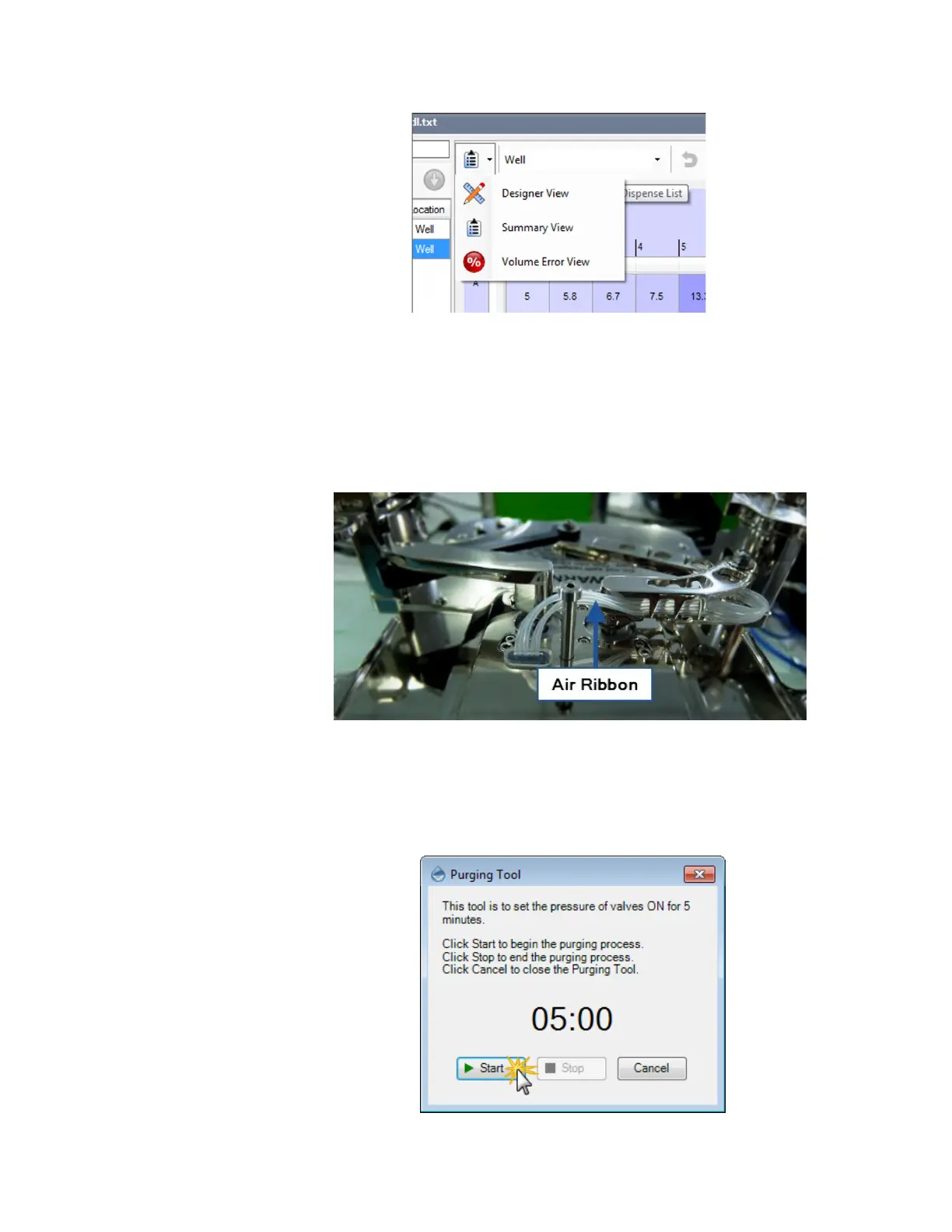
You see liquid in the Air Ribbon.
In the case liquid being spilled on top of the chip, the liquid can enter the MANTIS Air
Ribbon when the chip is being picked up or dropped off. Liquid can also enter the Air
Ribbon if a chip fails catastrophically (diaphragm or valve rupture). If you ever notice
liquid droplets in the Air Ribbon, you must purge the liquid to prevent it from entering
the solenoid bank and damaging the MANTIS hardware. Follow these instructions to
purge liquid from the Air Ribbon.
To purge liquid from the Air Ribbon:
1. In the Tools menu, select Purging Tool.
2. Click Start to begin the purging process.
Air Ribbon at the Back of the MANTIS Arms
Starting the Purging Process
The MANTIS Software Seems Frozen
MANTIS User's Guide | Chapter 15: Troubleshooting and FAQs



 To Next Page