MANTIS User's Guide | Chapter 9: Dispensing With the MANTIS
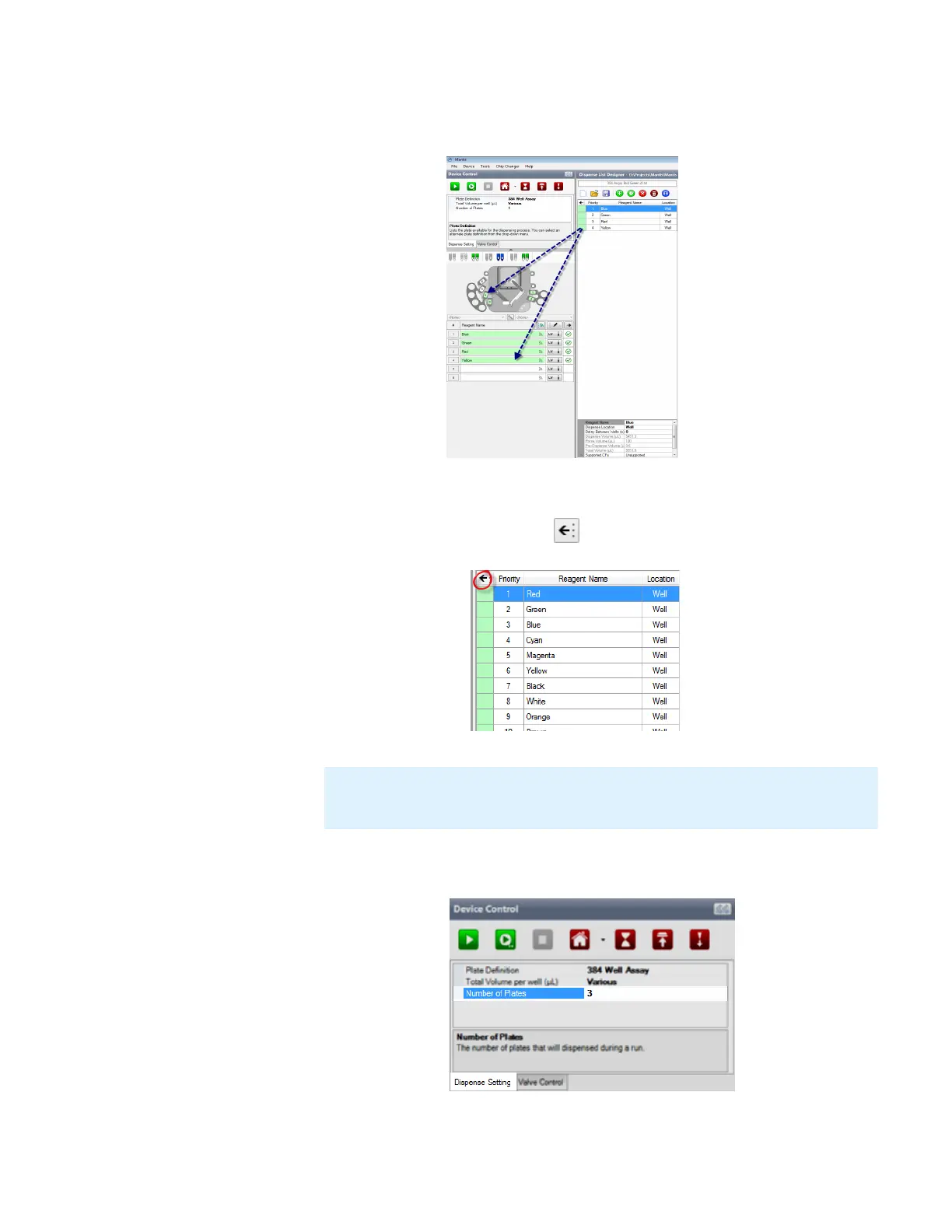
5. Drag the reagent name from the Dispense List to either the text box next to the chip
position, or the chip position on the image of the MANTIS.
OR
Click the Assign To Input button to assign all reagents from the Dispense List
at once.
6. On the Dispense Setting tab, type the amount of plates you want to dispense in the
Number of Plates field.
Note: If the dispense list has more reagents than the amount of the chip stations,
the Assign To Input button will not work. The amount of reagents should be less
or same as the number of chip stations.
Drag Reagent to the Device Control Panel
Assign a Dispense List of Reagents to Chip
Number of Plates Option



 To Next Page