MANTIS User's Guide | Chapter 10: Large Capacity Chip Changer (LC3)
Tube Holder Depending on the type of LC3 carousel you use, the tube
holder is compatible with either 15 mL Falcon tubes or 50
mL Falcon tubes.
Chip Station The chip stations are compatible with High Volume (HV),
Low Volume (LV), High Volume PFE, Low Volume PFE, and
High Volume Continuous Flow (CF) chips.
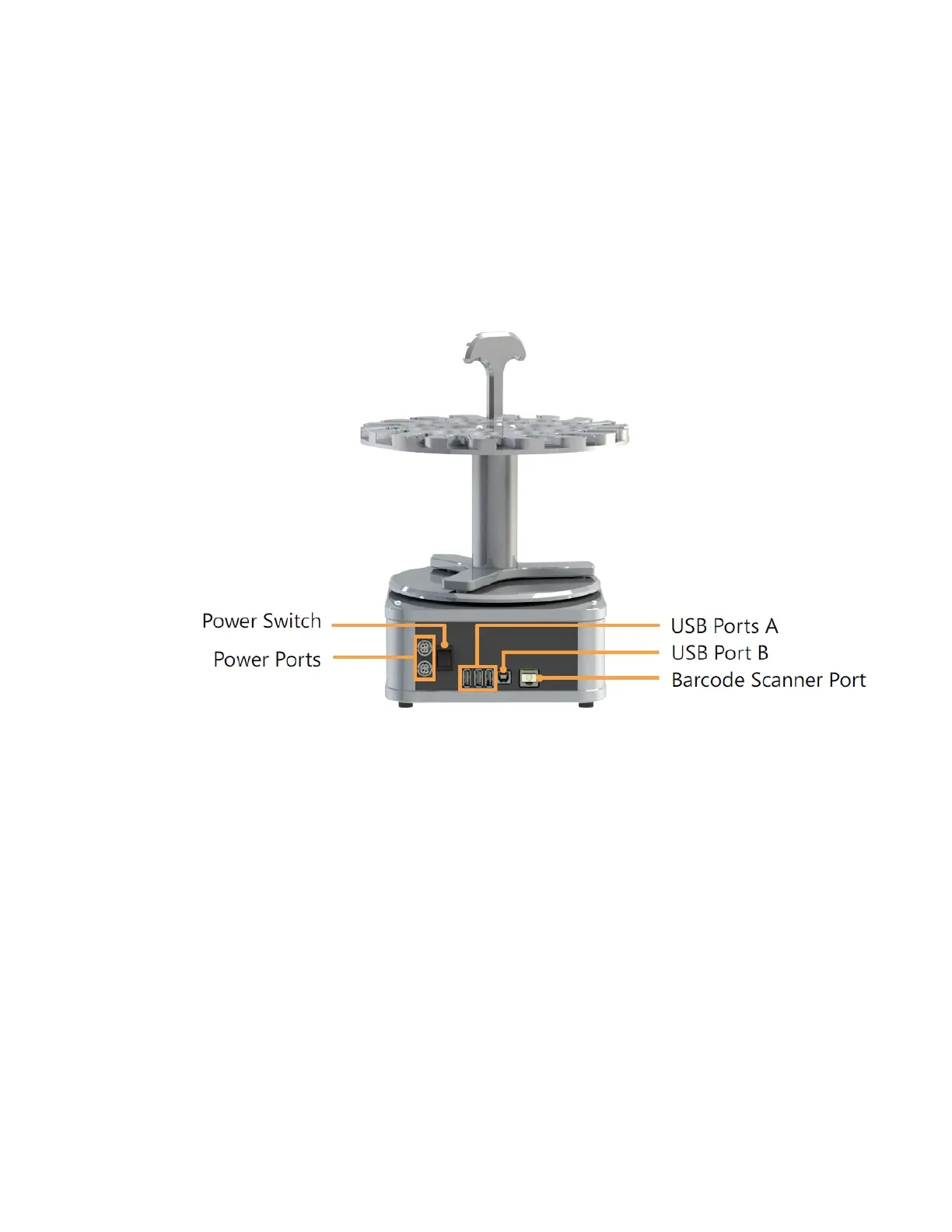
Power Switch The power switch turns the LC3 on and off.
Power Ports There are two power ports, one for connecting the LC3 to
the MANTIS — as the MANTIS can power itself off of the LC3
— and one for connecting the LC3 to a power outlet.
Barcode Scanner
Port
The barcode scanner port is used for connecting the LC3 to
a barcode scanner. Please note that the barcode scanner is
optional.
USB Ports There are four USB ports, three Type A and one Type B. The
Type B port is used for connecting the LC3 to your MANTIS.
The other three can be used for USB flash drives.
LC3 BACK
LC3 Back View



 To Next Page