3000 CONTROLLER USER GUIDE
42
Appendix C: Loading and Updating Software Procedures on
a 3000 Controller
Updating the software takes approximately 30 minutes. The software only needs to be loaded in ONE
controller or the far left controller in a battery and it will update all the controllers and boards in the
system, except for system and frypot type. After the software upgrade is completed on the far left
controller, system and frypot type will have to be confirmed on each additional controller. Press the TEMP
button to check current 3000/ATO software version. Remove the bezel by removing the screws under the
bottom of the bezel. Remove the two screws securing the controller allow it to swing down. Remove the
two screws on the left side cover plate of the 3000 controller or far left controller in a battery.
To update the software, follow these steps carefully:
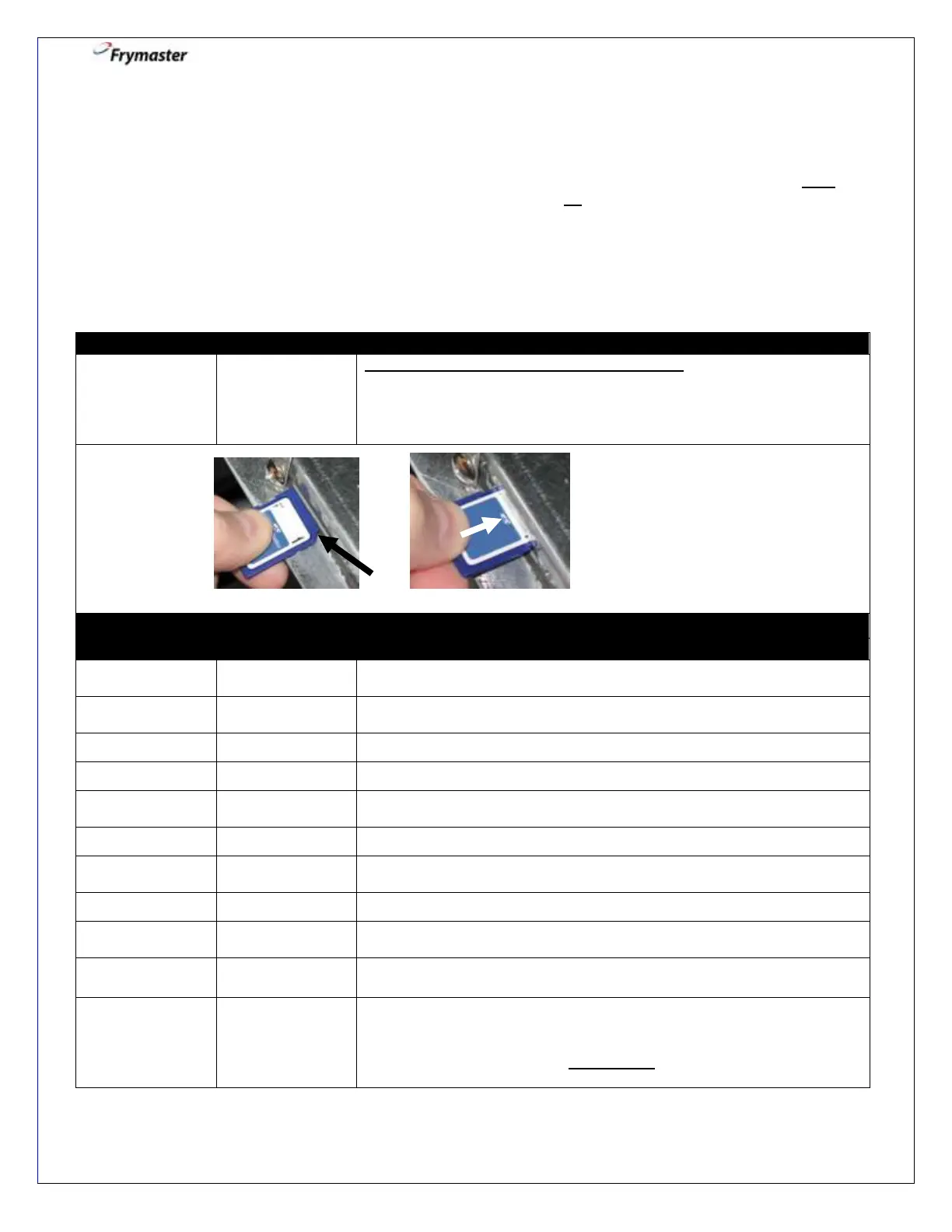
All controllers must be in the OFF position. With the controller folded
down, insert the SD card, with the contacts facing down and the notch
on the bottom right (see Figure 1 and 2), into the slot on the left side of
the 3000. ENSURE THE CARD IS FULLY INSERTED INTO THE SD
CARD SLOT.
None required. NOTE: (This happens only on the leftmost controller.)
If displayed, press the filter button to continue.
Remove the SD card using the fingernail slot on the top of the SD card.
Cycle the control power using the hidden reset momentary rocker
switch (see Figure 3). It is located under the left control box in gas (see
Figure 4) or behind the right control box in electric (see Figure 5).
HOLD THE SWITCH FOR 20 SECONDS.



 To Next Page