3-6
3.4.1 Adding Oil to the Oil Saddle Reservoir
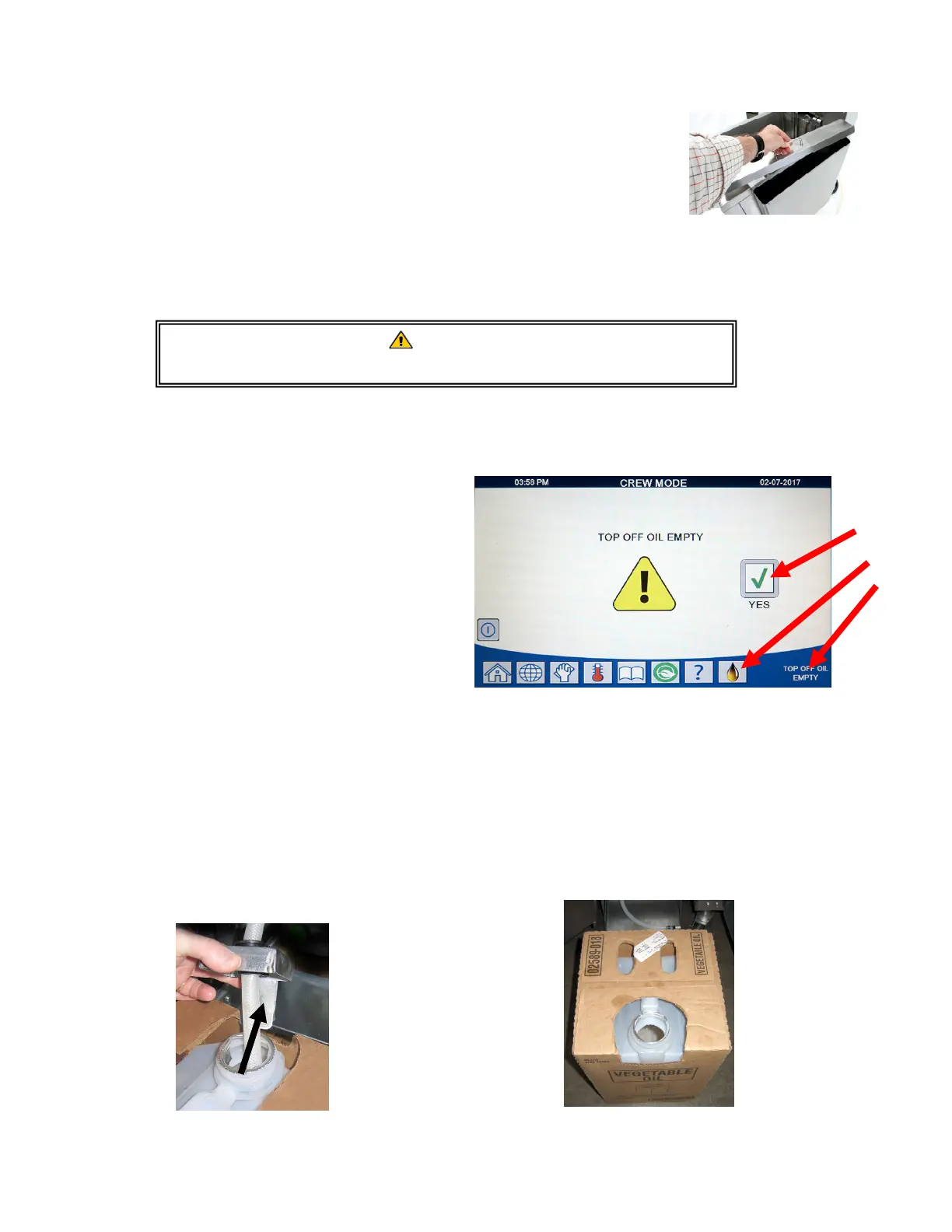
Remove the Oil Saddle Reservoir lid (see Figure 2) and fill with oil. Once
the reservoir is full ensure the lid is placed over the reservoir. Ensure
the quick disconnect fitting with hose is fully seated to the fitting on the
bottom of the oil saddle.
The system is now ready for operation. As the fryer heats to prepro-
grammed temperatures, the system will energize and then slowly add oil to the frypot as needed,
until the oil reaches an optimal level.
3.4.2 Routine Oil Changes
When the oil reservoir level is low and
displays TOP OFF OIL EMPTY, (see Figure
3). Press the check button to clear the
screen. Once the reservoir is refilled
and/or replaced, press and hold the or-
ange reset button next to the oil reser-
voir (see Figure 7 on the following page)
until the message in the lower corner is
no longer displayed. If using solid
shortening, see Appendix B for instruc-
tions. If using a saddle oil reservoir see
section 3.4.2.2.
3.4.2.1 Routine Oil Changes (JIB on-
ly)
1. Remove the cap and pour any re-
maining oil in the container into all
fry vats equally (see Figure 4).
Figure 4
2. With the jug upright, remove the cap and foil seal
(see Figure 5).
Figure 5
WARNING:
Do not add HOT or USED oil to the Oil Saddle Reservoir.
Fi
ure 2
Figure 3
Top Off Oil Empty indicates that the oil reservoir is
empty.











 To Next Page