Scanning Documents (SV600)
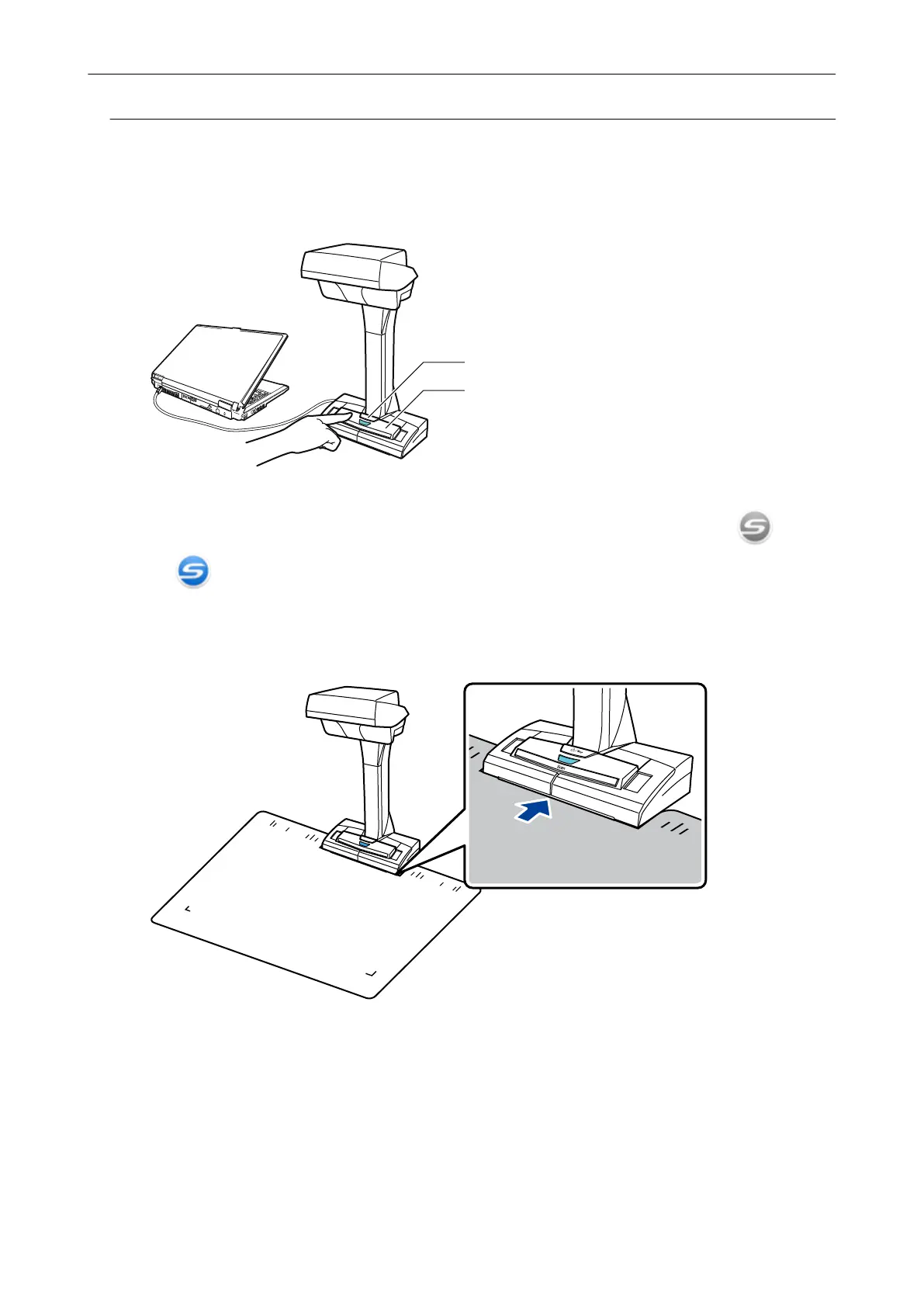
1. Press the [Scan] or [Stop] button on the ScanSnap to turn the power on.
[Scan] Button
[Stop] Button
a The power LED lights up in blue.
In addition, the ScanSnap Manager icon in the notification area changes from to
.
2. Place the Background Pad on the front side of the ScanSnap.
Place the Background Pad so that it is in contact with the ScanSnap.
3. Place a document in the scan area of the ScanSnap and press the [Scan]
button.
For details, refer to "Documents to Scan (SV600)" (page 271).
Scanning Documents with SV600
275



 To Next Page
 Loading...










